Day 12: (Mon Oct 5, Week 7) Hobby Servos and Photointerrupters 2
Assignments
Due Wed Oct 7: Exercise: Autonomous Toy. Please have the device ready to demo in class and submit documentation to Assignment 6 Shared Folder. Please note this is the last deadline before Fall Break, so there can be no extensions.
Agenda
Review results of Exercise: Pico Music. Please remember to submit documentation to Assignment 5 Shared Folder.
Show a sample solution for Exercise: Autonomous Toy.
Pico Servo with Photointerrupter (circuit example)
Lite-On LTH-1550 Reflective Photointerrupter (part reference)
Individual consultation.
CAD for Sample Solution
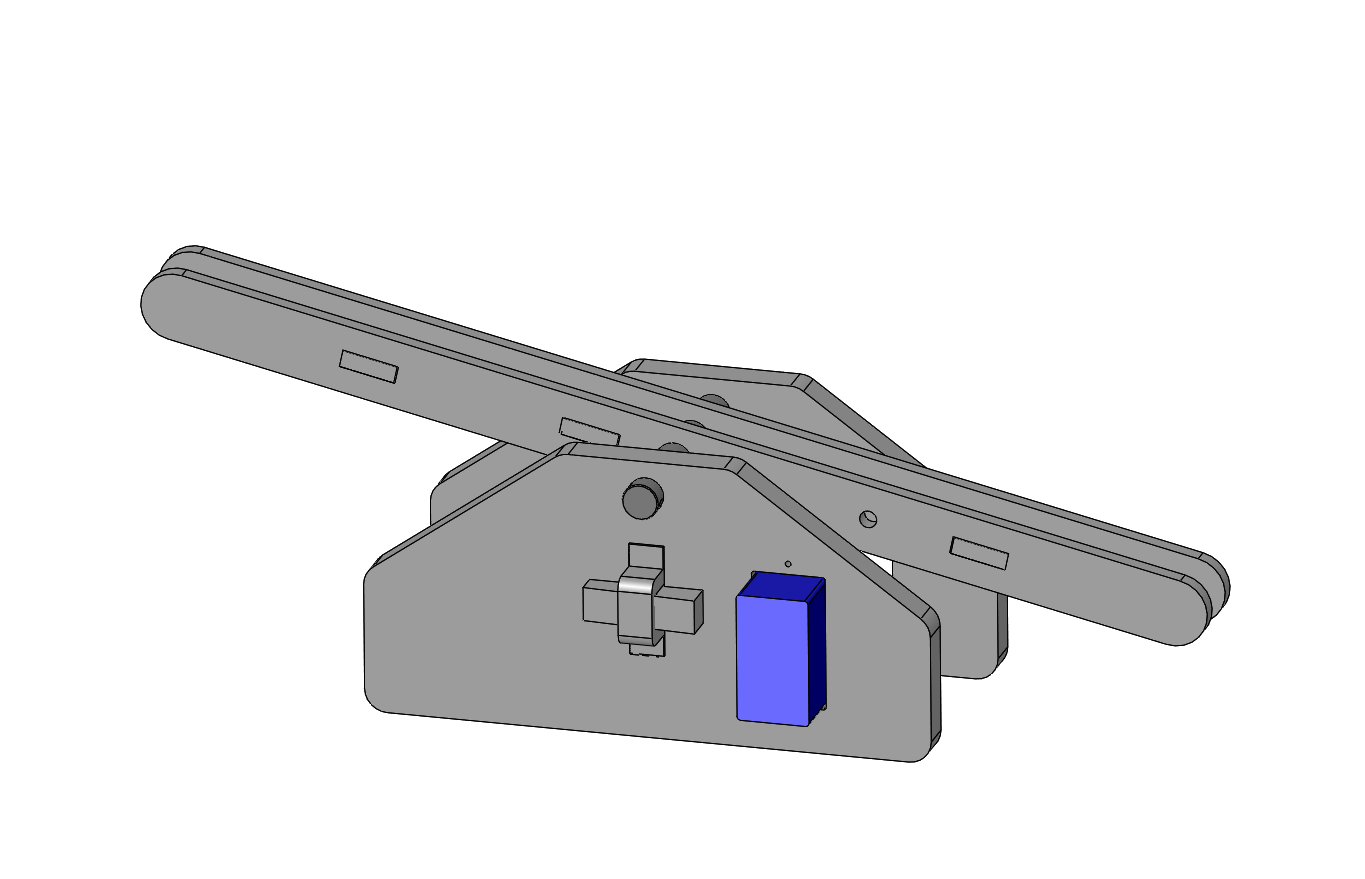
Code for Sample Solution
The following sample uses the servo.py module documented under
Servo Module, which should be copied to the top-level CIRCUITPY
directory
 1# servo_balancer.py
 2# Uses a hobby servo to balance a marble on a tilting track using photosensor feedback.
 3#
 4# This assumes a tiny 9G servo has been wired up to the Pico as follows:
 5#   Pico pin 40 (VBUS)  -> servo red   (+5V)
 6#   Pico pin 38 (GND)   -> servo brown (GND)
 7#   Pico pin 1  (GP0)   -> servo orange (SIG)
 8#
 9# This assumes a LTH-1550 photoreflective sensor is connected to digital input
10# GP15 using an external 22K pullup to 3.3V on GP15 and the collector lead of the
11# phototransistor.  The sensor is active-low: the input is false when an object
12# is present.
13#   Pico pin 20 (GP15)  <- photoreflective sensor
14
15################################################################################
16# load standard Python modules
17import math, time
18
19# load the CircuitPython hardware definition module for pin definitions
20import board
21
22# load the module for the sensor input
23from digitalio import DigitalInOut, Direction, Pull
24
25# load the servo.py module located in same folder
26import servo
27
28#--------------------------------------------------------------------------------
29# Set up a digital sensor input on GP15, which is physically pin 20 at one corner of the board.
30# E.g., this may be attached photointerrupter with associated pullup resistor.
31sensor = DigitalInOut(board.GP15)
32sensor.direction = Direction.INPUT
33
34# Block until an object is present at the sensor.
35def wait_until_present():
36    while True:
37        if sensor.value is False:
38            print("detected object")
39            return
40        time.sleep(0.01)
41
42#--------------------------------------------------------------------------------
43# Set up the servo object on GP0.
44actuator = servo.Servo(pin=board.GP0)
45
46#--------------------------------------------------------------------------------
47# Calibration constants empirically tuned for the specific device.
48center = 78
49half   = 10
50delay  = 0.1
51
52print("moving to center")
53actuator.write(center)
54time.sleep(1.0)
55
56#--------------------------------------------------------------------------------
57# Begin the main processing loop.
58while True:
59
60    print("moving to low position")
61    actuator.write(center-half)
62    wait_until_present()
63    time.sleep(delay)
64
65    print("moving to high position")
66    actuator.write(center+half)
67    wait_until_present()
68    time.sleep(delay)