Nawon Choi— Project 11 Landscape

sketch

// Nawon Choi
// Section C
// nawonc@andrew.cmu.edu
// Project-11 Landscape

// var buildings = [];
var trainCars = [];
var shapes = [];
// canvas height - 50
var yHorizon = 200 - 50;

function setup() {
    createCanvas(480, 200); 
    
    // create an initial train car
    var rw = random(100, 150);
    trainCars.push(makeTrainCar(-50, rw));
        
        
    frameRate(10);
}


function draw() {
    background("#A1C6EA");

    displayHorizon();

    updateAndDisplayTrainCars();
    removeTrainCarsThatHaveSlippedOutOfView();
    addNewCars();

    // railroad sign
    stroke(0);
    strokeWeight(2);
    line(width - 50, height / 3, width - 50, yHorizon);
    fill("yellow");
    ellipse(width - 50, height / 3, 40, 40);
    fill(0);
    textSize(40);
    text("X", width - 62, height / 2.5);

}


function updateAndDisplayTrainCars(){
    // Update the building's positions, and display them.
    for (var i = 0; i < trainCars.length; i++){
        trainCars[i].move();
        trainCars[i].display();
    }
}


function removeTrainCarsThatHaveSlippedOutOfView(){
    // If a building has dropped off the left edge,
    // remove it from the array.  This is quite tricky, but
    // we've seen something like this before with particles.
    // The easy part is scanning the array to find buildings
    // to remove. The tricky part is if we remove them
    // immediately, we'll alter the array, and our plan to
    // step through each item in the array might not work.
    //     Our solution is to just copy all the buildings
    // we want to keep into a new array.
    var carsToKeep = [];
    for (var i = 0; i < trainCars.length; i++){
        if (trainCars[i].x + trainCars[i].w > 0) {
            carsToKeep.push(trainCars[i]);
        }
    }
    trainCars = carsToKeep; // remember the surviving buildings
}

function addNewCars() {
    var l = trainCars.length - 1;
    var newW = floor(random(100, 150));
    var newX = 0 - newW;
    // only add a new car after the last one is completely revealed
    if (trainCars[l].x >= 0) {
        trainCars.push(makeTrainCar(newX, newW));
    }
}


// method to update position of the car every frame
function carMove() {
    this.x += 3;
}
    
function carDisplay() {    
    // draw car body
    fill(this.cr, this.cg, this.cb);
    rect(this.x, yHorizon - (this.h + 3), this.w, this.h);

    // draw wheels
    fill("#6b6e6a");
    if (this.nWheels >= 2) {
        ellipse(this.x + 5, yHorizon, 10, 10);
        ellipse(this.x + this.w - 5, yHorizon, 10, 10);
        if (this.nWheels == 4) {
            ellipse(this.x + 15, yHorizon, 10, 10);
            ellipse(this.x + this.w - 15, yHorizon, 10, 10);
        } else if (this.nWheels == 3) {
            ellipse(this.x + (this.w / 2), yHorizon, 10, 10);
        }
    } 

}

function makeTrainCar(birthLocationX, carWidth) {
    var car = {x: birthLocationX,
                w: carWidth,
                h: floor(random(50, 70)),
                nWindows: floor(random(0, 3)),
                nWheels: floor(random(2, 5)), 
                cr: floor(random(0, 255)),
                cg: floor(random(0, 255)),
                cb: floor(random(0, 255)),
                move: carMove,
                display: carDisplay}
    return car;

}

function displayHorizon(){
    noStroke();
    // grass 
    fill("#3a6933");
    rect(0, yHorizon, width, 50); 

    // train track
    fill("#35524A");
    rect (0, yHorizon, width, 5); 
}

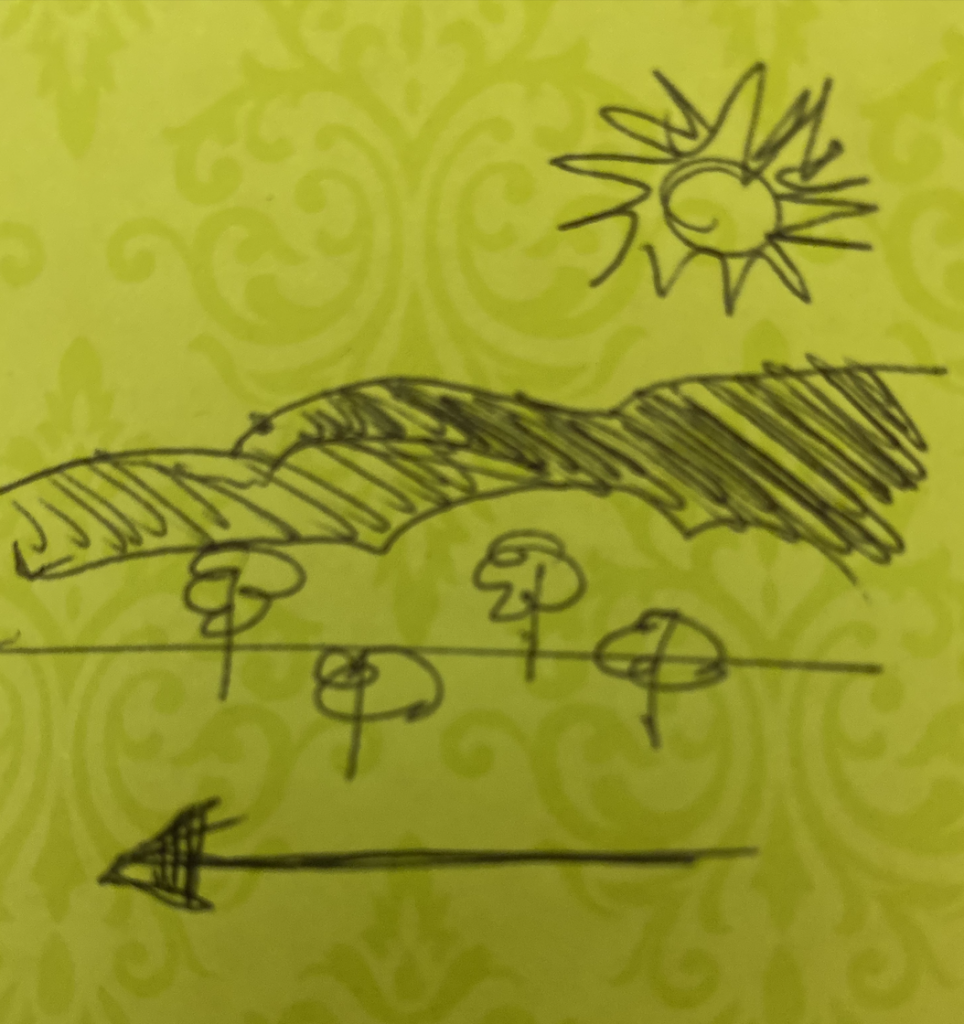
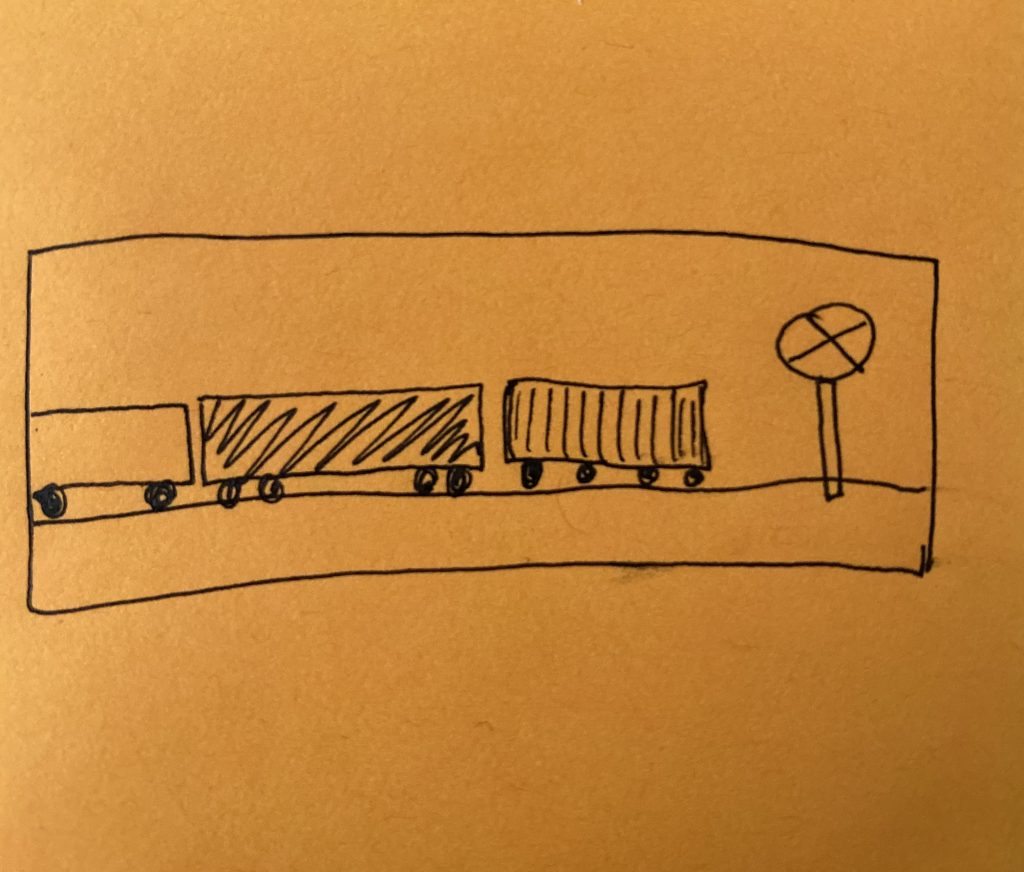
For this project, I tried to create a moving landscape in which the subject was moving, but the viewer was still. I depicted a railroad crossing of train cars with varying widths, heights, colors, and wheel numbers. It was interesting to play with random vs fixed variables. For instance, the train cars had to generate right after the last car, instead of at a random frequency. I also tried to create more visual interest by adding a railroad crossing sign in the foreground. I think if I had more time, I would have added interesting patterns to each car, such as windows or texture to the cars.
Train cars at a railroad crossing

Charmaine Qiu – Project 11 – Generative Landscape


sketch

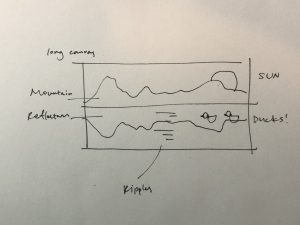
In this project, I was able to create a generative landscape with customized features. I really enjoyed sceneries that has a complete reflection on a water surface, and decided to create an animation with a mountain and its reflection on the lake. I added a fun component of ducks swimming around to create a fun element.

Brainstorming process

//Charmaine Qiu
//Section E
//charmaiq@andrew.cmu.edu
//Project 11

//set the speed and detail for terrain
var terrainSpeed = 0.0005;
var terrainDetail = 0.008;
//create empty array for ducks on screen
var ducks = [];

function setup() {
    createCanvas(480, 200);
    frameRate(10);
    //set the number of ducks that appears in the beginning randomly on  screen
    for (var i = 0; i <3; i++){
        var rx = random(width);
        ducks[i] = makeDuck(rx);
    }
}

function draw() {
    //set background visuals
    //the sky
    background('#95dddd');
    //the river
    fill('#419696')
    noStroke();
    rect(0, height / 2, width, height);
    //the sun and its reflection
    fill('red');
    ellipse(width - 60, 10, 60, 60);
    fill('#6e1616');
    ellipse(width - 60, height - 10, 60, 60);
    //draw mountain and ripple function
    mountains();
    ripples();

    //draw the ducks
    push();
    translate(0.1 * width, 0.1 * height);
    scale(0.8);

    updateAndDisplayDucks();
    removeDucksThatHaveSlippedOutOfView();
    addNewDucksWithSomeRandomProbability();
    pop();
}

function mountains(){
    //create the mountain
    fill('#e1a952');
    noStroke();
    beginShape();
    for (var x = 0; x < width; x++) {
        var t = (x * terrainDetail) + (millis() * terrainSpeed);
        var y = map(noise(t), 0,1, 0, height / 2);
        vertex(x, y);
    }
    vertex(width, height/2);
    vertex(0, height/2)
    endShape();
    //create the reflection
    fill('#dd5a62');
    beginShape();
    noStroke();
    for (var x = 0; x < width; x++) {
        var t = (x * terrainDetail) + (millis() * terrainSpeed);
        //inverse the y component to flip the mountain upside-down
        var y = map(noise(t), 0,1, height, height / 2);
        vertex(x, y);
    }
    vertex(width, height/2);
    vertex(0, height/2)
    endShape();
}

function ripples(){
    //create the ripples
    frameRate(7);
    stroke(255);
    //set individual random values for x and y coordinates of ripples
    rX = random(width / 2 - 50, width / 2 + 50);
    rY = random(height / 2 + 10, height);
    rX2 = random(width / 2 - 50, width / 2 + 50);
    rY2 = random(height / 2 + 10, height);
    rX3 = random(width / 2 - 50, width / 2 + 50);
    rY3 = random(height / 2 + 10, height);
    //set individual random values for width and weight of ripples
    rWidth = random(5, 20);
    rWeight = random(1, 4);
    rWidth2 = random(5, 20);
    rWeight2 = random(1, 4);
    rWidth3 = random(5, 20);
    rWeight3 = random(1, 4);
    //draw out the lines of ripples
    strokeWeight(rWeight);
    line(rX, rY, rX + rWidth, rY);
    strokeWeight(rWeight2);
    line(rX2, rY2, rX2 + rWidth2, rY2);
    strokeWeight(rWeight3);
    line(rX3, rY3, rX3 + rWidth3, rY3);


}

function updateAndDisplayDucks(){
    // Update the duck's positions, and display them.
    for (var i = 0; i < ducks.length; i++){
        ducks[i].move();
        ducks[i].display();
    }
}


function removeDucksThatHaveSlippedOutOfView(){
    // copy all the ducks that's kept into a new array.
    var ducksToKeep = [];
    for (var i = 0; i < ducks.length; i++){
        if (ducks[i].x + ducks[i].breadth > 0) {
            ducksToKeep.push(ducks[i]);
        }
    }
    ducks = ducksToKeep; //remember the surviving ducks
}


function addNewDucksWithSomeRandomProbability() {
    // With a very tiny probability, add a new duck to the end.
    var newDuckLikelihood = 0.007;
    if (random(0,1) < newDuckLikelihood) {
        ducks.push(makeDuck(width));
    }
}


// method to update position of duck every frame
function duckMove() {
    this.x += this.speed;
}

function duckDisplay() {
    // draw the ducks
    var headHeight = 20;
    fill(255);
    noStroke();
    push();
    //translate duck to lower part of canvas
    translate(this.x, height - 40);
    ellipse(0, -headHeight, this.breadth, headHeight);
    fill(0);
    ellipse(0, -headHeight, 5, 5);
    fill("#70547c");
    arc(10, -10, 30, 30, 0, PI);
    fill("#f8e184");
    arc(10, -10, 10, 10, 0, PI);
    fill("green");
    arc(-10, -20, 10, 10, 0, PI);
    pop();
}

//the function to create the duck object
function makeDuck(birthLocationX) {
    var mdk = {x: birthLocationX,
                breadth: 20,
                speed: -1.0,
                move: duckMove,
                display: duckDisplay}
    return mdk;
}

Zee Salman- Project 11- Landscape

sketch

// Zee Salman
//fawziyas@andrew.cmu.edu
//Project-11
//section E

var trees = []
var terrain = 0.005;
var midTerrain = 0.016;
var lowTerrain = 0.020;
var terrainSpeed = 0.0004;
var rate = 0.007; 

function setup() {
    createCanvas(400, 400);
    frameRate(300);  
    }
function draw() {
    //background 
    fill(163,221,255);
    rect(0,0,width,height);
    
    //sun 
    noStroke();
    fill(255,228,26);  
    ellipse(width-60, 70, 80, 80);
    
    //mountain 
    mountains(); 
    addT();
    removeT();
    newT();
    ground(); 
}


function removeT(){
    //takes away trees
    var treesKeep = [];
    for (var i = 0; i < trees.length; i++){
        if (trees[i].x + trees[i].breadth > 0) {
            treesKeep.push(trees[i]);
        }
    } 
    trees = treesKeep;
}


function addT(){
    // x coordinate 
    for (var i = 0; i < trees.length; i++){
        trees[i].move();
        trees[i].display();
    }
}


function newT() {
    // new tree on screen
    if (random(0,1) < rate) {
        trees.push(drawT(width));
    }
}


function treesMove() {
    this.x += this.speed;
}
    
//show trees
function treesDisplay() {
    
    //bottom
    strokeWeight(8);
    stroke(120, 79, 25);
    line(this.x, 350, this.x, 420);

    //top
    noStroke();
    fill(48,67,7);
    triangle(this.x - 30, 360, this.x + 30, 360, this.x, 300);
}


function drawT(px) {
    var bx = {x: px,
                breadth: 20,
                speed: -1.0,
                move: treesMove,
                display: treesDisplay}
    return bx;
}

function ground() {
    noStroke(); 
    fill("grey");
    rect(0, height-25, width, height/5);
}

function mountains() {
    //creates mountains 
    beginShape(); 
    stroke(43, 99,41);
    for (var x = 0; x < width; x++) {
        var q = (x * terrain) + (millis() * terrainSpeed);
        var m = map(noise(q), 0, .95, 300, 3);
        line(x, m, x, height); 
    }
    endShape();


    beginShape(); 
    stroke(76, 160, 73);
    for (var x = 0; x < width; x++) {
        var q = (x * midTerrain) + (millis() * terrainSpeed);
        var m = map(noise(q), 0, .75, 250, 200);
        line(x, m, x, height); 
    }
    endShape();

    
    beginShape(); 
    stroke(120, 205, 117);
    for (var x = 0; x < width; x++) {
        var q = (x * lowTerrain) + (millis() * terrainSpeed);
        var m = map(noise(q), 0, 3, 300, 250);
        line(x, m, x, height); 
    }
    endShape();
}


sketch for landscape

I was very interested in this project because it would never be the same when the landscape would pass by. It reminds me of when I go on a road trip and stick my head out the car window. The scenes change all the time. That is where I got my inspiration from to do this project.

Lauren Park – Project 11 – Landscape

sketch

//Lauren Park
//Section D
//ljpark@andrew.cmu.edu
//Project 11

var palms = [];

function setup() {
  createCanvas(480, 480);
  frameRate(10);
  //for loop to randomize
  for(i=0;i <10;i++) {
    var palmX = random(width);
    var palmY = random(20, 40);
    palms[i] = makePalm(palmX, palmY);
  }
}

function draw() {
  background("#00266E");
  //moon
  fill("#F7E979");
  ellipse(360, 80, 65, 65);
  noStroke();
  fill("#00266E");
  ellipse(340, 70, 45, 45);
  
  //beach
  fill("#AD9C5E");
  ellipse(240, 275, 580, 100);
  //ocean
  fill("#2D84BA");
  rect(0, 280, 480, 200);
  //ocean ripples
  noStroke(); 
  fill(103,202,221, 150); 
	for(var i = 0; i < 3; i ++){
		var wavex = random(-240, 250); 
		var wavey = random(8, 250); 
		var w = random(30, 60); 
		var h = random(3, 5); 

ellipse(width*0.7 + wavex, height * 0.7 + wavey, w, h);
  }
  
  fill(117, 223, 215, 150);
    for(var k = 0; k < 2; k ++){
		var w2x = random(-270, 170); 
		var w2y = random(-8, 170); 
		var w2 = random(30, 60); 
		var h2 = random(3, 5); 
ellipse(width*0.7+ w2x, height *0.7 +w2y, w2, h2);
  }
  
  updatePalm();
}

function updatePalm() {
  for(j=0;j<palms.length;j++){
    palms[j].move();
    palms[j].draw();
    
  }
}

function movePalm() {
  this.x += this.speed;
   if(this.x < -130) {
        this.x += width
  }
}

function drawPalm() {

  push();
  translate(this.x, this.y);
  stroke("#694000");
  fill("#884400"); 
  rect(150, 160, 13, 68);
  stroke("#3C5E00");
  fill("green");
  ellipse(150, 155, 40, 13);
  ellipse(140, 150, 43, 13);
  ellipse(170, 150, 43, 13);
  ellipse(140, 160, 43, 13);
  ellipse(170, 160, 43, 13);
  pop();
}

function makePalm(plocationX, plocationY) {
  var palmtree = {x:plocationX,
                  y:plocationY,
                  breadth:10, 
                  palmW:random(50, 80),
                  palmH: random(10, 15), 
                  speed:-15, 
                  move: movePalm,
                  draw: drawPalm}
  return palmtree;
}

I wows inspired by where I grew up, which is in California and thought of creating a landscape that displays palm trees, the beach, and ocean within a night scene. It was very challenging for me to properly randomize some of the objects at first, that made the whole scene flow when it was running. However, I did enjoy putting thought and colors into creating a new environment that allowed me to express something personal.

Stefanie Suk – Project 11- Landscape

sketch

//Stefanie Suk
//15-104 D
//ssuk@andrew.cmu.edu
//Project-11-Landscape

let car = [];
let num = 10; //number of cars

function setup() {
  createCanvas(400, 400);

  for (let i = 0; i < num; i++) {
    car[i] = new Car(random(height),
      random(width),
      color(random(255), random(255), random(255)), //color of car
      random(1, 7), //car speed
      random(10, 100) //car size
    );
    print(car[i]);
  }

}

function draw() {
  background(0, 41, 58);

  fill(241, 244, 15);
  ellipse(300, 50, 5, 5);
  ellipse(270, 74, 5, 5);
  ellipse(130, 50, 5, 5);
  ellipse(20, 80, 5, 5);
  ellipse(360, 100, 5, 5);
  ellipse(70, 160, 5, 5);
  ellipse(230, 140, 5, 5);
  ellipse(330, 170, 5, 5);
  ellipse(180, 230, 5, 5); //stars 

  fill(200);
  rect(0, 300, 400, 30);
  fill(200);
  rect(0, 290, 400, 3);
  fill(200);
  rect(80, 70, 30, 330);
  fill(200);
  rect(320, 70, 30, 330);
  stroke(200);
  strokeWeight(5);
  line(95, 90, 215, 315)
  stroke(200);
  strokeWeight(5);
  line(95, 90, 0, 275)
  stroke(200);
  strokeWeight(5);
  line(335, 90, 215, 315);
  stroke(200);
  strokeWeight(5);
  line(335, 90, 400, 220); //bridge


  for (let i = 0; i < 10; i++) {
    car[i].move();
    car[i].display(); //making cars show
  }
}


class Car {
  constructor(x, y, z, s, l) {
    this.x = x;
    this.y = y;
    this.z = z; //color of car
    this.l = l; //length of car
    this.speed = s; //speed
  }
  
  move() {
    this.x = this.speed + this.x; //making cars move
    if (this.x > width) {
      this.x = 0; //where the cars come out
    }
  }

  display() {
    noStroke();
    fill(this.z);
    rect(this.x, 270, this.l, 30, 20); //position of cars moving, adjusting shape of cars 
  }
}

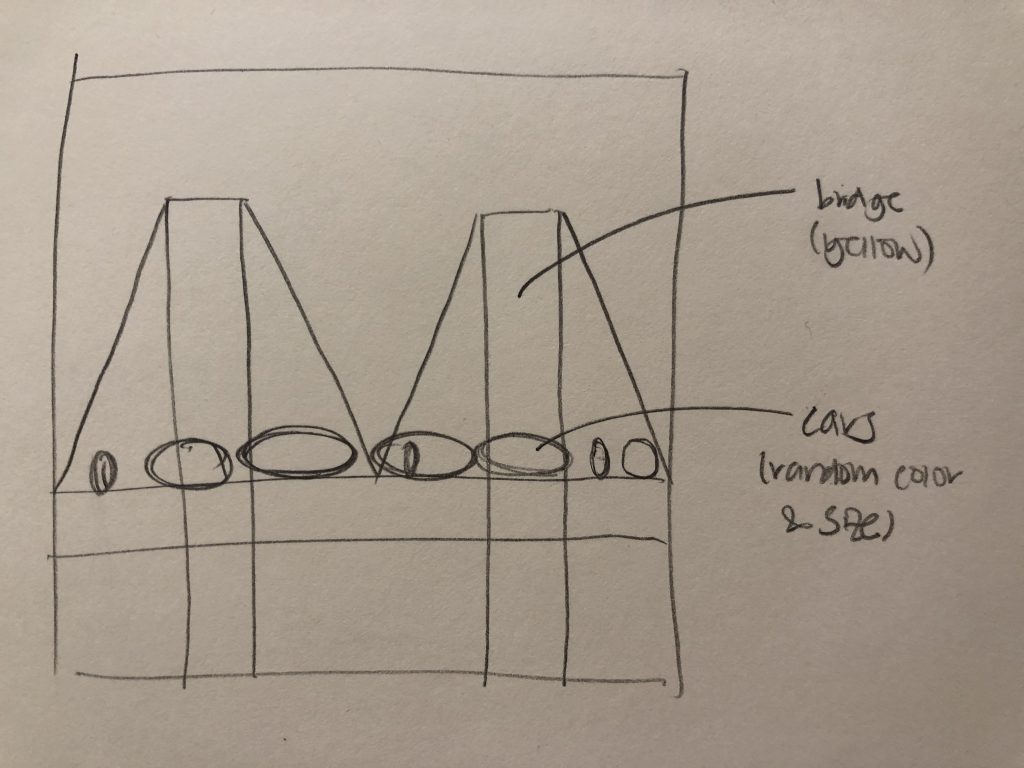
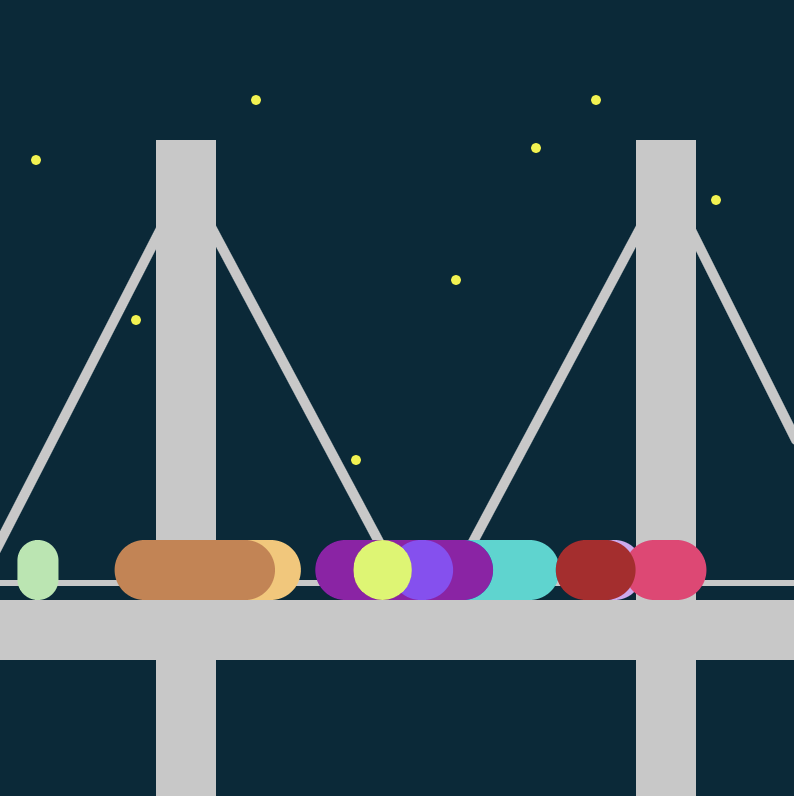
Recently, I went outside with my friends to see the night view of Pittsburgh near downtown. I wanted to create what I saw that day by creating what I think is the most symbolic landscape of Pittsburgh, the yellow bridge. I created an illustration of the yellow bridge and the night sky, and made the cars in different lengths and colors move across the bridge. The yellow bridge and the night sky with stars are static because I wanted to emphasize the movement of the vehicles. The cars are coded to move from left to right in different speeds, lengths, and colors to represent the diversity of vehicles I saw the day I went out.

Sketch on Paper
Sketch on Illustrator

Hyejo Seo-Project 11 – Landscape

sketch

/*
Hyejo Seo
Section A
hyejos@andrew.cmu.edu
Project-11-landscape 
*/
var c1, c2; // for gradient
var smile = [];

function setup() {
    createCanvas(480, 480);
    frameRate(50);
    //setting up background gradient 
    c1 = color(15, 113, 115);
    c2 = color(240, 93, 94);
    
}

function draw() {
    gradient(c1, c2); // background color
    drawMountains();
    desert();
    drawSun();
    updateSmile();
    deleteSmile();
    addSmile();
}
// setting up gradient for the sky
function gradient(c1, c2) {
    noFill();
    noStroke();
    for (var y = 0; y < height; y++) {
        var inter = map(y, 0, height, 0, 1);
        var c = lerpColor(c1, c2, inter);
        stroke(c);
        line(0, y, width, y);
      }
}

function drawMountains () { // drawing mountains by using terrain
    var terrainSpeed = 0.0005;
    var terrainDetail = 0.006;
    stroke(47, 57, 94);
    noFill();
    beginShape();
    for (var x = 0; x < width; x++) {
        var t = (x * terrainDetail) + (millis() * terrainSpeed);
        var y = map(noise(t), 0, 1, height / 2, height);
        line(x, y, x, height); //draws lines from the points of terrain to the bottom of the canvas
    }

    endShape();
}
function desert () { //drawing the dessert land 
    fill(216, 164, 127);
    noStroke();
    beginShape();
    vertex(0, height - 60);
    vertex(width, height - 60);
    vertex(width, height);
    vertex(0, height);
    endShape(CLOSE);

}
function drawSun() { // drawing sun at a suspended location
    fill(216, 30, 91);
    circle(400, 200, 50);
}

function updateSmile() {
    for(var i = 0; i < smile.length; i++) {
        smile[i].move();
        smile[i].draw();
    }
}

function deleteSmile() {
    var smileToKeep = [];
    for(var i = 0; i < smile.length; i++) {
        if(smile[i].xx + smile[i].w > 0) {
            smileToKeep.push(smile[i]);
        }
    }
    smile = smileToKeep;
}
function addSmile() {
    var newSmile = 0.008;
    if (random(1) < newSmile) {
        smile.push(makeSmile(width, random(450, 480)));
    }
}
function moveSmile() {
    this.xx += this.speed; // moving the smiles to the left
}
function drawSmile() {
// drawing the face 
    stroke(56, 63, 81);
    strokeWeight(2);
    fill(255, 120, 79);
    push();
    translate(this.xx, this.yy);
    circle(0, -this.hh, this.w);
    pop();
//drawing the eyes
    fill(56, 63, 81);
    noStroke();
    push();
    translate(this.xx, this.yy);
    ellipse(-5, -this.hh - 5, 6, 13);
    ellipse(5, -this.hh - 5, 6, 13);
    pop();
//drawing mouth 
    stroke(56, 63, 81);
    strokeWeight(2);
    noFill();
    push();
    translate(this.xx, this.yy);
    arc(0, -this.hh + 5, 20, 15, TWO_PI, PI);
    pop();

}
function makeSmile(birthLocationX, birthLocationY) {
    var sm = {xx: birthLocationX, yy: birthLocationY,
        w: random(30, 50), hh: random(10, 30), speed: -1,
        move: moveSmile, draw: drawSmile}
    return sm;
}

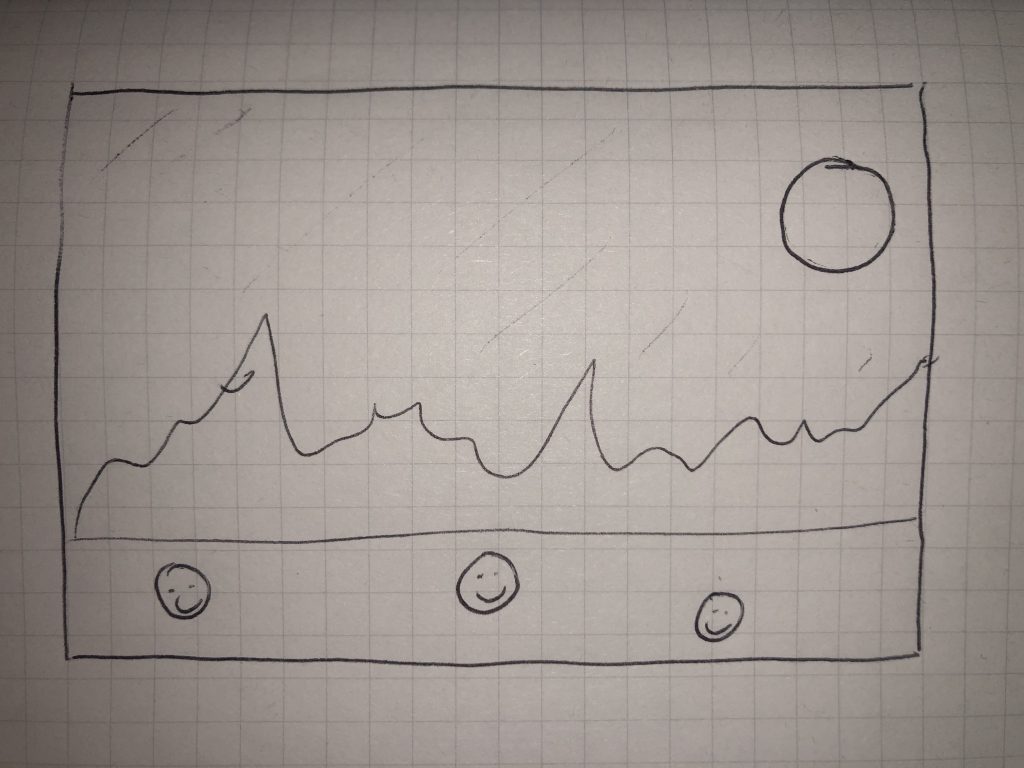
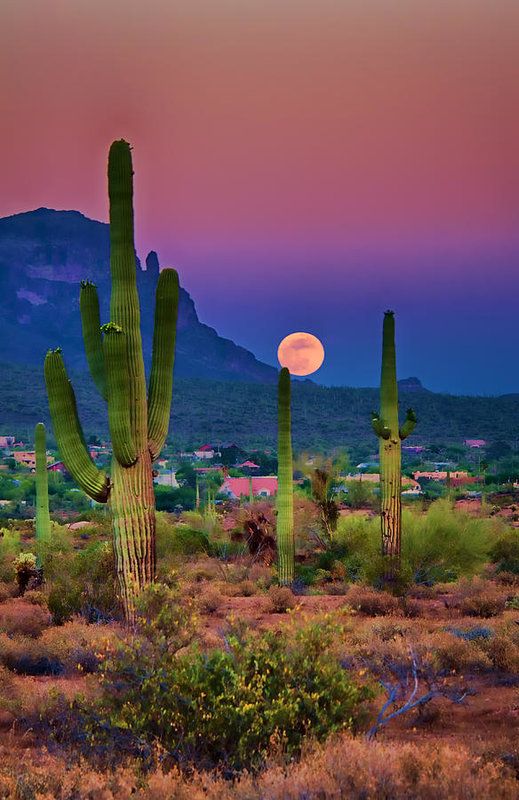
For this project, I wanted to add an element of surprise to my landscape: smiley faces. I roughly sketched out my plan (as seen below) after being inspired by pictures of the desert in Arizona. This is why I chose the light brown for the land – sandy and dry – and darker and colder blue for the mountains. to convey that they are really far away. Overall, this project helped me feel more comfortable with drawing objects. 

My rough sketch for this project
Picture of a desert in Arizona that inspired overall landscape and color schemes.

Yoshi Torralva – Looking Outwards – 11

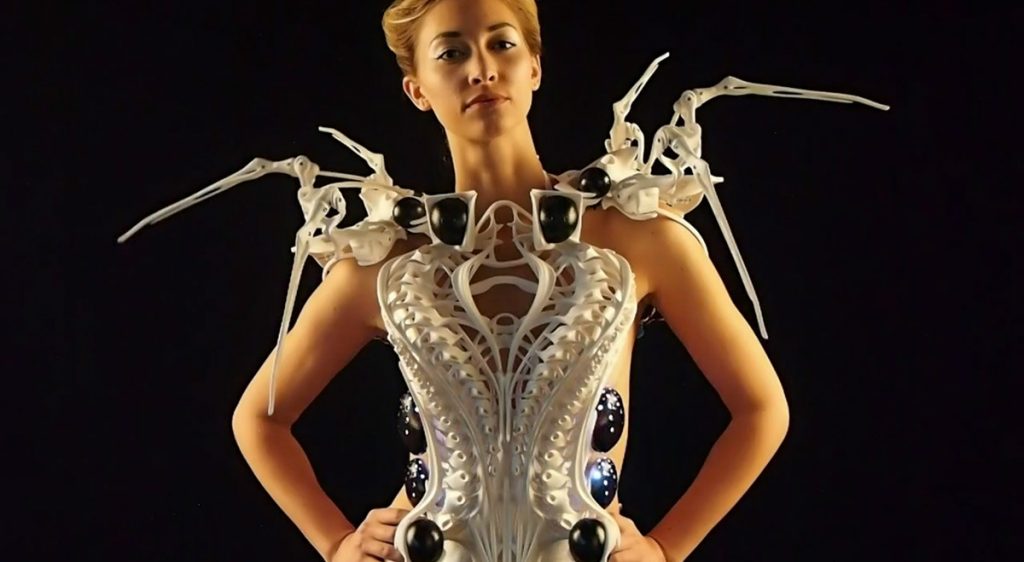
Front view of spider dress 2.0
Video of Spider Dress 2.0 taking shape

Anouk Wipprecht is a Dutch fashion designer that is at the forefront of exploring the intersection between human-centered technology and couture. Through her practice as a fashion designer, she creates designs that are both reactive to the wearer’s personal and external environments. In this looking outwards blog post, I will be focusing on the Spider Dress. The spider dress is made out of 3D printed parts, motors, sensors, and an Intel Edison. Through these methods, the dress is reactive to people that approach the wearer. Depending on the external figure’s speed and the wearer’s data, the spider’s legs will jolt out fast or slow, depending on the situation. I admire how her designs push fashion in the direction of becoming reactive pieces of clothing that take their own personality and heighten the wearer’s own as well.

Stefanie Suk – Looking Outwards – 11

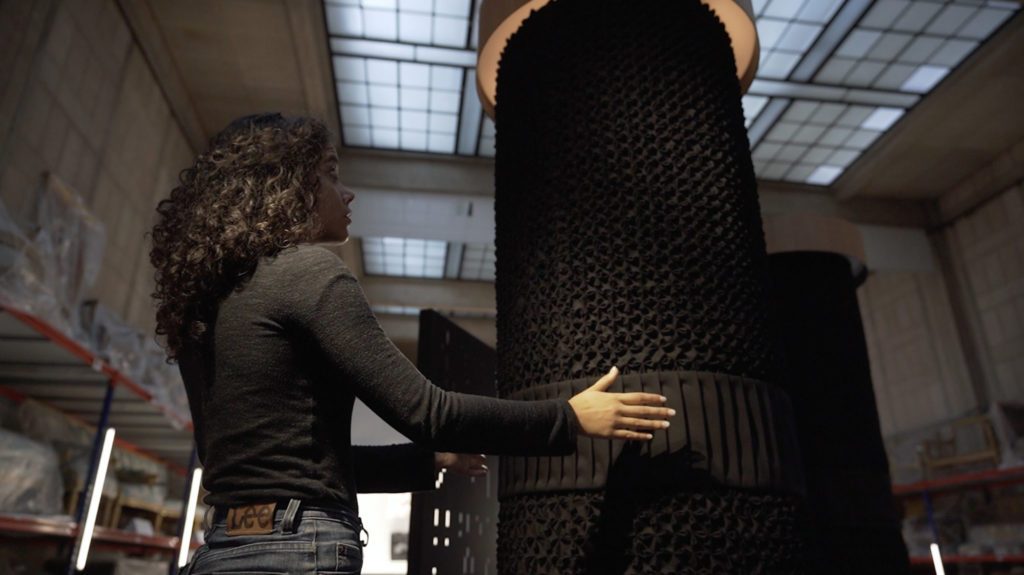
Notes And Folds, Amor Munoz 2019

Amor Munoz, born in Mexico City, studied Law at the UNAM and at the New Orleans Academy of Fine arts. Notes and folds by Amor Munoz in 2019 is an interactive installation that is built to create  a connection between sound and form, using programming and handcraft. There are three cylindrical sculptures that emits sound, which made out of pleated textiles with three different textures. These textures of each cylinder are unique depending on the musical patterns of each sound. This sculptures are activated when people approach their hands to the fabric, creating the cylinder to rotate at different speeds and sounds as they are programmed. I admire this installation by its complex programming and interesting interpretation of sound. Currently a member of the National System of Art Creators, Amor Munoz usually combines performance and experimental electronics with traditional media, which really shows in this work. There is performance (public approaching sculpture to activate) and experimental electronics with traditional media (using textile and sculpture with sound to rotate). I am amazed at how Amor Munoz interpreted and combined sound with technology into an interaction installation, only making it activate when the public reach out.

Notes and Folds Video

Lauren Park – Looking Outwards – 11

Camille Utterback’s “Abundance” is a commissioned artwork by ZER01 that was publicly installed in San Jose. This piece involves a setup video camera that takes the images and movements of people at the plaza, in order to translate these images and display it by projecting an animation. This animation shows silhouettes in color, of those walking in the plaza. These silhouettes are colored in cool tones unless if people are walking in groups, where then the silhouettes would be warm colored. I really admire how the artist aimed to create a piece that was ongoing and constantly changing by taking the whole environment of the plaza and transforming it into a digital piece. Different colored silhouettes seem to be highly significant, in how the public can easily view how many of those in the plaza came by themselves. Because of this, this project overall seems to create a conversation between strangers in a way. 

The artist Camille Utterback studied at Williams College and got her masters from NYU’s Tisch School Of The Arts. She currently works as an assistant professor of Art Practice at Stanford University. She is interested in creating interactions between technology and people, and so she continues to create digital artworks that connect computational softwares and human behavior.

“Abundance”(2007) by Camille Utterback

Stefanie Suk – Looking Outwards – 10

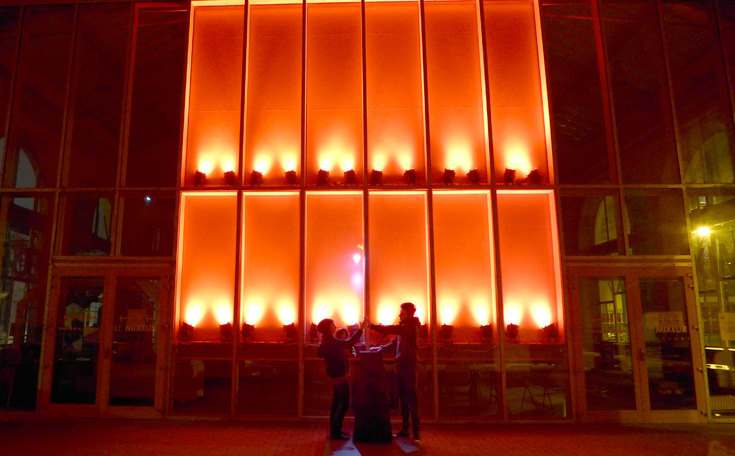
Urban Lights Contacts Installation

Urban Lights Contacts is an interactive installation the senses varying degrees of electrostatic contact according to how close people’s bodies are. The only way to activate this work is to make multiple people contact each other’s skin. For example, a person put his or her hands onto the interactive shiny sphere, but him or her alone won’t create any sound. He or she must make another come and touch his or her hand to make the installation activate. This installation encourages people to touch and come close together to create a new sound at the moment. The sensory of the work is tactile, creates light, and also emits sound. It encourages interactive stagings of the public’s bodies, which basically makes the people turn into a “human instrument.” I am admired by this installation because it brings together the public for a unique art and technology experience. Also, I find it interesting that this work creates unpredictable relationships between the public who interacts with the installation.