Jenny Sabin is an American architect, designer, artist and professor in Cornell AAP. She is exceptionally interested in designing structures based on biology and mathematics. She focuses on design and cutting-edge technologies and emphasizes on computational design, data, visualization and digital fabrication.
I am particularly inspired by her studio’s new project “ADA,” done in 2018 – 2019. The project is named after Ada Lovelace, a polymath, mathematician and first computer programmer. The project produces a human-driven cyber physical architectural pavilion. It uses lightweight knitted structure that was generated by responsive data-driven tubular and cellular modules. The high-performing pavilion offers unique spaces to wonder and experience with its filtered light and dynamic shadows.
This Much I Worth by Rachel Ara Link : https://www.2ra.co/tmiwfull.html
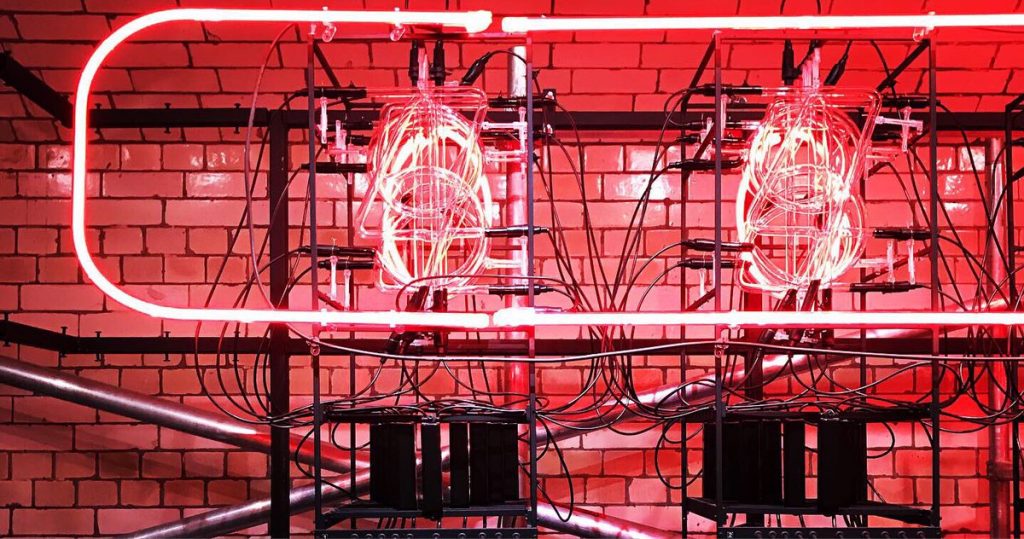
“This much I’m worth [The self-evaluating Artwork]” by female digital artist Rachel Are is a digital art piece that continually displays its sale value through a series of complex algorithms called “the endorsers”. It is constructed with materials that have a history loaded with association. Implicated in the history of neon is its use in the sex trade, its cultural significance today is more commonly a trope of contemporary art. It is both a functional object and spectacle seeking to question values, worth and algorithmic bias.
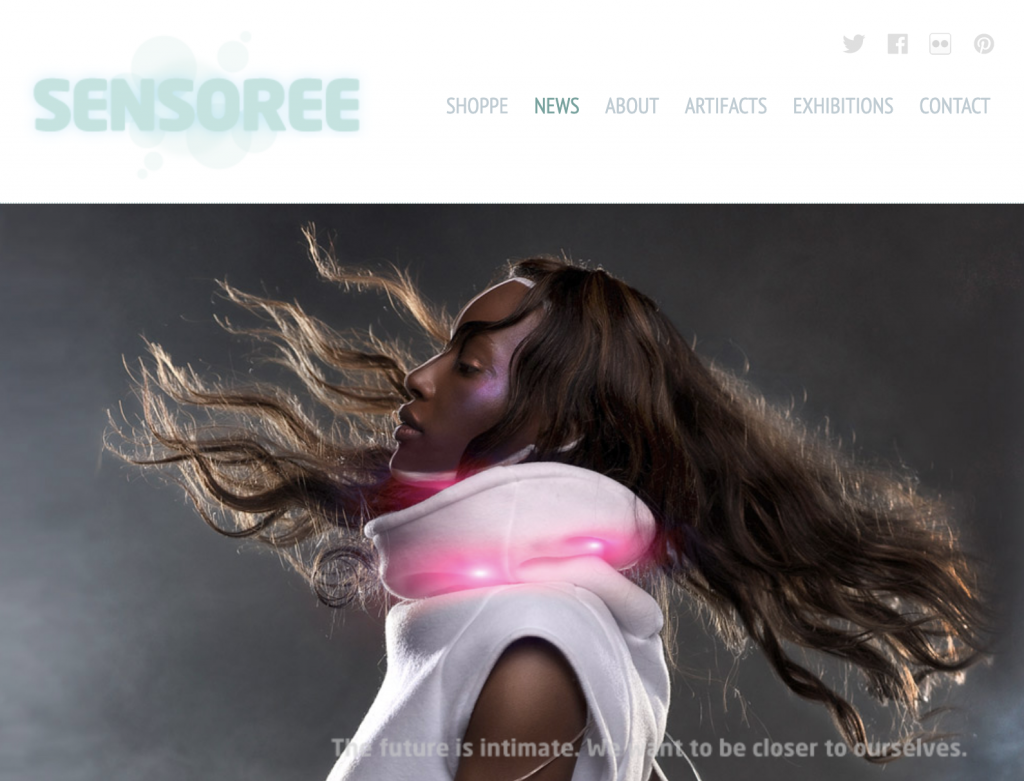
Dancer, designer, and Dance Medicine Specialist Kristin Neidlinger is a bio media designer and founder of SENSOREE. SENSOREE specializes in therapeutic bio media. This concept was derived from her masters thesis. She wanted to look into the future: what will healthcare look like with all this new technology? She tackled issues like sensory processing disorder, a condition from ADHD and autism. Now with SENSOREE, she creates bioresponsive fashion that reflects and promotes externalized intimacy.
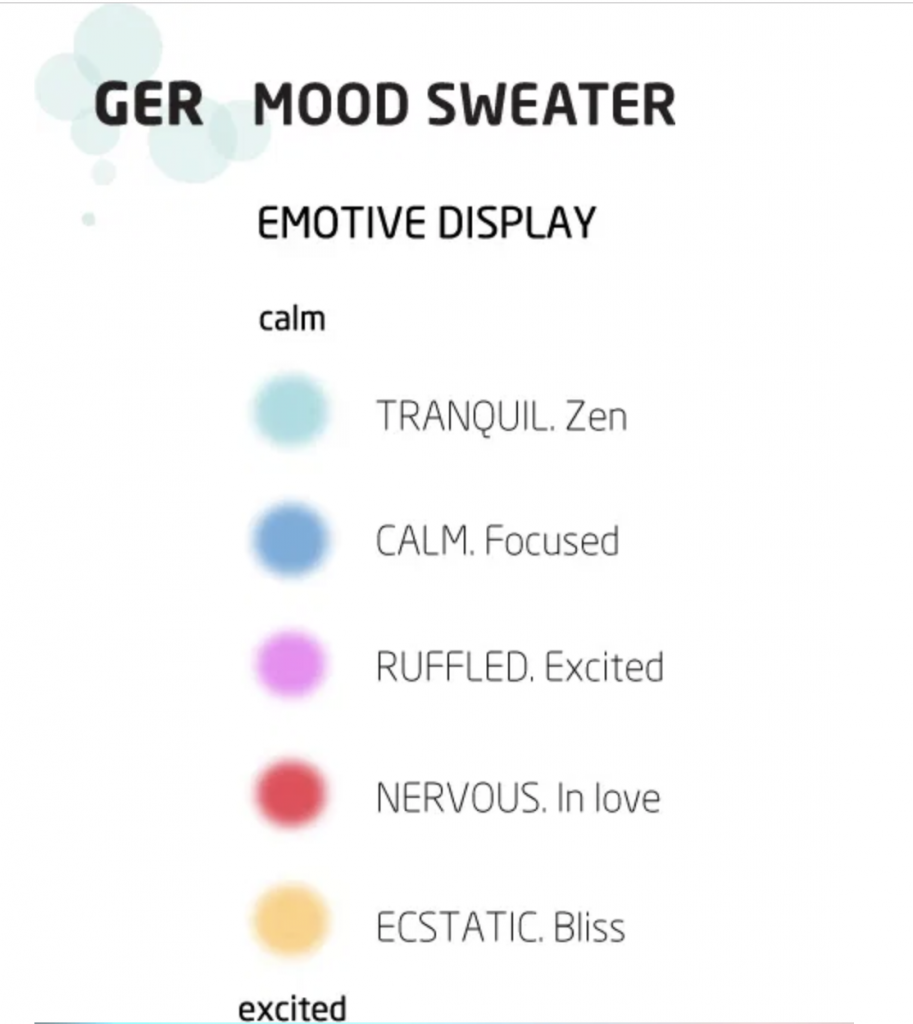
Her project GER Mood Sweater uses electronic sensors used commonly in lie detectors. Her version, the Galvanic Extimacy Responder, is based on the Galvanic Skin Response which reads electrodermal activity. It shows excitement level. She uses her GER to detect and show emotion to externalize your most intimate emotions. The modern and cropped sweater is white, however, has a large collar with LED lights inside that change colors based on your emotions. The ironic concept of externalizing intimacy makes this piece of wearable art. interesting to ponder about.
//Sean Meng
//hmeng@andrew.cmu.edu
//Section C
//Project-11-Generative Landscape

var sushi = [];

function setup() {
    createCanvas(480, 480);
    frameRate(50);
    //set an initial group of sushi
    for (var i = 0; i < 3; i++){
        var rx = random(width);
        sushi[i] = makeSushi(rx);
    }
}

function draw() {
    background(255, 200, 200);

    //the lattern
    fill(30);
    rect(60, 20, 40, 160);
    rect(78, 0, 5, 20)

    fill(235, 70, 70);
    stroke(235, 70, 70);
    strokeWeight(50);
    rect(60, 60, 40, 80)
    noStroke();

    //ribs on lattern
    for(i = 0; i < 8; i++){
        fill(120, 0, 0);
        rect(35, 57 + i * 12, 90, 1.5);
    }

    //the belt
    fill(50);
    rect(0, 320, width, 80);
    fill(180);
    rect(0, 400, width, 10);

    //the table
    fill(255, 237, 199);
    rect(0, 410, width, 190);

    //the plate
    fill(255);
    ellipse(170, 440, 300, 40);
    fill(220);
    ellipse(180, 435, 200, 20);
    fill(250);
    ellipse(186, 438, 180, 20);

    //thie chopsticks
    fill(250);
    rect(385, 435, 35, 10);
    fill(128, 55, 0);
    quad(400, 430, 405, 430, 455, 480, 443, 480);
    fill(128, 55, 0);
    quad(390, 430, 395, 430, 435, 480, 425, 480);

    updateSushi();
    removeSushiOutOfView();
    addSushi();
}


function updateSushi() {
    for (var i = 0; i < sushi.length; i++) {
        sushi[i].move();
        sushi[i].display();
    }
}

function removeSushiOutOfView() {
    //remove sushi from array if it's out of sight
    var sushiToKeep = [];
    for (var i = 0; i < sushi.length; i++) {
        if (sushi[i].x + sushi[i].breadth > 0) {
            sushiToKeep.push(sushi[i]);
        }
    }
    sushi = sushiToKeep; //remember the surviving sushi
}

function addSushi() {
    //with a very small probability, add a new sushi to the end
    var newSushiProb = 0.005;
    if (random(0,1) < newSushiProb) {
        sushi.push(makeSushi(width));
    }
}

function sushiDisplay(){

    //rice
    stroke(this.c3);
    strokeWeight(10);
    strokeJoin(ROUND);
    fill(this.c3);
    rect(this.x, 350, this.breadth, this.height);

    //salmon on top of rice
    var top = 350 + this.height;
    var top2 = 350 + this.height - 5;
    stroke(255, this.c1, this.c2);
    fill(255, this.c1, this.c2);
    rect(this.x - 10, top, this.breadth + 20, 20);
    noStroke();
    fill(255, this.c1 + 50, this.c2 + 80);
    triangle(this.x, top2, this.x + 10, top2, this.x + 5, top + 15);
    triangle(this.x + 30, top2, this.x + 40, top2, this.x + 35, top + 15);
    triangle(this.x + 60, top2, this.x + 70, top2, this.x + 65, top + 15);

    //the kelp
    fill(0);
    rect(this.x + this.breadth / 2, top2, 30, -this.height + 5);
}

function sushiMove(){
    this.x += this.speed;
}

function makeSushi(startX){
    var mySushi = {x: startX,
                speed: -1.0,
                breadth: random(80, 120),
                height: -random(50, 70),
                c1: random(100, 150),
                c2: random(50, 90),
                c3: random(240, 255),
                move: sushiMove,
                display: sushiDisplay}
    return mySushi;
}
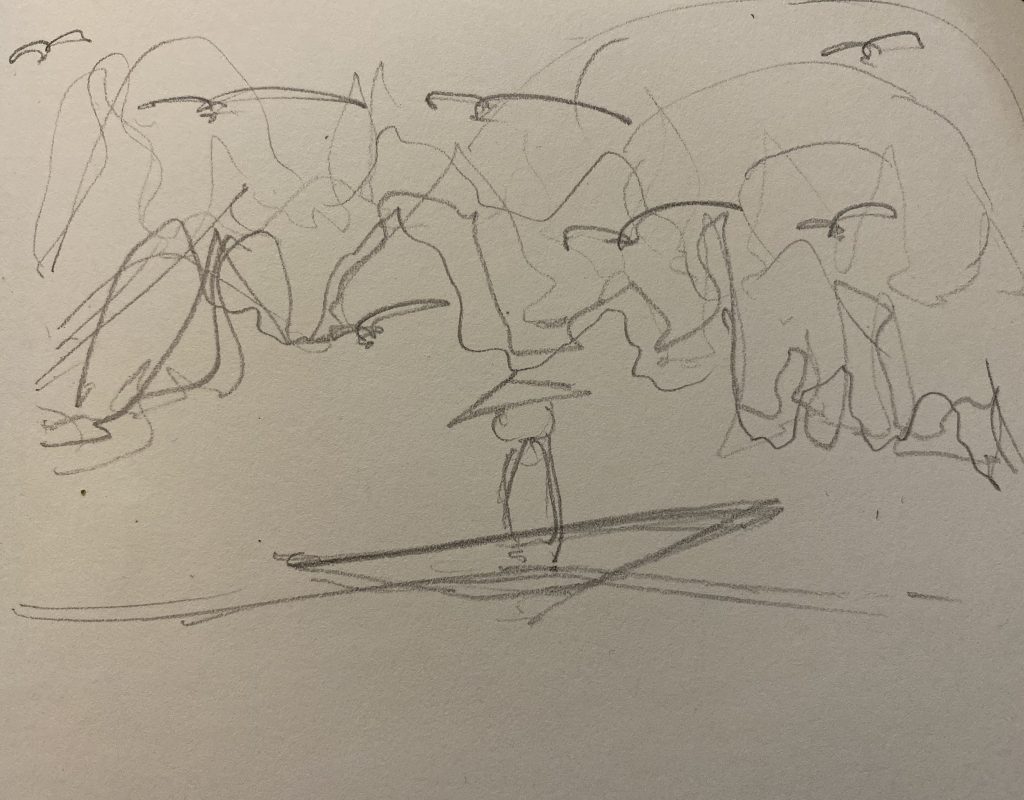
Concept sketch
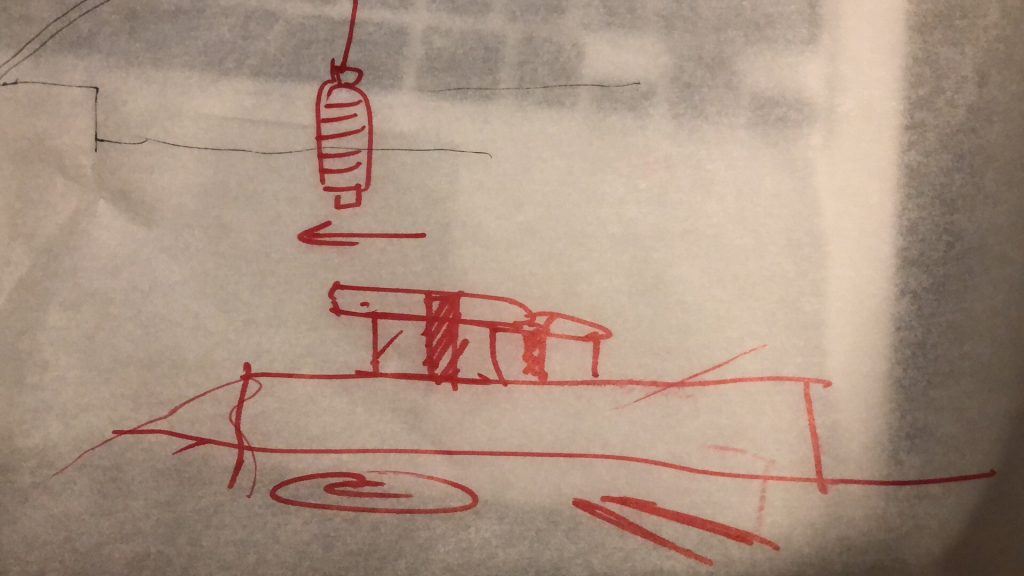
In this project, I intend to create this “rotation sushi” scene. Using generative drawing methods, sushi with different shapes, sizes and toppings come out and move along the belt.
USER_IS_PRESENT is a 2017 installation by Oblong designer and developer Kate Hollenbach. The installation is three screens with three different videos. The videos show the activities of three different people on their mobiles devices by blending the front and back cameras and screen capture from them using a custom technique. She had further developed screen recording software used in a previous work called phonelovesyoutoo: matrix to capture the screens of the phone in use while now also capturing the shots from the two cameras. The parameters were that when the phone was being used, it would record the three different shots. After capturing the footage, the respective shots from each person would be layered on top of one another, creating what Hollenbach described as a “space that is between physical and virtual realities: it blends elements of user, interface, and environment.” The portraits being next to each other allows comparison in aspects like phone quality and chance juxtapositions and/or similarities.
I really like the concept of blending the virtual with the physical. I’ve covered people who have done similar in past posts, and it was always amazing to see the different ways they would try to accomplish the same things. I like this blending since it not only offers an interesting visual with all the layers kind of interacting with one another, but also sort of bring two worlds together. This is something that decades ago couldn’t be done, but now is being accomplished pretty easily. It’s an interaction between a world humans didn’t create and one they did.
Kate Hollenbach earned an MFA from UCLA Design Media Arts and a B.Sc. in Computer Science and Engineering from MIT. She is currently a teacher of interactive media design and programming at DePaul University School of Design in the College of Computing and Digital Media. In the past however, she was the Director of Design and Computation at Oblong Industries, overseeing the design of Mazzanine, one of the company’s most well-known products. To sum up her work, she is an artist, programmer, and educator, developing new tech and interactive systems relating to gesture, body, and physical space, and has spent years as an interface designer and product developer.
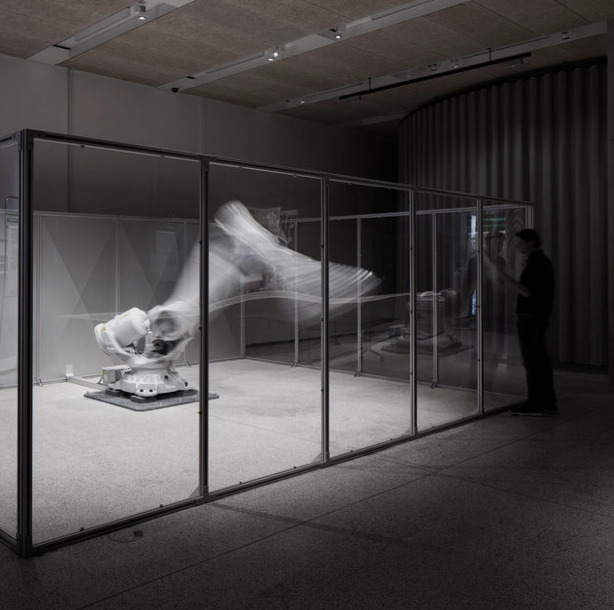
Here is a photo of Mimus interacting with someone.
Mimus is an industrial robot coded to explore and respond to her surrounding environment from data collected through sensors. Typically industrial robots follow instructive movements, but she is different. She is in a glass room, so that she can interact with people walking around her by approaching them and moving along with their movements. Madeline Gannon is the designer. Gannon created Mimus to help people that fear that robots are taking work away from humans. She believes in “a more optimistic future, where robots do not replace our humanity, but instead amplify and expand it.” In her works, robots are treated as living creatures with emotions rather than objects, and she works towards a relationship of empathy and companionship between man and machine.
For you to better understand what Mimus is, here is a video.
Gannon graduated from Carnegie Mellon University with a Ph.D. in Computational Design. After graduating, she has been developing projects with natural gesture interfaces and digital fabrication. Her work intends to blur the line between man and machine and to break the stereotypical idea of dominance, and to prove that co-existence and collaboration can better amplify our human capabilities. I think it is really cool how she tries to bring together man and machine, because it seems like many people are trying to divide them as much as possible. In addition, as a design major who is interested in computational design, it is interesting to see what she does.
This is a clear sketch model of how Mimus can interact with people.
As a graduating project, Hannah Rozenberg of the Royal College of Art created a project by the name of “Building without Bias: An Architectural Language for Post-Binary”. This project is a digital aimed to calculate underlying gender bias in our english architectural terms to hopefully create more gender-neutral environments. The project works by using a algorithm which helps you find out whether or not a building is biased & helps the user add or subtract elements to improve the balance. The calculator in the program basically assigns a “gender unit” to various architecture terms (such as steel, cement, or nursery) and based of their “gu”, the user can then create spaces that are not weighted either more feminine or masculine by the calculation of all the components. I appreciate how Rozenberg has began to tackle something like gender biases and spaces in architecture because I think its something that isn’t given enough attention in terms of gender-studies. Rozenberg’s project allows design to still occur in a responsible manner and align traditional practice like architecture with ideas and societal advancements in the 21st century.
/* Cathy Dong
   Section D
   yinhuid@andrew.cmu.edu
   Project 11 - Landscape
*/

// mountain slope and move speed variables
var tDetail1 = 0.002;
var tSpeed1 = 0.0001;
var tDetail2 = 0.005;
var tSpeed2 = 0.0003;
var tDetail3 = 0.01;
var tSpeed3 = 0.0008;

// mountain colors
var terrC1 = "#597081";
var terrC2 = "#7EA0B7";
var terrC3 = "#D6EEFF";

//mountain heights range
var h1Min = 0;
var h1Max = 300;
var h2Min = 150;
var h2Max = 400;
var h3Min = 250;
var h3Max = 480;

// star variables
var sList = [];
var sNum = 20; // number of stars
var sLeft = -20; // reset start to canvas right
var sSpeed = -0.5;

// car variables
var cList = [];
var cHeight = 20; // car height
var cWidth = 50; // car width
var cNum = 5; //number of cars
var cLeft = -20 - cWidth; // reset car to start
var cSpeed = -1.5; // car speed
var wSize = 10; // car wheel size


function setup() {
    createCanvas(480, 480);
    // star start at random px and py
    for (var j = 0; j < sNum; j++) {
        var px = random(width);
        var py = random(height / 3);
        sList[j] = starMake(px, py);
    }

    // car cx and cy
    var ground = height - height / 15;
    for (var k = 0; k < cNum; k++) {
        var cx = random(width);
        var cy = ground - wSize / 2 - cHeight;
        cList[k] = carMake(cx, cy);
    }


}

function draw() {
    // sky color
    background("#2B2D42");
    // render stars
    starRender();
    // render mountains
    terrainDraw(tDetail1, tSpeed1, terrC1, h1Min, h1Max);
    terrainDraw(tDetail2, tSpeed2, terrC2, h2Min, h2Max);
    terrainDraw(tDetail3, tSpeed3, terrC3, h3Min, h3Max);
    // draw ground
    fill("#8D99AE");
    rect(0, height - height / 15, width, height / 15);
    // render car
    carRender();

}

// mountain draw function
function terrainDraw(terrainDetail, terrainSpeed, terrC, terrMin, terrMax) {
    noStroke();
    // fill with layer color
    fill(terrC);
    // start drawing the shape
    beginShape();
    vertex(0, height);
    // generate terrian
    for (var i =  0; i < width; i++) {
        var t = (i * terrainDetail) + (millis() * terrainSpeed);
        var y = map(noise(t), 0, 1, terrMin, terrMax);

        vertex(i, y);
    }
    vertex(width, height);
    endShape();
}

// star object
function starMake(px, py) {
    var star = {x: px, y:py, speed: sSpeed,
                update: starUpdate,
                draw: starDraw}
    return star;
}

// update star px and py
function starUpdate() {
    this.x += this.speed;
    if (this.x <= sLeft) {
        this.x += width - sLeft;
    }
}

// draw star at this.x and this.y location
function starDraw() {
    noStroke();
    fill("yellow");
    var size = random(1, 5); // make it shine
    push();
    translate(this.x, this.y);
    circle(0, 0, size);
    pop();
}

// render the star based on previous info
function starRender() {
    for (var i = 0; i < sList.length; i++) {
        sList[i].update();
        sList[i].draw();
    }
}

// car info
// a is car x position; b is car y position
function carMake(cx, cy) {
    var car = {a: cx, b: cy, speed: cSpeed, c: color(random(100), random(0), random(255)),
                update: carUpdate,
                draw: carDraw}
    return car;
}

// update car position
function carUpdate() {
    this. a += this.speed;
    if(this.a <= cLeft) {
        this.a += width - cLeft;
    }
}

// draw initial car
function carDraw() {
    // wheel location
    var wX1 = cWidth / 4;
    var wX2 = cWidth - wX1;
    noStroke();
    push();
    translate(this.a, this.b);
    // draw car
    fill(this.c);
    rect(0, 0, cWidth, cHeight);
    // draw car wheels
    fill(0);
    circle(wX1, cHeight, wSize);
    circle(wX2, cHeight, wSize);
    pop();
}

// render car to this.a and this.b
function carRender() {
    for (var m = 0; m < cList.length; m++) {
        cList[m].update();
        cList[m].draw();
    }
}
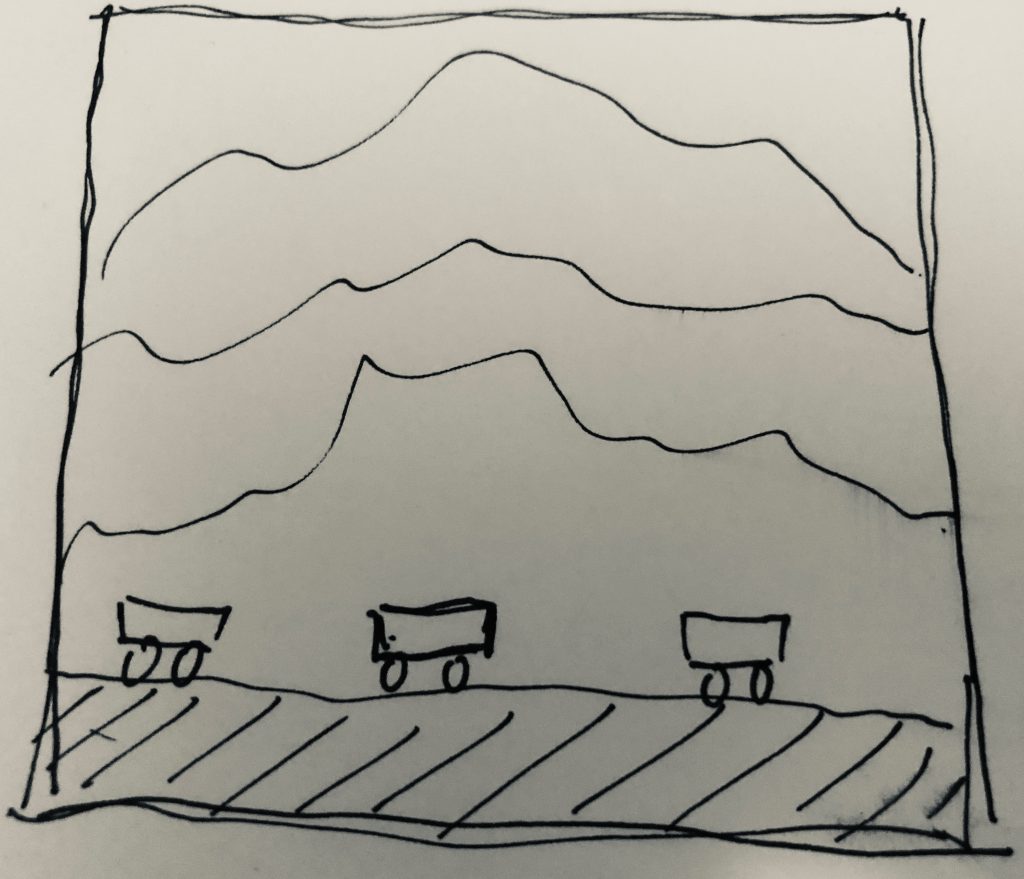
The idea is to create a night scene on a highway. In the scene, stars and mountains move relative to the cars in a various speed based on depth relationship.
// Jina Lee
// jinal2@andrew.cmu.edu
// Project 11
// Section E

var sushi = [];
var count = 0;
var riceSize = 70;

function setup() {
    createCanvas(480, 280);
    // for loop to create the sushi
    for (var i = 0; i < 5; i += 20){
        sushi[i] = makeSushi(width);
    }
    frameRate(120);
}


function draw() {
    count += 1;
    // beige
    background(207, 185, 151);
    sushiText();
    sushiConveyorBelt();
    updateAndDisplaySushi();
    removeSushiThatHaveSlippedOutOfView();
    addNewSushiConstantly();
}

function sushiText(){
    // frame for sign
    fill(150, 0, 0);
    rect(340, 22, 120, 48, 5);
    // white sign
    fill(255);
    rect(350, 28, 100, 35, 5);
    // turned on open sign
    fill(150, 0, 0);
    textSize(18);
    text("OPEN", 370, 52);
    // menu
    fill(255);
    rect(50, 22, 250, 150);
    fill(0);
    textSize(30);
    text("menu", 70, 60);
    stroke(0);
    strokeWeight(3);
    line(75, 100, 240, 100);
    line(75, 80, 280, 80);
    line(75, 90, 280, 90);
    line(75, 110, 280, 110);
    line(75, 120, 100, 120);
    line(75, 130, 240, 130);
    line(75, 140, 240, 140);
    line(75, 150, 280, 150);
}

function updateAndDisplaySushi(){
    for (var i = 0; i < sushi.length; i++){
        sushi[i].move();
        sushi[i].display();
    }
}


function removeSushiThatHaveSlippedOutOfView(){
    var sushiToKeep = [];
    for (var i = 0; i < sushi.length; i++){
        if (sushi[i].x + sushi[i].breadth > -200) {
            sushiToKeep.push(sushi[i]);
        }
    }
    sushi = sushiToKeep;
}

// keeps adding sushi to the end
function addNewSushiConstantly() {
    if (count > 270) {
        sushi.push(makeSushi(width));
        count = 0;
    }
}

// update sushi position every frame
function sushiMove() {
    this.x += this.speed;
}

// draw the sushi
function sushiDisplay() {
    var Height = 30;
    fill(255);
    noStroke();
    push();
    translate(this.x, height - 40);
    // plate
    fill(161, 206, 94);
    ellipse(35, -Height/7, 110, 30)
    rect(5, 5, 60, 10);
    // rice
    fill(255);
    rect(0, -Height, riceSize, 30);
    // eel
    fill(139,69,19);
    rect(0, -Height - 20, riceSize, 20);
    // seaweed
    fill(0);
    rect(25, -Height - 20, riceSize/4, 20);
    // plate
    fill(16, 52, 166);
    ellipse(175, -Height/7, 110, 30);
    rect(145, 5, 60, 10);
    // rice
    fill(255);
    rect(140, -Height, riceSize, 30);
    // tuna
    fill(234, 60, 83);
    rect(140, -Height - 20, riceSize, 20);
    pop();
}

function makeSushi(birthLocationX) {
    var sushi = {x: birthLocationX,
                breadth: 60,
                speed: -1.0,
                move: sushiMove,
                display: sushiDisplay}
    return sushi;
}

function sushiConveyorBelt() {
    // grey
    stroke(200);
    strokeWeight(30);
    line (0, height - 10, width, height - 10);
}
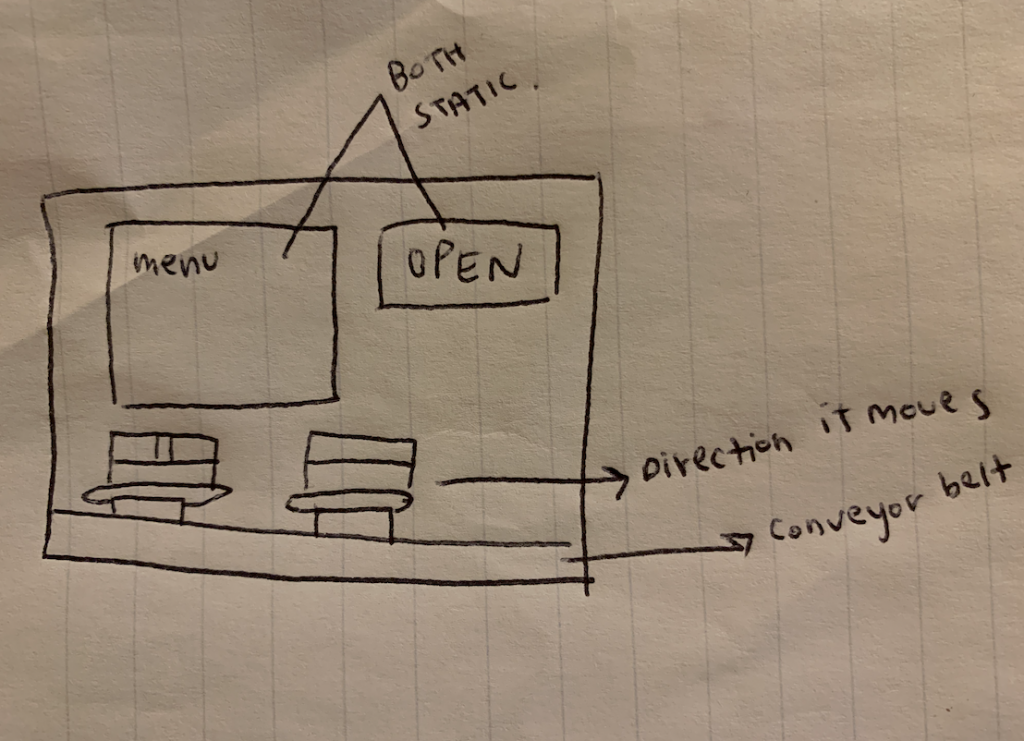
Here is the sketch of what I envisioned.
For this project, I am creating a sushi conveyor belt. I was inspired because back home, there is an all you can eat sushi restaurant that has sushi on a conveyor belt. The sushi is what moves. I made the signs static so it seems as if you are sitting at the table watching the sushi pass through. I created eel and tuna sushi.
![[OLD FALL 2019] 15-104 • Introduction to Computing for Creative Practice](../../../../wp-content/uploads/2020/08/stop-banner.png)