cduong-looking outward 11


Textile Piece Being Made

Link:

Soft Sound – Textiles as electroacoustic transducers


Project: Soft Sound
Creator: EJTECT (Esteban de la Torre and Judit Eszter Karpati)

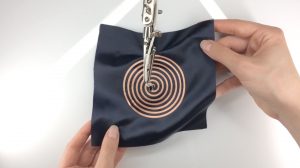
Project “Soft Sound” combines textiles with sound and explore the possibilities of creating multi-sensory experiences. They do this by trying to create textiles as an audio emitting surface. They created soft speakers and embedded it into fabrics in order to emanate sonic vibrations, which could not only be heard but could also be felt due to the pulsating sound.

What I admire about this project is that they are trying to allow people to not only hear sound but to also feel like, just like someone who lost their hearing would experience. This interests me like one of my previous looking outwards about a sensory experience for the blind. I’m really fascinated with technology that try to enhance your experience with someone by allowing you to understand what its like for someone who lost one of their vital senses.

The textiles were laser cut with flat copper and silver coils and then connected to an amplifier to enhance the signal, which ultimately allows the textile to move rapidly back and forth, causing sound waves to emit from the piece of tech.
The creator was trying to design something that could possibly be used as a contemporary interior structure design in the future by going from a small scale to a bigger scale in the future.


Video of how it works

rkondrup-project-11-Composition

sketch

// ryu kondrup
// rkondrup@andrew.cmu.edu
// sectionD
// assignment10A

// makeTurtle(x, y) -- make a turtle at x, y, facing right, pen down
// left(d) -- turn left by d degrees
// right(d) -- turn right by d degrees
// forward(p) -- move forward by p pixels
// back(p) -- move back by p pixels
// penDown() -- pen down
// penUp() -- pen up
// goto(x, y) -- go straight to this location
// setColor(color) -- set the drawing color
// setWeight(w) -- set line width to w
// face(d) -- turn to this absolute direction in degrees
// angleTo(x, y) -- what is the angle from my heading to location x, y?
// turnToward(x, y, d) -- turn by d degrees toward location x, y
// distanceTo(x, y) -- how far is it to location x, y?


//global variables
var brighten = 25;
var x = [];
var y = [];
var starSize = [];


//TURTLE CODE
function turtleLeft(d) {
    this.angle -= d;
}


function turtleRight(d) {
    this.angle += d;
}


function turtleForward(p) {
    var rad = radians(this.angle);
    var newx = this.x + cos(rad) * p;
    var newy = this.y + sin(rad) * p;
    this.goto(newx, newy);
}


function turtleBack(p) {
    this.forward(-p);
}


function turtlePenDown() {
    this.penIsDown = true;
}


function turtlePenUp() {
    this.penIsDown = false;
}


function turtleGoTo(x, y) {
    if (this.penIsDown) {
      stroke(this.color);
      strokeWeight(this.weight);
      line(this.x, this.y, x, y);
    }
    this.x = x;
    this.y = y;
}


function turtleDistTo(x, y) {
    return sqrt(sq(this.x - x) + sq(this.y - y));
}


function turtleAngleTo(x, y) {
    var absAngle = degrees(atan2(y - this.y, x - this.x));
    var angle = ((absAngle - this.angle) + 360) % 360.0;
    return angle;
}


function turtleTurnToward(x, y, d) {
    var angle = this.angleTo(x, y);
    if (angle < 180) {
        this.angle += d;
    } else {
        this.angle -= d;
    }
}


function turtleSetColor(c) {
    this.color = c;
}


function turtleSetWeight(w) {
    this.weight = w;
}


function turtleFace(angle) {
    this.angle = angle;
}


function makeTurtle(tx, ty) {
    var turtle = {x: tx, y: ty,
                  angle: 0.0,
                  penIsDown: true,
                  color: color(128),
                  weight: 1,
                  left: turtleLeft, right: turtleRight,
                  forward: turtleForward, back: turtleBack,
                  penDown: turtlePenDown, penUp: turtlePenUp,
                  goto: turtleGoTo, angleTo: turtleAngleTo,
                  turnToward: turtleTurnToward, distanceTo: turtleDistTo,
                  setColor: turtleSetColor, setWeight: turtleSetWeight,
                  face: turtleFace};
    return turtle;
}

//massive red world
function zoom1() {
    //to chase the other worlds
    t1.turnToward((t2.x + t3.x)/2,(t2.y + t3.y)/2, 1);
    t1.forward(sq(0.005*(68 - t1.distanceTo(t2.x, t2.y)/10)));
    t1.penUp();
    //for a dotted line, alternate penDown then penUp
    t1.turnToward((t2.x + t3.x)/2,(t2.y + t3.y)/2, 1);
    t1.forward(sq(0.005*(68 - t1.distanceTo(t2.x, t2.y)/10)));
    t1.penDown();

}
//medium orange world
function zoom2() {
    //to chase the other worlds
    t2.turnToward((t1.x + t3.x)/2,(t1.y + t3.y)/2, 1);
    t2.forward(5*sq(0.01*(68 - t2.distanceTo(t1.x, t1.y)/10)));
    t1.penUp();
    //for a dotted line, alternate penDown then penUp
    t2.turnToward((t1.x + t3.x)/2,(t1.y + t3.y)/2, 1);
    t2.forward(5*sq(0.01*(68 - t2.distanceTo(t1.x, t1.y)/10)));
    t1.penDown();

}

//tiny pink world
function zoom3() {
    //to chase the other worlds
    t3.turnToward((t1.x + t2.x)/2,(t1.y + t2.y)/2, 1);
    t3.forward(5*sq(0.02*(68 - t2.distanceTo(t1.x, t1.y)/10)));
    t1.penUp();
    //for a dotted line, alternate penDown then penUp
    t2.turnToward((t1.x + t3.x)/2,(t1.y + t3.y)/2, 1);
    t2.forward(5*sq(0.02*(68 - t2.distanceTo(t1.x, t1.y)/10)));
    t1.penDown();

}


function setup() {
    frameRate(60);
    createCanvas(480, 480);

//to put star positions and sizes into arrays
    for (var i = 0; i < 300; i++) {
        x.push(random(width));
        y.push(random(height));
        starSize.push(random(3));
    }

    //too many turtles ! define each turtle's start position
    t1 = makeTurtle(random(width/3, 2*width/3), random(height/3, 2*height/3));
    t2 = makeTurtle(random(width/3, 2*width/3), random(height/3, 2*height/3));
    t3 = makeTurtle(random(width/3, 2*width/3), random(height/3, 2*height/3));


    //to set the color and strokeweight of each turtle
    t1.setColor(color(28 + brighten, 38 + brighten, 79 + brighten));
    t1.setWeight(1);
    t2.setColor(color(28 + brighten, 38 + brighten, 79 + brighten));
    t2.setWeight(1);
    t3.setColor(color(28 + brighten, 38 + brighten, 79 + brighten));
    t3.setWeight(1);


}

function draw() {
    // var darkBlue = color(28, 38, 79);
    // var orange = color(237, 132, 45);
    // var red = color(201, 34, 80);
    // var purple = color(183, 62, 151);
    background(color(28, 38, 79));

//to draw same stars each frame
    for (var j = 0; j < x.length; j++) {
        fill(255);
        ellipse(x[j], y[j], starSize[j]);

    }

//to make the turtles each frame
    zoom1();
    zoom2();
    zoom3();
    noStroke();

    //massive red world
    fill(201, 34, 80); //red
    ellipse(t1.x, t1.y, 100); //massive
    //for the shine
    push();
    translate(-20, -15);
    fill(201 + brighten, 34 + brighten, 80 + brighten);
    rectMode(CENTER);
    rect(t1.x, t1.y, 12, 20, 5);
    pop();

    //medium orange world
    fill(237, 132, 45); //orange
    ellipse(t2.x, t2.y, 50); //medium
    //for the shine
    push();
    translate(-10, -7);
    fill(237 + brighten, 132 + brighten, 45 + brighten);
    rectMode(CENTER);
    rect(t2.x, t2.y, 4, 6, 2);
    pop();


    //tiny pink world
    fill(183, 62, 151); //purple
    ellipse(t3.x, t3.y, 20); //tiny
    //for the shine
    push();
    translate(-4, -4);
    fill(183 + brighten, 62 + brighten, 151 + brighten);
    ellipse(t3.x, t3.y, 2);
    pop();

}

In this project I wanted to challenge myself with the task of making turtles which interact with each other on the canvas. I eventually ended up with quasi-gravity, which i then expressed as shiny rubber planets zooming around the screen which speed up as they approach each other and slow down as they disperse. I am pretty happy with the result, and although it looks very simple in the end the process that took me to the end product was long and rife with console errors. In the future I would like to figure out how to prevent the edges of planets from intersecting, or maybe give them the ability to bounce off of each other.

ablackbu-section c-Project-11-Composition

press mouse

sketch

var galaxy

function preload() {
    galaxy = loadImage('https://i.imgur.com/W0T1NZk.jpg')
}

function setup() {
    createCanvas(360, 280);
    background(230);
    push()
    scale(.3)
    image(galaxy,0,0)
    pop()
}
    
function draw() {
    fill(255)
    noStroke()
    ellipse(mouseX,mouseY,3,3)

}

function mousePressed(){
    
    var tur1 = makeTurtle(mouseX,mouseY);
    tur1.setColor(color(random(150,255),random(150,255),random(150,255)));
    var w = 3;
    tur1.setWeight(w)
    var side = random(5,20)
    for(var i = 0; i < 100; i++) {
        tur1.penDown();
        tur1.forward(side);
        tur1.right(60);
        tur1.forward(side);
        tur1.right(60);
        tur1.forward(side);
        tur1.right(60);
        tur1.forward(side);
        tur1.right(60);
        tur1.forward(side);
        tur1.right(60);
        tur1.forward(side);
        tur1.penUp();
        tur1.right(110);
        tur1.forward(side*.8);
        side *= 0.9;
        w *= 0.7
        tur1.setWeight(w);
        tur1. right(50)
    }
}

function turtleLeft(d){this.angle-=d;}function turtleRight(d){this.angle+=d;}
function turtleForward(p){var rad=radians(this.angle);var newx=this.x+cos(rad)*p;
var newy=this.y+sin(rad)*p;this.goto(newx,newy);}function turtleBack(p){
this.forward(-p);}function turtlePenDown(){this.penIsDown=true;}
function turtlePenUp(){this.penIsDown = false;}function turtleGoTo(x,y){
if(this.penIsDown){stroke(this.color);strokeWeight(this.weight);
line(this.x,this.y,x,y);}this.x = x;this.y = y;}function turtleDistTo(x,y){
return sqrt(sq(this.x-x)+sq(this.y-y));}function turtleAngleTo(x,y){
var absAngle=degrees(atan2(y-this.y,x-this.x));
var angle=((absAngle-this.angle)+360)%360.0;return angle;}
function turtleTurnToward(x,y,d){var angle = this.angleTo(x,y);if(angle< 180){
this.angle+=d;}else{this.angle-=d;}}function turtleSetColor(c){this.color=c;}
function turtleSetWeight(w){this.weight=w;}function turtleFace(angle){
this.angle = angle;}function makeTurtle(tx,ty){var turtle={x:tx,y:ty,
angle:0.0,penIsDown:true,color:color(128),weight:1,left:turtleLeft,
right:turtleRight,forward:turtleForward, back:turtleBack,penDown:turtlePenDown,
penUp:turtlePenUp,goto:turtleGoTo, angleto:turtleAngleTo,
turnToward:turtleTurnToward,distanceTo:turtleDistTo, angleTo:turtleAngleTo,
setColor:turtleSetColor, setWeight:turtleSetWeight,face:turtleFace};
return turtle;}

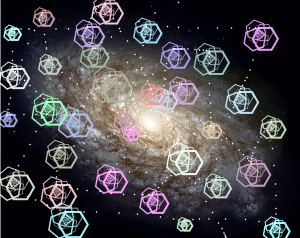
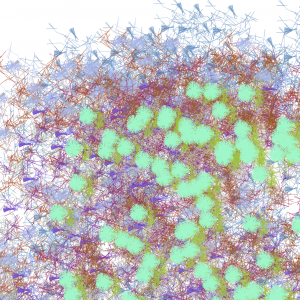
For this project on adapting turtles, I created a galaxy where the user is able to create stars and planets, the planets made are a similar turtle to the spiral one made in lab but these are hexagons that spiral in on each other and get smaller and lighter as they go.

yunzhous-LookingOutward-11

Houdini1

Houdini 2 

Houdini3

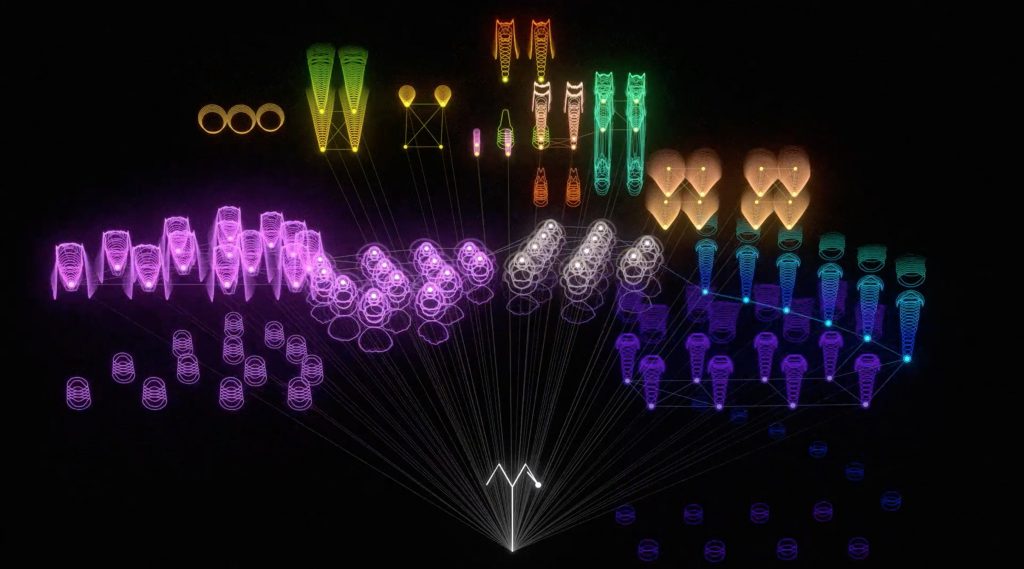
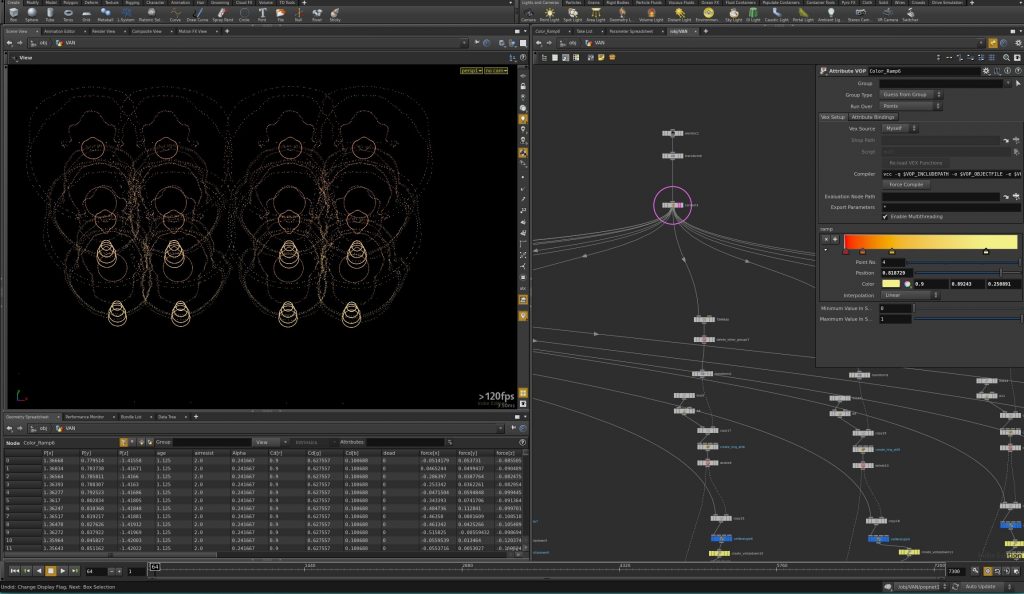
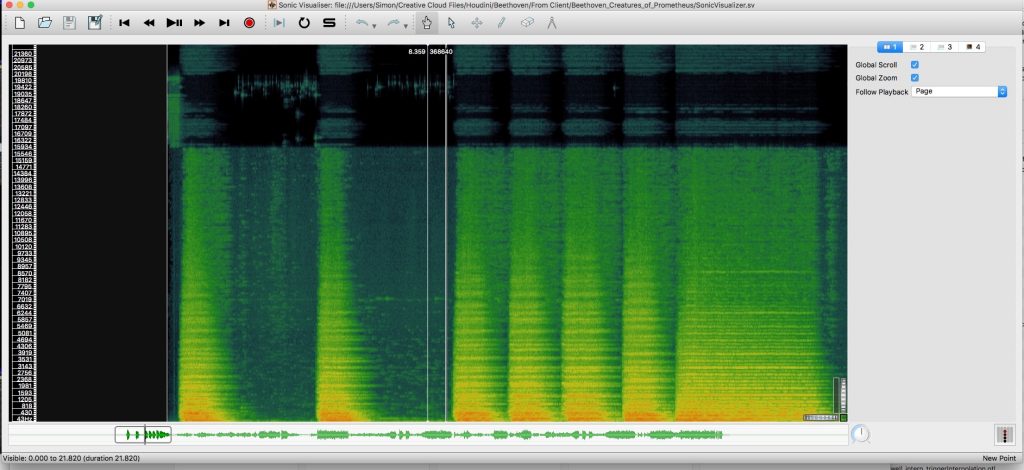
Simon Russell’s project, The Creatures of Prometheus, is a series of Generative visualisation of Beethoven’s ballet. Houdini, the algorithm used to generate visual effects, reads the notation and emits particles using the pitch to derive their height and amplitude to derive their speed. The color of the particles emitted is also affected by the volume of each node.
This project might not be the most visually compelling computational music. However, I admire this attempt to break down, analyze and display aspects of music through an accurate function. Math is involved in the process of visualizing, rather than feelings or emotion. I think this is the true visualization of music.
For the algorithm, I’m guessing it can take a piece of music, analyze and turn it into some sort of data, and use the data to generate geometries according to the user’s setting.
Read more here

yunzhous-project-11

forgot to put my code up:
sketch

//Kathy Song
//Section D
//yunzhous@andrew.cmu.edu
//Project-11

var col;//coolor of turtle
var myTurtle = [];//array to store turtles
var degree = 20;//turn by degree

function setup() {
  createCanvas(480, 480);
  background(220);
  frameRate(10);
}

function draw() {
  for(var i = 0; i < myTurtle.length; i++) {
    col = map(mouseX, 0, width, 0, 255);//color according to mouseX
    myTurtle[i].setColor(col);
    myTurtle[i].setWeight(2);
    myTurtle[i].penDown();
    myTurtle[i].forward(20);
    myTurtle[i].right(degree);
    degree += 2;//degree constantly changing
  }
}

function mouseDragged() {
  myTurtle.push(makeTurtle(mouseX, mouseY));//make new turtle when mouse is pressed
}


function turtleLeft(d) {
    this.angle -= d;
}


function turtleRight(d) {
    this.angle += d;
}


function turtleForward(p) {
    var rad = radians(this.angle);
    var newx = this.x + cos(rad) * p;
    var newy = this.y + sin(rad) * p;
    this.goto(newx, newy);
}


function turtleBack(p) {
    this.forward(-p);
}


function turtlePenDown() {
    this.penIsDown = true;
}


function turtlePenUp() {
    this.penIsDown = false;
}


function turtleGoTo(x, y) {
    if (this.penIsDown) {
      stroke(this.color);
      strokeWeight(this.weight);
      line(this.x, this.y, x, y);
    }
    this.x = x;
    this.y = y;
}


function turtleDistTo(x, y) {
    return sqrt(sq(this.x - x) + sq(this.y - y));
}


function turtleAngleTo(x, y) {
    var absAngle = degrees(atan2(y - this.y, x - this.x));
    var angle = ((absAngle - this.angle) + 360) % 360.0;
    return angle;
}


function turtleTurnToward(x, y, d) {
    var angle = this.angleTo(x, y);
    if (angle < 180) {
        this.angle += d;
    } else {
        this.angle -= d;
    }
}


function turtleSetColor(c) {
    this.color = c;
}


function turtleSetWeight(w) {
    this.weight = w;
}


function turtleFace(angle) {
    this.angle = angle;
}


function makeTurtle(tx, ty) {
    var turtle = {x: tx, y: ty,
                  angle: 0.0, 
                  penIsDown: true,
                  color: color(128),
                  weight: 1,
                  left: turtleLeft, right: turtleRight,
                  forward: turtleForward, back: turtleBack,
                  penDown: turtlePenDown, penUp: turtlePenUp,
                  goto: turtleGoTo, angleto: turtleAngleTo,
                  turnToward: turtleTurnToward,
                  distanceTo: turtleDistTo, angleTo: turtleAngleTo,
                  setColor: turtleSetColor, setWeight: turtleSetWeight,
                  face: turtleFace};
    return turtle;
}

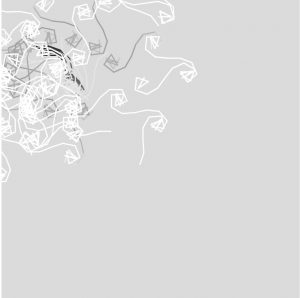
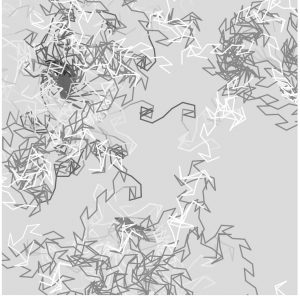
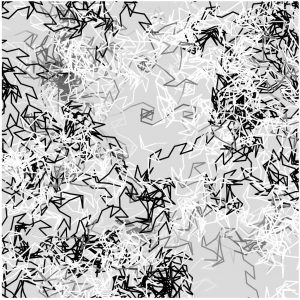
I wanted to make something that make turtles along the curve that mouse is dragged. Then the turtle automatically moves and create random visual effect. The color of the stroke would also be controlled by mouseX, giving the image a little variety. I intentionally used only greyscale to create a snow&tree effect (because I really want it to snow!)

jknip-Project-11-Composition

sketch

/*Jessica Nip
Section A
jknip@andrew.cmu.edu
Project-11
*/
var t6;
var start;
function turtleLeft(d) {
    this.angle -= d;
}

function turtleRight(d) {
    this.angle += d;
}

function turtleForward(p) {
    var rad = radians(this.angle);
    var newx = this.x + cos(rad) * p;
    var newy = this.y + sin(rad) * p;
    this.goto(newx, newy);
}

function turtleBack(p) {
    this.forward(-p);
}

function turtlePenDown() {
    this.penIsDown = true;
}

function turtlePenUp() {
    this.penIsDown = false;
}

function turtleGoTo(x, y) {
    if (this.penIsDown) {
      stroke(this.color);
      strokeWeight(this.weight);
      line(this.x, this.y, x, y);
    }
    this.x = x;
    this.y = y;
}

function turtleDistTo(x, y) {
    return sqrt(sq(this.x - x) + sq(this.y - y));
}

function turtleAngleTo(x, y) {
    var absAngle = degrees(atan2(y - this.y, x - this.x));
    var angle = ((absAngle - this.angle) + 360) % 360.0;
    return angle;
}

function turtleTurnToward(x, y, d) {
    var angle = this.angleTo(x, y);
    if (angle < 180) {
        this.angle += d;
    } else {
        this.angle -= d;
    }
}

function turtleSetColor(c) {
    this.color = c;
}

function turtleSetWeight(w) {
    this.weight = w;
}

function turtleFace(angle) {
    this.angle = angle;
}

function makeTurtle(tx, ty) {
    var turtle = {x: tx, y: ty,
                  angle: 0.0, 
                  penIsDown: true,
                  color: color(128),
                  weight: 1,
                  left: turtleLeft, right: turtleRight,
                  forward: turtleForward, back: turtleBack,
                  penDown: turtlePenDown, penUp: turtlePenUp,
                  goto: turtleGoTo, angleto: turtleAngleTo,
                  turnToward: turtleTurnToward,
                  distanceTo: turtleDistTo, angleTo: turtleAngleTo,
                  setColor: turtleSetColor, setWeight: turtleSetWeight,
                  face: turtleFace};
    return turtle;
}

//--------------turtle API above-------

//design simple pattern
function pattern(t6) {
    t6.forward(60);
    t6.left(90);
    t6.forward(40);
    t6.left(90);
    t6.forward(30);
    t6.left(90);
    t6.forward(40);
    t6.left(90);
    t6.forward(20);
    t6.right(90);
    t6.forward(20)
    t6.right(90);
    t6.forward(30);
    t6.right(90);
    t6.forward(40);
    t6.right(90);
    t6.forward(50);
    t6.right(90);
    t6.forward(50);
    t6.left(90);
}


function setup() {
    createCanvas(300,300);
    background(0);
    //define given parameters
    strokeJoin(MITER);
    strokeCap(PROJECT);
    //set row one position
    start = 30;
    t6 = makeTurtle(0,start);
    //determine initial color and weight
    t6.setColor(0);
    t6.setWeight(1); 
}

function draw() {
    //maximize width and height across canvas
    while(t6.y < height){
        while(t6.x < width) { 
            pattern(t6);
        }
        //redefine starting position for other rows
        t6.penUp();
        start = start + 100;
        t6.goto(0,start);
        t6.penDown();
    }
}

//when mouse is pressed, rndomize color and thickness
function mousePressed(){
    t6.x = mouseX;
    start = mouseY;
    t6.y = mouseY;
    t6.setColor(color(200, random(0,100),random(0,100)));
    t6.setWeight(random(1,3));
}

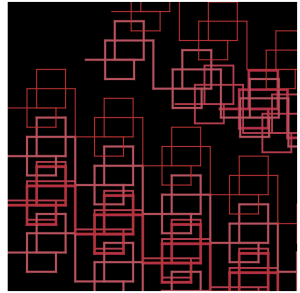
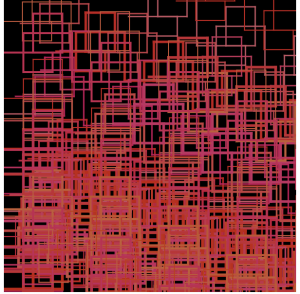
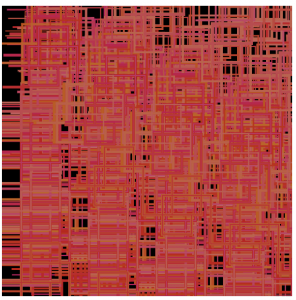
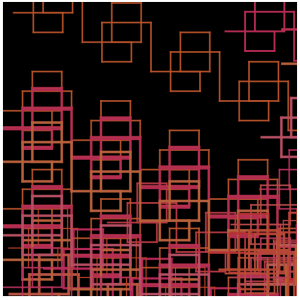
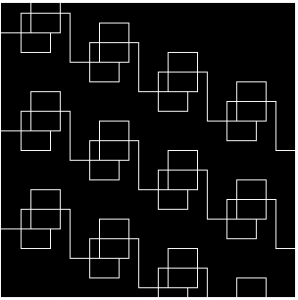
Here are some possible abstract gradient compositions that can be created with my sketch. I wanted to utilize a simple pattern created in black and white below, and transform that into warm hues represented by varying thicknesses of the repetition.

sijings-lookingOutwards-11

Mesa Musical Shadows – Montréal’s venerable Daily tous les jours studio

For this assignment, I chose the work Mesa Musical Shadows because it both serves as an interactive art project and also a media that actually produces real music. It allows the audience to engage in spontaneous exploration, play, and even compose their own music. The piece was created for th

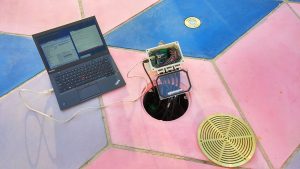
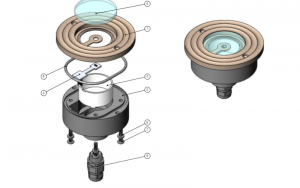
e Mesa Arts Centre, Arizona, known to be the sunniest state. This piece is created by Montréal’s venerable Daily tous les jours studio. It is installed in the north plaza at the Mesa Arts Center in Arizona. Mesa Musical Shadoes have four modes which will change according to the four different time periods (Morning, midday, evening and night) of the day. This is controlled by a MaxMSP patch linking Arduino Mega boards via OSC. Most sounds here were composed by sound designer David Drury to reflect varying atmospheres and — pragmatically — shadow lengths throughout the day. The installation’s 47 sensors are run through six control nodes, comprised of an Arduino Mega, ethernet shields, and custom connector shields – each of which is protected in a waterproof enclosure, placed underneath the tiling. Each sensor unit has a custom PCB with a light sensor on top and an LED on its bottom. The music is coded to the sensors,  for nighttime illumination and the more sensitive gear (computers, amplifiers, etc.) is all installed in the museum.

Sensors Being Connected to Computers | 2016
The Structure of the Sensor | 2016

A normal sensor will be easy to create for anyone who owns some coding skill, however, what Mesa Musical Shadows is manifested by creator’s artistic sensibilities of audiences’ relationship with the artwork. Quoted from “Creative Application Networks”, “From simple post-it notes to fully interactive mats, we brought different prototypes on site to get direct feedback and help refine the project … These consultations helped us figure out what the project’s essence had to be and hopefully, the results honor that process and reflect the community’s various contributions.”

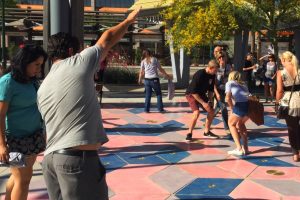
Audience Interacting with The Work | 2016

dnam-LookingOutwards-11

Porter Robinson Performing on Stage

One of the most interesting development in recent music development is how technology has allowed new types of musicians to create a whole new genre. In the forefront of this ‘evolution’, Porter Robinson is one of the most famous up-and-coming EDM musician, DJ, and composer. By using sample sounds recorded from an instrument to a sound made purely from electronics, Porter Robinson and his assistants are able to showcase a music that would require a large amount of people to perform the piece. To add on to the previous mentioned comfort, computer generated music allows for a whole new different types of sounds to be created, whereas traditional orchestras may have limited sounds. My favorite piece from Porter Robinson is his collaboration with Madeon, Shelter. I am personally excited to see how far computer music will develop the genres.

Project-11-Composition

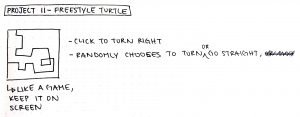
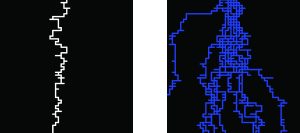
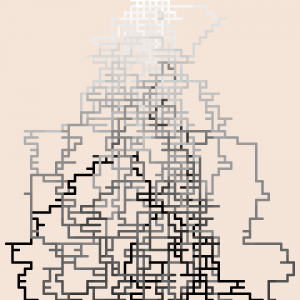
For this project I initially wanted to create a sort of game where a line would drawing in different directions randomly and you could click around the screen to change the direction it travels.

However, the more focused I became on making it like a game interface, the further I felt it strayed from the project. I took a step back and decided to instead create a more abstract piece that random flowed across the screen.

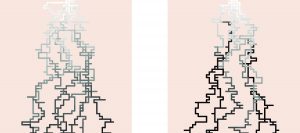
I added multiple lines starting from the same point to fill up the page and create a dynamic image. Then I wanted to play around with colors and changing tones. I made it so that as the line drew down the page, it would automatically darken.

However, as you can see on the right image, the user can also speed up the progression of the darkening by clicking the screen as well to darken the line color.

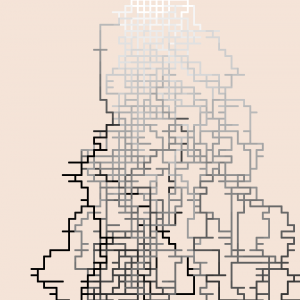
I also tried thinning the line weight, but for the final i decided to go with a medium line weight between the original and the tested thinner line:

sketch

var turtle1; //global turtle variable
var C = 255; //color variable

function setup() {
	createCanvas(480, 480);
	background(245, 228, 215);
	frameRate(20); //sped up frame rate
	strokeJoin(ROUND); //round joints
	strokeCap(ROUND); //round ends

	turtle1 = makeTurtle(width/2, 0); //turtle one starting point
	turtle1.setColor(color(C)); //initial color (white)
	turtle1.setWeight(4); //weight of line
	turtle1.penDown(); //pen in down
	turtle1.right(90); //turn 90 degrees right to face down
	turtle1.forward(10); //drwa forward 10 pixels

}

function draw() {
	var num = random(1, 9); //var to randomize direction
	if(num > 1 & num < 3){ //1/3 of time draws 10 pixels right
		turtle1.face(0);
		turtle1.forward(10);
	}
	if(num > 4 & num < 6){ //1/3 of time draws 10 pixels down
		turtle1.face(90);
		turtle1.forward(10);
	}
	if(num > 7 & num < 10){ //1/3 of time draws 10 pixels left
		turtle1.face(180);
		turtle1.forward(10);
	}
	if(turtle1.y > height || turtle1.x < 0 || turtle1.x > width){ //whenever goes off page, restarts at top
		turtle1.penUp();
		turtle1.goto(width/2, 0);
		turtle1.penDown();
	}
	if(turtle1.y < 1){ //each time drawing restarts at top, color resets to white
		C = 255;
		turtle1.setColor(C);
	}
	if(frameCount % 10 == 0){ //automatically darkens color every 10 frames
		C += -10;
		turtle1.setColor(C);
	}
}	

function mousePressed(){ //whenever mouse is pressed, color also darkens
	C += -10;
	turtle1.setColor(C);
}

function turtleLeft(d) {
    this.angle -= d;
}


function turtleRight(d) {
    this.angle += d;
}


function turtleForward(p) {
    var rad = radians(this.angle);
    var newx = this.x + cos(rad) * p;
    var newy = this.y + sin(rad) * p;
    this.goto(newx, newy);
}


function turtleBack(p) {
    this.forward(-p);
}


function turtlePenDown() {
    this.penIsDown = true;
}


function turtlePenUp() {
    this.penIsDown = false;
}


function turtleGoTo(x, y) {
    if (this.penIsDown) {
      stroke(this.color);
      strokeWeight(this.weight);
      line(this.x, this.y, x, y);
    }
    this.x = x;
    this.y = y;
}


function turtleDistTo(x, y) {
    return sqrt(sq(this.x - x) + sq(this.y - y));
}


function turtleAngleTo(x, y) {
    var absAngle = degrees(atan2(y - this.y, x - this.x));
    var angle = ((absAngle - this.angle) + 360) % 360.0;
    return angle;
}


function turtleTurnToward(x, y, d) {
    var angle = this.angleTo(x, y);
    if (angle < 180) {
        this.angle += d;
    } else {
        this.angle -= d;
    }
}


function turtleSetColor(c) {
    this.color = c;
}


function turtleSetWeight(w) {
    this.weight = w;
}


function turtleFace(angle) {
    this.angle = angle;
}


function makeTurtle(tx, ty) {
    var turtle = {x: tx, y: ty,
                  angle: 0.0, 
                  penIsDown: true,
                  color: color(128),
                  weight: 1,
                  left: turtleLeft, right: turtleRight,
                  forward: turtleForward, back: turtleBack,
                  penDown: turtlePenDown, penUp: turtlePenUp,
                  goto: turtleGoTo, angleto: turtleAngleTo,
                  turnToward: turtleTurnToward,
                  distanceTo: turtleDistTo, angleTo: turtleAngleTo,
                  setColor: turtleSetColor, setWeight: turtleSetWeight,
                  face: turtleFace};
    return turtle;
}

kyungak-project-11-Composition

sketch

//Kyunga Ko
//15104B
//kyungak@andrew.cmu.edu
//Project-11

var turtle = [];
var redcolor = 100;
var greencolor = 150;
var bluecolor = 200;
var xinc = 0;
var yinc = 0;
var zinc = 0;

function setup() {
    createCanvas(480, 480);

    background(255);

    for(var i = 0; i < 50; i++) {
        turtle[i] = makeTurtle(random(width),random(height));
        turtle[i].setColor(color(redcolor,greencolor,bluecolor));
        turtle[i].setWeight(0.4);
        turtle[i].penDown();
        frameRate(10);
    }

}

function draw(){

    for (var i = 0; i < 50; i++) {
        turtle[i].setColor(color(redcolor,greencolor,bluecolor));
        turtle[i].forward(xinc);
        turtle[i].right(zinc);
        turtle[i].back(xinc);

    } 

    map(mouseX,0,600,0,5);
    xinc = random(0,30);
    yinc = random(0,30);
    zinc = random(0,mouseX);
        
}

function mousePressed(){

    redcolor = random(0,255);
    bluecolor = random(0,255);
    greencolor = random(0,255);

}

function turtleLeft(d){this.angle-=d;}
function turtleRight(d){this.angle+=d;}
function turtleForward(p){var rad=radians(this.angle);var newx=this.x+cos(rad)*p;
var newy=this.y+sin(rad)*p;this.goto(newx,newy);}
function turtleBack(p){
this.forward(-p);}
function turtlePenDown(){this.penIsDown=true;}
function turtlePenUp(){this.penIsDown = false;}
function turtleGoTo(x,y){
if(this.penIsDown){stroke(this.color);strokeWeight(this.weight);
line(this.x,this.y,x,y);}this.x = x;this.y = y;}
function turtleDistTo(x,y){
return sqrt(sq(this.x-x)+sq(this.y-y));}
function turtleAngleTo(x,y){
var absAngle=degrees(atan2(y-this.y,x-this.x));
var angle=((absAngle-this.angle)+360)%360.0;return angle;}
function turtleTurnToward(x,y,d){var angle = this.angleTo(x,y);if(angle< 180){
this.angle+=d;}else{this.angle-=d;}}
function turtleSetColor(c){this.color=c;}
function turtleSetWeight(w){this.weight=w;}
function turtleFace(angle){
this.angle = angle;}
function makeTurtle(tx,ty){var turtle={x:tx,y:ty,
angle:0.0,penIsDown:true,color:color(128),weight:1,left:turtleLeft,
right:turtleRight,forward:turtleForward, back:turtleBack,penDown:turtlePenDown,
penUp:turtlePenUp,goto:turtleGoTo, angleto:turtleAngleTo,
turnToward:turtleTurnToward,distanceTo:turtleDistTo, angleTo:turtleAngleTo,
setColor:turtleSetColor, setWeight:turtleSetWeight,face:turtleFace};
return turtle;}

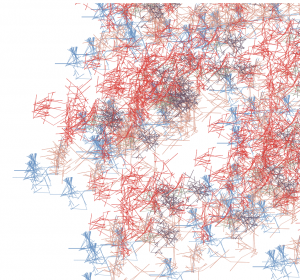
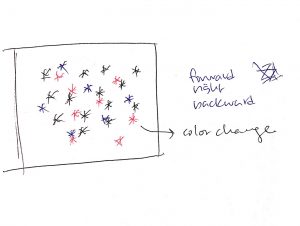
I wanted to express snowflakes through the turtles function. When you move mouseX around the canvas, it changes the angle to which the snowflakes spread. When you click the mouse, the color changes. It will create a dynamic and a non-symmetrical snowflake across the canvas. It was a very interesting process, and the results were satisfying.