aboyle-Project-11-Composition

aboyle composition

//Anna Boyle
//Section D
//aboyle@andrew.cmu.edu
//Project 11


var turtle;
var red=0;
var green=0;
var blue=0;
var lineWeight=6;

function setup() {
    createCanvas(480, 400);
    background(255)
    turtle = makeTurtle(0,height/2)
//creates borders to make it more ms paint-ish
    strokeWeight(2);
    line(width, 0, width, height);
    line(0, 0, 0, height);
    line(0, 0, width, 0);
    line(0, height, width, height)
//creates text
    textSize(10);
    text("M.S. Paint: Turtle Edition", 10, 20)
  }

//draws the line
function draw() {
    drawLine();
}

//function to draw the line
function drawLine(){
  //variable colors
    turtle.setColor(color(red, green, blue));
  //variable line weight
    turtle.setWeight(lineWeight);
  //makes the turtle constantly move toward the mouse
    turtle.forward(2);
    turtle.turnToward(mouseX, mouseY, 8);
}

function keyPressed(){
//press enter to restart turtle
   if (keyCode === ENTER){
      turtle = makeTurtle(mouseX,mouseY)
      drawLine();
//press up to make line thicker
    } if (keyCode === UP_ARROW){
      lineWeight++
      drawLine();
//press down to make line thinner
    } if (keyCode==DOWN_ARROW){
      lineWeight=lineWeight-1;
      drawLine();
    }
}

//type the first letter of a color to turn the line that color
//or in the case of black, the second letter

function keyTyped(){
    if (key === 'b'){
      blue = 255;
      red = 0;
      green = 0;
      drawLine();
    } if (key === 'r'){
      red = 255;
      blue = 0;
      green = 0;
      drawLine();
    } if (key === 'g'){
      green = 255;
      red = 0;
      blue = 0;
      drawLine();
    } if (key === 'y'){
      red = 255;
      green = 255;
      blue = 0;
    } if (key === 'p'){
      red = 145;
      green = 0;
      blue = 255;
    } if (key === 'o'){
      red=255;
      green=145;
      blue=0;
    } if (key=== 'l'){
      red = 0;
      green = 0;
      blue = 0;
    } if (key === 'w'){
      red=255;
      green=255;
      blue=255;
    }
}

function turtleLeft(d) {
    this.angle -= d;
}


function turtleRight(d) {
    this.angle += d;
}


function turtleForward(p) {
    var rad = radians(this.angle);
    var newx = this.x + cos(rad) * p;
    var newy = this.y + sin(rad) * p;
    this.goto(newx, newy);
}


function turtleBack(p) {
    this.forward(-p);
}


function turtlePenDown() {
    this.penIsDown = true;
}


function turtlePenUp() {
    this.penIsDown = false;
}


function turtleGoTo(x, y) {
    if (this.penIsDown) {
      stroke(this.color);
      strokeWeight(this.weight);
      line(this.x, this.y, x, y);
    }
    this.x = x;
    this.y = y;
}


function turtleDistTo(x, y) {
    return sqrt(sq(this.x - x) + sq(this.y - y));
}


function turtleAngleTo(x, y) {
    var absAngle = degrees(atan2(y - this.y, x - this.x));
    var angle = ((absAngle - this.angle) + 360) % 360.0;
    return angle;
}


function turtleTurnToward(x, y, d) {
    var angle = this.angleTo(x, y);
    if (angle < 180) {
        this.angle += d;
    } else {
        this.angle -= d;
    }
}


function turtleSetColor(c) {
    this.color = c;
}


function turtleSetWeight(w) {
    this.weight = w;
}


function turtleFace(angle) {
    this.angle = angle;
}


function makeTurtle(tx, ty) {
    var turtle = {x: tx, y: ty,
                  angle: 0.0,
                  penIsDown: true,
                  color: color(128),
                  weight: 1,
                  left: turtleLeft, right: turtleRight,
                  forward: turtleForward, back: turtleBack,
                  penDown: turtlePenDown, penUp: turtlePenUp,
                  goto: turtleGoTo, angleto: turtleAngleTo,
                  turnToward: turtleTurnToward,
                  distanceTo: turtleDistTo, angleTo: turtleAngleTo,
                  setColor: turtleSetColor, setWeight: turtleSetWeight,
                  face: turtleFace};
    return turtle;
}

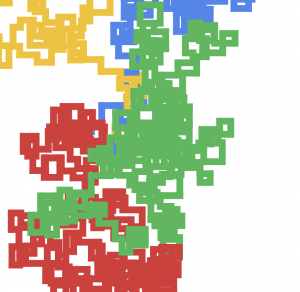
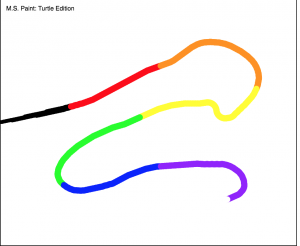
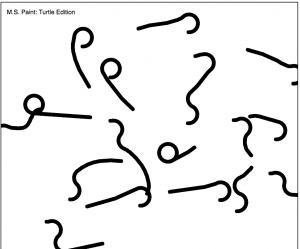
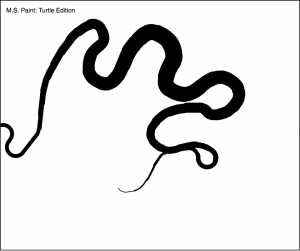
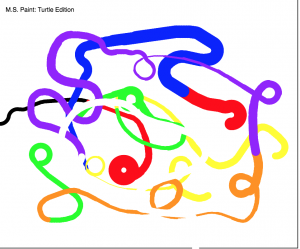
When thinking of an idea for this project, I thought about other drawing tools that I’ve used in the past. Eventually I got the idea to make this project visually emulate at least some aspects of MS Paint. In my final code, the turtle draws a line that constantly follows the mouse. You can make the line thicker and thinner, change the color, or restart the turtle with a different starting point. I added borders and text to drive home the visual similarities. When playing around with it, I couldn’t help but remember scribbling on MS Paint, so I think this one was a success. You can see screenshots of some scribbles I created below.

Playing around with color:
Playing around with restart:
Playing around with thickness:
All of the above:
sijings-project11-freestyleTurtle

sijings-Turtle

//Clair(sijing) Sun
//session C
//sijings@andrew.cmu.edu
//sijings-freestyle_turtle

//variables for each turtle
var turtle;
var turtle1;
var turtle2;
var turtle3;
var turtle4;
var turtle5;
var turtle6;
var turtle7;
var turtle8;
var backgroundt;
var backgroundt2;
var humanF;
var r=[250,249,237,122,250,219,216];//array of color where each turtle will 
var g=[222,223,215,137,224,166,131];//take individual color from the array
var b=[111,134,146,80,190,165,115];
var anglechange1=7;
var length1=10;

function setup() {
    createCanvas(480, 480);
    background(22,59,97);
    turtle = makeTurtle(width-20, 40);
    turtle1 = makeTurtle(width-39,60);
    turtle2 = makeTurtle(width-150, 40);
    turtle3 = makeTurtle(width-169,60);
    turtle4 = makeTurtle(40, height/2-40);
    turtle5 = makeTurtle(width-40, 40);
    turtle6 = makeTurtle(width-100, 110);
    turtle7 = makeTurtle(width-120, 150);
    turtle8 = makeTurtle(width-170, 50);
    backgroundt = makeTurtle(width-100, height-50);
    backgroundt2 = makeTurtle(100,50);
    humanF = makeTurtle(80,120);
    //moon
    turtle2.penDown();
    turtle2.setColor(color(r[2],g[2],b[2]));
    turtle2.setWeight(2);
    turtle2.left(50);
    for (var i=0; i<30;i++){
        turtle2.right(anglechange1);
        turtle2.forward(length1);
    }
    turtle2.right(120);
    turtle2.forward(2*length1);
    for (var i=0; i<7; i++){
        turtle2.left(10);
        turtle2.forward(2*length1);
    }
    turtle2.left(15);
    turtle2.forward(length1);
    turtle2.left(15);
    turtle2.forward(length1);

    //for stairs
    turtle4.penDown();
    turtle4.setWeight(5);
    for (var i = 0; i < 10; i++) {
        turtle4.setColor(color(random(r[3]-20,r[3]+20),g[3],b[3]));
        turtle4.right(90);
        turtle4.forward(10);
        turtle4.right(10);
        turtle4.forward(10);
        turtle4.left(10);
        turtle4.forward(10);
        turtle4.left(90);
        turtle4.forward(40);

    }

    //human figure that stands on the stair
    humanF.setColor(color(224,134,143));
    humanF.setWeight(3);
    for (var i = 0; i<8; i++){
        humanF.right(20);
        humanF.forward(5);
    }
    humanF.left(50);
    humanF.forward(5);
    humanF.left(90);
    humanF.forward(15);
    humanF.left(50);
    humanF.forward(25);
    humanF.left(50);
    humanF.forward(5);
    humanF.right(50);
    humanF.forward(5);
    humanF.right(50);
    humanF.forward(5);
    humanF.right(120);
    humanF.forward(5);
    humanF.right(120);
    humanF.forward(5);
    humanF.right(250);
    humanF.forward(5);
    humanF.left(25);
    humanF.forward(15);
    humanF.right(7);
    humanF.forward(25);
    humanF.left(17);
    humanF.forward(5);
    humanF.left(17);
    humanF.forward(5);
    humanF.left(17);
    humanF.forward(20);
    humanF.left(17);
    humanF.forward(20);
    humanF.left(27);
    humanF.forward(5);
    humanF.right(90);
    humanF.forward(5);
    humanF.right(20);
    humanF.forward(5);
    humanF.right(20);
    humanF.forward(5);
    humanF.right(20);
    humanF.forward(5);
    humanF.left(100);
    humanF.forward(18);
    humanF.left(70);
    humanF.forward(10);
    humanF.right(20);
    humanF.forward(5);
    humanF.right(50);
    humanF.forward(3);
    humanF.right(100);
    humanF.forward(10);
    humanF.left(10);
    humanF.forward(5);
    humanF.left(10);
    humanF.forward(5);
    humanF.right(110);
    humanF.forward(5);
    humanF.left(10);
    humanF.forward(22);
    humanF.left(80);
    humanF.forward(15);
    humanF.right(89);
    humanF.forward(15);
    humanF.left(5);
    humanF.forward(15);
    humanF.right(5);
    humanF.forward(15);
    humanF.left(5);
    humanF.forward(15);
    humanF.right(5);
    humanF.forward(15);
    humanF.right(5);
    humanF.forward(5);
    humanF.left(45);
    humanF.forward(5);
    for (var i=0; i<6; i++){
        humanF.right(16);
        humanF.forward(5);
    }   


}


function draw() {
    turtle.penDown();
    turtle1.penDown();
    //below are patterns around the moon (which can be controlled by mouse X and Y)
    
    for (var i = 0; i < 5; i++) {
        turtle.setColor(color(r[0]+i*20,g[0]+i*5,b[0],50));//have 50 at the end for certain transparency
        turtle.forward(mouseX/30);
        turtle.right(25);   
    }
    for (var i = 0; i < 20; i++) {
        turtle1.setColor(color(r[1]-i*2,g[1]-i*5,b[1],100));
        turtle1.forward(mouseX/100);
        turtle1.right(25);   
    }

    for (var i = 0; i < 20; i++) {
        turtle1.setColor(color(r[2]-i*2,g[2]-i*5,b[2],100));
        turtle1.forward(5);
        turtle1.right(25);   
    }

    //for drawing the background (two random generated lines)
    for (var i = 0; i < 20; i++) {
        backgroundt.setColor(color(r[2]-i*2,g[2]-i*5,b[2],20));
        backgroundt.forward(random(0,20));
        backgroundt.right(25);   
    }
    for (var i = 0; i < 20; i++) {
        backgroundt2.setColor(color(r[4],g[4],b[4],50));
        backgroundt2.forward(random(0,20));
        backgroundt2.left(25);   
    }

    for (var i = 0; i < 20; i++) {
        turtle5.setColor(color(r[4],g[4],b[4],30));

        turtle5.forward(mouseX/50);
        turtle5.right(25);   
    }  
    for (var i = 0; i < 20; i++) {
        turtle6.setColor(color(r[5],g[5],b[5],10));
        turtle6.forward(mouseX/50);
        turtle6.right(25);   
    }  

    for (var i = 0; i < 20; i++) {
        turtle7.setColor(color(r[6],g[6],b[6],30));
        turtle7.forward(mouseX/30);
        turtle7.right(25);   
    } 

    for (var i = 0; i < 20; i++) {
        turtle8.setColor(color(r[7],g[7],b[7],10));
        turtle8.forward(mouseX/40);
        turtle8.right(25);   
    }  

    for (var i = 0; i < 20; i++) {
        turtle8.setColor(color(r[7],g[7],b[7],10));
        turtle8.forward(5);
        turtle8.right(25);   
    } 

}

//below codes are directly from turtle graph lecture from 15-104 website

function turtleLeft(d){this.angle-=d;}function turtleRight(d){this.angle+=d;}
function turtleForward(p){var rad=radians(this.angle);var newx=this.x+cos(rad)*p;
var newy=this.y+sin(rad)*p;this.goto(newx,newy);}function turtleBack(p){
this.forward(-p);}function turtlePenDown(){this.penIsDown=true;}
function turtlePenUp(){this.penIsDown = false;}function turtleGoTo(x,y){
if(this.penIsDown){stroke(this.color);strokeWeight(this.weight);
line(this.x,this.y,x,y);}this.x = x;this.y = y;}function turtleDistTo(x,y){
return sqrt(sq(this.x-x)+sq(this.y-y));}function turtleAngleTo(x,y){
var absAngle=degrees(atan2(y-this.y,x-this.x));
var angle=((absAngle-this.angle)+360)%360.0;return angle;}
function turtleTurnToward(x,y,d){var angle = this.angleTo(x,y);if(angle< 180){
this.angle+=d;}else{this.angle-=d;}}function turtleSetColor(c){this.color=c;}
function turtleSetWeight(w){this.weight=w;}function turtleFace(angle){
this.angle = angle;}function makeTurtle(tx,ty){var turtle={x:tx,y:ty,
angle:0.0,penIsDown:true,color:color(128),weight:1,left:turtleLeft,
right:turtleRight,forward:turtleForward, back:turtleBack,penDown:turtlePenDown,
penUp:turtlePenUp,goto:turtleGoTo, angleto:turtleAngleTo,
turnToward:turtleTurnToward,distanceTo:turtleDistTo, angleTo:turtleAngleTo,
setColor:turtleSetColor, setWeight:turtleSetWeight,face:turtleFace};
return turtle;}

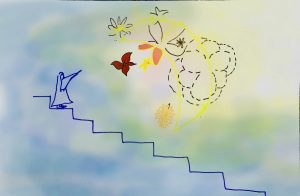
For this assignment, I wanted to explore the difference between turtles and the drawing method we have used in the past. I want to create a turtle which responds to the cursor. I found that with turtles, I can generate more detailed and “hand-drawing” like drawings. Thus, I have the inspiration coming from the Dreamworks.

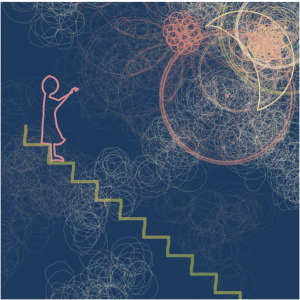
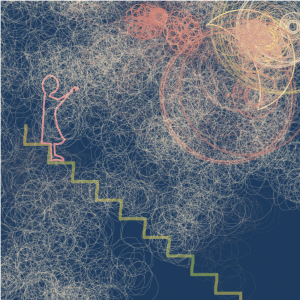
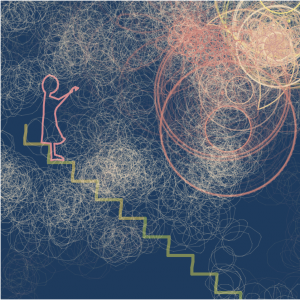
I want to build some interactions between a human figure and the moon. But the style here is aimed to be old, decorative, and detailed. Thus, I thought about creating patterns along the moon and patterns in the background. Depending on the concentration of the patterns, different feelings can be generated (sometimes like fog). Some patterns (the ones in the background) is automatically generated. And other patterns (the ones around the moon) is generated according to the users playing with their mouse.  By dragging the mouse to the right, the patterns grow. With more manipulations, the patterns become dense. Here is a draft that I had before I code the project.

Here are some versions that my freestyle turtle project generates.

Version one
Version 2
version 3

Project-11-Composition-Chickoff

sketch

//Cora Hickoff
//Section D
//chickoff@andrew.cmu.edu
//Project-11

function setup() {

    createCanvas(480, 480);
    background(200, 99, 88);

    textSize(15);
    fill(217, 255, 255);
    text("Click the Canvas!", 10, 20);
   
    r = random(255);

      //lilac "spider legs"
      var t1 = makeTurtle(width/2, height/2);

      t1.setColor(color(179, 178, 134, 3));
      t1.setWeight(10);

    for (var p = 0; p < 100; p++) {

        t1.forward(p*3);
        t1.penDown();
        t1.right(147);
        t1.penUp();
        t1.penDown();

    //creates more dense "spider legs"
    for (var i = 0; i < width; i++) {

        t1.forward(6);
        t1.left(120);
        t1.right(90);
        t1.forward(90);
    }

    //creates less dense/sparser "spider legs"
    //(these are the circular shapes, which are not angular)
    for (var i = 0; i < width; i++) {

        t1.forward(6);
        t1.left(5);
        t1.right(9);
        t1.forward(6);
    }

        t1.penUp();

  } 
   
}

function mousePressed() {

    r = random(109);
    //dark red clouds
    var t2 = makeTurtle(mouseX, mouseY);

    t2.setColor(color(r, 0, 0, 35));
    t2.setWeight(30);

      for (var i = 0; i < 30; i++) {
          
          t2.forward(10);
          t2.forward(23);
          t2.right(random(1, 180));
          t2.forward(20);
          t2.right(78);

      }
      
      //light blue lines
      var t3 = makeTurtle(mouseX, mouseY);

      t3.setColor(color(191, 230, 255, 20));
      t3.setWeight(2);

    for (var p = 0; p < 100; p++) {

        t3.right(random(14, 26));
        t3.forward(.5);
        t3.right(random(3, 40));
        t3.forward(200);

    }
}

function turtleLeft(d) {
    this.angle -= d;
}

function turtleRight(d) {
    this.angle += d;
}

function turtleForward(p) {
    var rad = radians(this.angle);
    var newx = this.x + cos(rad) * p;
    var newy = this.y + sin(rad) * p;
    this.goto(newx, newy);
}

function turtleBack(p) {
    this.forward(-p);
}

function turtlePenDown() {
    this.penIsDown = true;
}

function turtlePenUp() {
    this.penIsDown = false;
}

function turtleGoTo(x, y) {
    if (this.penIsDown) {
      stroke(this.color);
      strokeWeight(this.weight);
      line(this.x, this.y, x, y);
    }
    this.x = x;
    this.y = y;
}

function turtleDistTo(x, y) {
    return sqrt(sq(this.x - x) + sq(this.y - y));
}

function turtleAngleTo(x, y) {
    var absAngle = degrees(atan2(y - this.y, x - this.x));
    var angle = ((absAngle - this.angle) + 360) % 360.0;
    return angle;
}

function turtleTurnToward(x, y, d) {
    var angle = this.angleTo(x, y);
    if (angle < 180) {
        this.angle += d;
    } else {
        this.angle -= d;
    }
}

function turtleSetColor(c) {
    this.color = c;
}

function turtleSetWeight(w) {
    this.weight = w;
}

function turtleFace(angle) {
    this.angle = angle;
}

function makeTurtle(tx, ty) {
    var turtle = {x: tx, y: ty,
                  angle: 0.0, 
                  penIsDown: true,
                  color: color(128),
                  weight: 1,
                  left: turtleLeft, right: turtleRight,
                  forward: turtleForward, back: turtleBack,
                  penDown: turtlePenDown, penUp: turtlePenUp,
                  goto: turtleGoTo, angleto: turtleAngleTo,
                  turnToward: turtleTurnToward,
                  distanceTo: turtleDistTo, angleTo: turtleAngleTo,
                  setColor: turtleSetColor, setWeight: turtleSetWeight,
                  face: turtleFace};
    return turtle;
}

When I began this project, I aimed to enjoy myself because the concept of Turtle Graphics is inherently fun. I knew that I wanted the program to be interactive, so I integrated the mousePressed function so that every time the user clicked, they would create these cloud/berry-shaped turtles. To make things more interesting, I added a randomness factor to the color and shape so that the canvas would never be uniform and the user would still have fun seeing what new turtles they create.

LookingOutwards-11-Chickoff

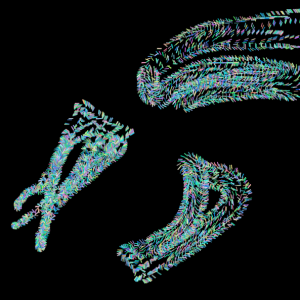
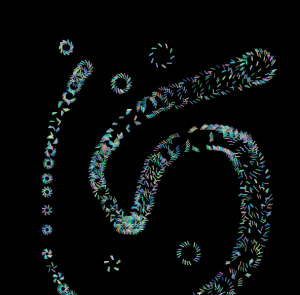
In this week’s Looking Outwards post, I’d like to focus on two examples of sound art and computational music, mainly focusing on a specific artist first (whose project fits into the sound art option more than the computational music option). This artist is named Cevdet Erik, a Turkish artist and musician.

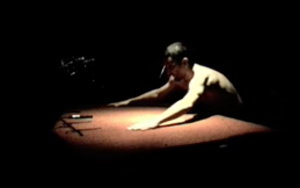
A particular work of his, SSS – Shore Scene Soundtrack / SSS – Sahil Sahnesi Sesi, is a sound installation in which the participant moves and slides their hands along a carpet in massage-like movements which cause the sound of the ocean to play. Typically putting his works in site-specific locations, Erik uses his knowledge from his studies of architecture and sound design and explores themes such as rhythm, time, and space in his work.

Still from SSS – Shore Scene Soundtrack / SSS – Sahil Sahnesi Sesi

What I really love about this sound installation is that it is based on user experience. Sound doesn’t just happen to you—you’re the source. I find that this project of Erik’s helps people feel more in touch with their bodies as fluid organisms rather than something that just helps them get around.

Lastly, I wanted to mention that I found out about this Artificial Intelligence named Aiva that was created to compose soundtracks for films, video games, tv shows, and commercials. Aiva was taught to compose classical music specifically. It was fascinating to many that the pieces created were still emotionally touching, and surprised audiences that an entity that is not human is capable of doing so: https://newatlas.com/creative-artificial-intelligence-computer-algorithmic-music/35764/

jamieh-Project-11-Composition

sketch

/*
Jamie Ho
jamieh@andrew.cmu.edu
10:30
Project 11
*/


var hexagons;       //creating variablefor turtle
var len = 50;       //length of each triangle side
var factor = 0.15;  //factor to increase len size by
var angle = 0;      //initial angle
var colour = 255;   //white
var cFactor = 0.45; //amount to decrease the whiteness by

function setup() {
    createCanvas(400, 400);
    hexagons = new makeTurtle(width*0.8, height*0.4); //position of hexagons
    noLoop();
}

function draw() {
    background(0);

    hexagons.penDown();
    for(var i = 0; i < 500; i++){
        drawHexagon(len);           //call function with parameter of length for size of hexagons
        hexagons.face(angle);       //rotate hexagons
        
        //updates
        colour -= cFactor;          //turning white into black
        len += factor*i;            //increasing length of each side of hexagon
        angle += 3;                 //increasing rotation
    }
    hexagons.penUp();

}


function drawHexagon(length){
    hexagons.penDown();
    hexagons.setWeight(1);
    //triangle
    for(var i = 0; i < 6; i++){     // i < 6 to create hexagon
        hexagons.setColor(colour);  //setting colour for hexagon which changes for each time it runs through for loop
        hexagons.forward(length);   //move forward by 'length' dimension
        hexagons.right(60);         //move pen right by 60 degrees
    }
    hexagons.penUp();
}


//________________________TURTLE

function turtleLeft(d) {
    this.angle -= d;
}


function turtleRight(d) {
    this.angle += d;
}


function turtleForward(p) {
    var rad = radians(this.angle);
    var newx = this.x + cos(rad) * p;
    var newy = this.y + sin(rad) * p;
    this.goto(newx, newy);
}


function turtleBack(p) {
    this.forward(-p);
}


function turtlePenDown() {
    this.penIsDown = true;
}


function turtlePenUp() {
    this.penIsDown = false;
}


function turtleGoTo(x, y) {
    if (this.penIsDown) {
      stroke(this.color);
      strokeWeight(this.weight);
      line(this.x, this.y, x, y);
    }
    this.x = x;
    this.y = y;
}


function turtleDistTo(x, y) {
    return sqrt(sq(this.x - x) + sq(this.y - y));
}


function turtleAngleTo(x, y) {
    var absAngle = degrees(atan2(y - this.y, x - this.x));
    var angle = ((absAngle - this.angle) + 360) % 360.0;
    return angle;
}


function turtleTurnToward(x, y, d) {
    var angle = this.angleTo(x, y);
    if (angle < 180) {
        this.angle += d;
    } else {
        this.angle -= d;
    }
}


function turtleSetColor(c) {
    this.color = c;
}


function turtleSetWeight(w) {
    this.weight = w;
}


function turtleFace(angle) {
    this.angle = angle;
}


function makeTurtle(tx, ty) {
    var turtle = {x: tx, y: ty,
                  angle: 0.0, 
                  penIsDown: true,
                  color: color(128),
                  weight: 1,
                  left: turtleLeft, right: turtleRight,
                  forward: turtleForward, back: turtleBack,
                  penDown: turtlePenDown, penUp: turtlePenUp,
                  goto: turtleGoTo, angleto: turtleAngleTo,
                  turnToward: turtleTurnToward,
                  distanceTo: turtleDistTo, angleTo: turtleAngleTo,
                  setColor: turtleSetColor, setWeight: turtleSetWeight,
                  face: turtleFace};
    return turtle;
}

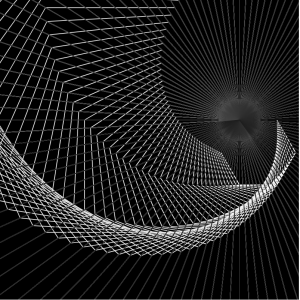
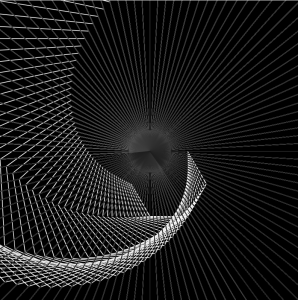
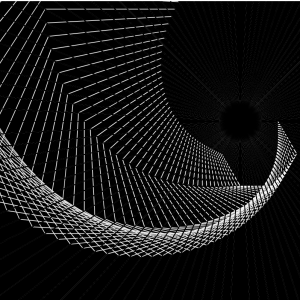
With the turtle graphics, I wanted to use hexagons, which is a very simple shape, and turn it into an abstracted drawing that makes the shape of the hexagon almost unrecognisable. I also wanted to make the code efficient with use of loops unlike the previous assignment 10A which required a lot of repeated lines of motion.

Below are images of the final product and other results I got from experimenting with composition.

final product
change in position
change in for loop condition

sntong-Project 11: Freestyle: Playing with your Turtle(s)

sketch

// Scarlet Tong
// sntong@andrew.cmu.edu
// Section A
// Project 11: Freestyle: Playing with your Turtle(s)

// intialize global Turtle
var nTurtle;

function setup(){
  createCanvas(400,400);
  background(0);
  frameRate(60);
}


function draw(){
  // draw a new pattern when mouse is pressed located at mouseX and mouseY
if (mouseIsPressed) {

  nTurtle = new makeTurtle(mouseX,mouseY);
  // offset of lines from the center according the location of mouseX on the canvas
  var step = map(mouseX,0,width,2,40);
  // rotation of the lines stop and start at a location that is determined by mouseY
  var ratio = map(mouseY,0,height,100,150);
  // Each pattern as a maxium of 20 lines
  for (var i = 0; i < 20; i++) {
    nTurtle.setColor(color(random(255),random(100,255),random(100,255)));
    // lines function found below draw function
    lines();
    // start drawing shapes
    nTurtle.penUp();
    // offset the next lines step pixels away from the previous one
    nTurtle.forward(step);
    // rotate that new line with a set angle
    nTurtle.right(ratio);
    // end the shape
    nTurtle.penDown();
    }
  }

}


// draw lines
function lines(){
    nTurtle.setWeight(1);
    nTurtle.penDown();
    nTurtle.forward(5);
    nTurtle.penUp();
}


function turtleLeft(d){this.angle-=d;}function turtleRight(d){this.angle+=d;}
function turtleForward(p){var rad=radians(this.angle);var newx=this.x+cos(rad)*p;
var newy=this.y+sin(rad)*p;this.goto(newx,newy);}function turtleBack(p){
this.forward(-p);}function turtlePenDown(){this.penIsDown=true;}
function turtlePenUp(){this.penIsDown = false;}function turtleGoTo(x,y){
if(this.penIsDown){stroke(this.color);strokeWeight(this.weight);
line(this.x,this.y,x,y);}this.x = x;this.y = y;}function turtleDistTo(x,y){
return sqrt(sq(this.x-x)+sq(this.y-y));}function turtleAngleTo(x,y){
var absAngle=degrees(atan2(y-this.y,x-this.x));
var angle=((absAngle-this.angle)+360)%360.0;return angle;}
function turtleTurnToward(x,y,d){var angle = this.angleTo(x,y);if(angle< 180){
this.angle+=d;}else{this.angle-=d;}}function turtleSetColor(c){this.color=c;}
function turtleSetWeight(w){this.weight=w;}function turtleFace(angle){
this.angle = angle;}function makeTurtle(tx,ty){var turtle={x:tx,y:ty,
angle:0.0,penIsDown:true,color:color(128),weight:1,left:turtleLeft,
right:turtleRight,forward:turtleForward, back:turtleBack,penDown:turtlePenDown,
penUp:turtlePenUp,goto:turtleGoTo, angleto:turtleAngleTo,
turnToward:turtleTurnToward,distanceTo:turtleDistTo, angleTo:turtleAngleTo,
setColor:turtleSetColor, setWeight:turtleSetWeight,face:turtleFace};
return turtle;}

For this project I wanted to create a changing pattern that will track the mouse when it is pressed down. The pattern is drawn by the turtle graphics and has varying color.

Possible drawings to be made with the code
Drawing 2


Looking Outwards 11

I chose to look at a film called ODDSAC made by the band Animal Collective in 2010. In the video above, I skipped to the part where the digital art shows up and where I most enjoyed it. The play between the visuals and the sound really caught my attention because I can’t tell whether the sound is informing and driving the visual, or vice versa. When reading about the film, Animal Collective talks about how some of the music involved in the film was inspired by the art made by the director, Danny Perez, which I think is reflected in segment I highlight from the movie. The back and forth between what inspired what.

Project 11, odh

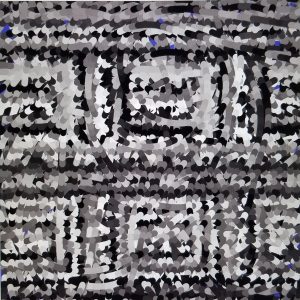
I chose to make two turtles that would follow the mouse to reveal and image below. I gave each turtle a different angle of rotation to give them a “dance-like” feel, while they reveal an abstract picture.

Final Image:

odhP11

//Owen D Haft
//Section D
//odh@andrew.cmu.edu
//Project 11

//Declares the image
var abstract;

//Declares the turtles
var turtle1;
var turtle2;

function preload() {
    abstract = loadImage("https://i.imgur.com/ve9JtKn.jpg");
}

function setup() {
    createCanvas(480, 480);
    background(100, 100, 200);
    abstract.loadPixels();
    frameRate(20000);

    //Sets the start point of the turtles
    turtle1 = makeTurtle(width/2, height/2);
    turtle2 = makeTurtle(width/2, height/2);
}

function draw() {

    //Pulls the color from the image
    var color1 = abstract.get(turtle1.x, turtle1.y); //Gets the color from the image 
    var color2 = abstract.get(turtle2.x, turtle2.y);

    turtle1.setColor(color1);
    turtle1.setWeight(10);

    turtle2.setColor(color2);
    turtle2.setWeight(10);

//Turtles move towards the mouse
    turtle1.forward(10);
    turtle2.forward(10);

//Target is the mouse location
    var targetX = mouseX;
    var targetY = mouseY;

    turtle1.turnToward(targetX, targetY, 4); 
    turtle2.turnToward(targetX, targetY, 6); 
}


function turtleLeft(d) {
    this.angle -= d;
}

function turtleRight(d) {
    this.angle += d;
}

function turtleForward(p) {
    var rad = radians(this.angle);
    var newx = this.x + cos(rad) * p;
    var newy = this.y + sin(rad) * p;
    this.goto(newx, newy);
}

function turtleBack(p) {
    this.forward(-p);
}

function turtlePenDown() {
    this.penIsDown = true;
}

function turtlePenUp() {
    this.penIsDown = false;
}

function turtleGoTo(x, y) {
    if (this.penIsDown) {
        stroke(this.color);
        strokeWeight(this.weight);
        line(this.x, this.y, x, y);
    }
    this.x = x;
    this.y = y;
}

function turtleDistTo(x, y) {
    return sqrt(sq(this.x - x) + sq(this.y - y));
}

function turtleAngleTo(x, y) {
    var absAngle = degrees(atan2(y - this.y, x - this.x));
    var angle = ((absAngle - this.angle) + 360) % 360.0;
    return angle;
}

function turtleTurnToward(x, y, d) {
    var angle = this.angleTo(x, y);
    if (angle < 180) {
        this.angle += d;
    } else {
        this.angle -= d;
    }
}

function turtleSetColor(c) {
    this.color = c;
}

function turtleSetWeight(w) {
    this.weight = w;
}

function turtleFace(angle) {
    this.angle = angle;
}

function makeTurtle(tx, ty) {
    var turtle = {x: tx, y: ty,
                  angle: 0.0,
                  penIsDown: true,
                  color: color(128),
                  weight: 1,
                  left: turtleLeft, right: turtleRight,
                  forward: turtleForward, back: turtleBack,
                  penDown: turtlePenDown, penUp: turtlePenUp,
                  goto: turtleGoTo, angleto: turtleAngleTo,
                  turnToward: turtleTurnToward,
                  distanceTo: turtleDistTo, angleTo: turtleAngleTo,
                  setColor: turtleSetColor, setWeight: turtleSetWeight,
                  face: turtleFace};
    return turtle;
}

akluk-Project-11-TurtleFreeStyle

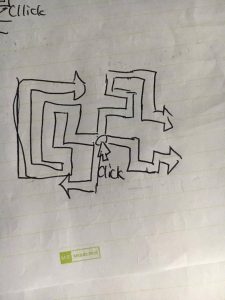
For this project, I simply just used a lot of randomization while trying to emulate the game of snakes with different colors for trails they leave. Below is an image of my draft

A simple draft

SImple example of what the program draws

sketch
//Alvin Luk
//Section A
//akluk@andrew.cmu.edu
//Assignment-10-A

//define line weight, starting positions of turtles, right angle, 
//a unit of length for patterns, array of turtles, and max number of iterations
var line_weight = 10;
var r = 90;
var unit = 10;
var turtles = [];
var max_num = 34;
var cols = [];
function setup() {
    //setup canvas and stroke properties
    createCanvas(479, 479);
    background(255);
    stroke(0);
    strokeJoin(MITER);
    strokeCap(PROJECT);
    cols = [color(60,186,84),color(244,194,13),color(219,50,54),color(72,133,237)];
    //adds each turtle to its appropriate location, stroke weight
    //color, and also initial orientation. 
    for (var i = 0; i < cols.length; i++){
    	turtles.push(makeTurtle(width/2,height/2));
    	turtles[i].setWeight(line_weight);
    	turtles[i].setColor(cols[i]);
    	for (var j = 0; j < i ; j++) {
    		turtles[i].left(r);
    	}
	}
}


function draw() {
	for (var i = 0; i < turtles.length; i++){
		var k = random(10,30);
		var dir = random([0,1]);
		turtles[i].forward(k);
		if (dir == 0){
			turtles[i].left(r);
		}
		else {
			turtles[i].right(r);
		}
	}
}


function mousePressed(){
	turtles = [];
	for (var i = 0; i < cols.length; i++){
		turtles.push(makeTurtle(mouseX,mouseY));
    	turtles[i].setWeight(line_weight);
    	turtles[i].setColor(cols[i]);
    	for (var j = 0; j < i ; j++) {
    		turtles[i].left(r);
    	}
	}
}

function turtleLeft(d) {
    this.angle -= d;
}


function turtleRight(d) {
    this.angle += d;
}


function turtleForward(p) {
    var rad = radians(this.angle);
    var newx = this.x + cos(rad) * p;
    var newy = this.y + sin(rad) * p;
    this.goto(newx, newy);
}


function turtleBack(p) {
    this.forward(-p);
}


function turtlePenDown() {
    this.penIsDown = true;
}


function turtlePenUp() {
    this.penIsDown = false;
}


function turtleGoTo(x, y) {
    if (this.penIsDown) {
      stroke(this.color);
      strokeWeight(this.weight);
      line(this.x, this.y, x, y);
    }
    this.x = x;
    this.y = y;
}


function turtleDistTo(x, y) {
    return sqrt(sq(this.x - x) + sq(this.y - y));
}


function turtleAngleTo(x, y) {
    var absAngle = degrees(atan2(y - this.y, x - this.x));
    var angle = ((absAngle - this.angle) + 360) % 360.0;
    return angle;
}


function turtleTurnToward(x, y, d) {
    var angle = this.angleTo(x, y);
    if (angle < 180) {
        this.angle += d;
    } else {
        this.angle -= d;
    }
}


function turtleSetColor(c) {
    this.color = c;
}


function turtleSetWeight(w) {
    this.weight = w;
}


function turtleFace(angle) {
    this.angle = angle;
}


function makeTurtle(tx, ty) {
    var turtle = {x: tx, y: ty,
                  angle: 0.0, 
                  penIsDown: true,
                  color: color(128),
                  weight: 1,
                  left: turtleLeft, right: turtleRight,
                  forward: turtleForward, back: turtleBack,
                  penDown: turtlePenDown, penUp: turtlePenUp,
                  goto: turtleGoTo, angleto: turtleAngleTo,
                  turnToward: turtleTurnToward,
                  distanceTo: turtleDistTo, angleTo: turtleAngleTo,
                  setColor: turtleSetColor, setWeight: turtleSetWeight,
                  face: turtleFace};
    return turtle;
}

mjanco – Section B – Looking Outwards-11


http://www.myriambleau.com/soft_revolvers.html

This week I looked at Myriam Bleau’s project Soft Revolvers from 2014. This is a project in which Bleau performs with spinning “tops” made of acrylic that generate electronic music based on the way in which they move. Bleau is the musician, controlling the music that is generated by spinning the glowing tops. I really admire that this piece is just as visually interesting as it is aurally interesting. The sounds vary just as the glow of the spinning tops change and flicker as Bleau interacts with them. This creates an interesting experience because the visuals can very much influence the way in which a viewer experiences the music. The sounds are generated through gyroscopes and accelerometers that are hooked up to each top, which wirelessly send movement data to a computer to be interpreted, and “[inform] musical algorithms designed in Pure Data.” Bleau is interested in exploring the ways she can blur the lines between musical performance, installation, interface, and performance. She is “interested in finding original strategies for musical performance by creating cohesive systems that integrate sound, light and movement.” This very clearly manifests in her piece as the beautiful halo light of the tops, their movements, and their generative sounds all interact to create a beautiful musical performance.