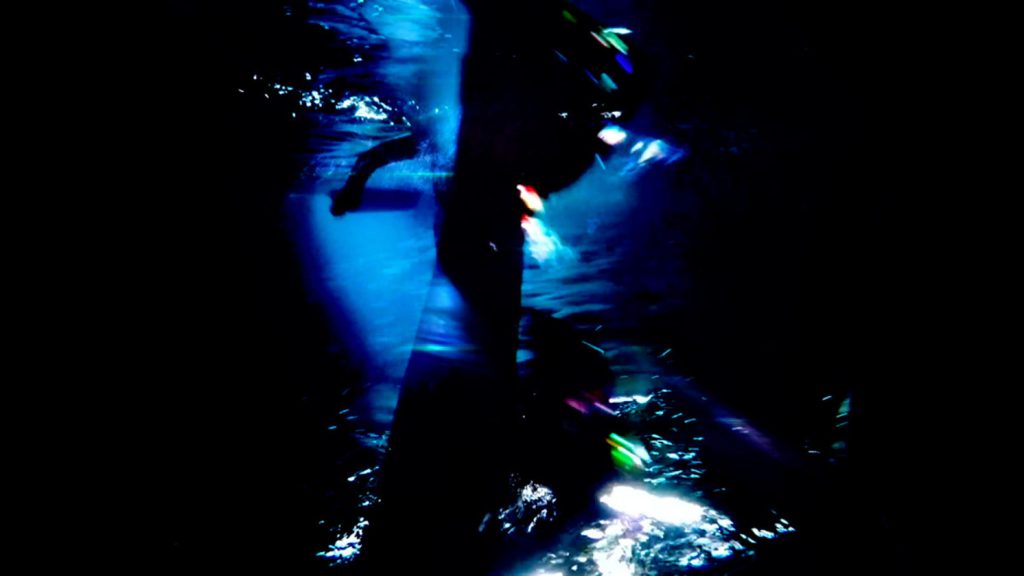
Video demonstration of “Knee Deep” by Emily Gobeille
In Emily Gobeille’s interactive children’s work, “Knee Deep”, she provides a playground for children to immerse themselves in other worlds, be it the ocean, outer space, or an animated nature scene. This project is admirable because it teaches children the potential joy that can be brought about by experimenting with creative computing. It gives them a taste of augmented reality that is probably unlike anything they’ve ever seen before. It also is a very good demonstration of live green-screening and image manipulation, detecting depth in order to properly place the children in a world, not just on a world.
As an artist, Emily Gobeille has a strong background in immersive visual design, and is an avid integrator of creative design and visual technologies. She often has a playful yet meaningful approach to her works, which is well-presented in “Knee Deep”. She is from Amsterdam, but she now resides in Brooklyn where she studies visual design, motion graphics, and interaction.
Nova Jiang is a Chinese installation artist who grew up in New Zealand and is currently based in Los Angeles. She holds an MFA in media art from UCLA and has exhibited her work in numerous museums and biennales around the world. Her work encourages tactile and creative engagement between visitors and her artwork. One project that I found particularly interesting was her Ideogenetic Machine, a machine that incorporates portraits of participants captured with a camera and a database of drawings made by Jiang about current news and events. Visitors are prompted to respond to the storyline by adding their own performance and expressions in order to personalize the comic strip. The layout and configuration of images from which new narratives continuously form never repeats. The software also adds blank speech bubbles into the composition which participants can fill with their own dialogue.
What I really admire about this piece, in particular, is that it gives the audience something to take away from the whole experience. Nova allows her art to be used as an ‘open source’ so that everyone can experience it to their own liking and add their own narratives to an incomplete story. This interactive experience not only highlights her own artistic style but also promotes collaboration between people, suggesting that the audience themselves are also artists that hold creative agency in this process of creating.
For this week’s looking outwards to give attention to female artists in the field of creative coding, I would like to focus on Sharon Daniel. Sharon Daniel is a professor in the Film and Digital Media department and serves as chair for the Digital Arts and New Media MFA program at the University of California, Santa Cruz. Her works are focused on empowering and giving voice to those who don’t receive as much attention and are often mistreated, and become the victims of injustice in our society.
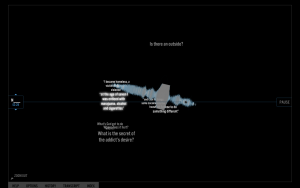
a screenshot of “blood sugar”
My favorite work of hers is called, “Blood Sugar”. It is an archive of interviews with numerous conversations with different types of addicts. The conversations include why and how they became addicts. The visualization shows the form of sound wave as well as different key sentences that reacts to the movement of the mouse.
What interests me is that the visualization is not necessarily a crucial part of the story and it could have been explained in many other ways, but because it creates a certain atmosphere, while emphasizing the “voice” of the interviewee, it adds to the experience of listen. Especially how one can rotate the sound wave in the 3D space provides metaphorically different perspectives.
// Project 11
//Yinjie Tian
//yinjiet@andrew.cmu.edu
//Section D

var terrainSpeed = -0.0005;
var terrainDetail = 0.005;
var aSol = [];
var starMove = 0;
function preload(){
  var filenames = [];
  filenames[0] = "https://i.imgur.com/KK7jv48.png";
  filenames[1] = "https://i.imgur.com/pEsBfR6.png";
  for (var i = 0; i < filenames.length; i++) {
    aSol.push(loadImage(filenames[i]));
  }
}

function setup(){
    createCanvas (480,480);
    frameRate(10);
}

function draw() {
    background(0);
    //stars
    for(var x = starMove; x < width + starMove; x+=10){
        var y1 = random(0, height);
        var y2 = random(0, height/2);
        var y3 = random(0, height/3);
        var y4 = random(0, height/4);
        stroke(255);
        point(x-starMove, y1);
        point(x-starMove, y2);
        point(x-starMove, y3);
        point(x-starMove, y4);
    }
    starMove += 10;
    //sun
    sun();
    //mountain
    mount();
    //aurelion sol
    push();
    image(aSol[frameCount % 2], width/5, height / 3);
    pop();
}
//draw sun
function sun(){
    noStroke();
    fill("yellow");
    ellipse(width/3*2, height/3, 200,200);
    fill("orange");
    ellipse(width/3*2, height/3, 150,150);


}
//draw mountain
function mount(){
    noStroke();
    beginShape();
    fill("brown");
    vertex(0, height);
    for (var x = 0; x < width; x++) {
        var t = (x * terrainDetail) + (millis() * terrainSpeed);
        var y = map(noise(t), 0, 0.5, 100, 350);
        vertex(x, y);
    }
    vertex(width, height);
    endShape();

}
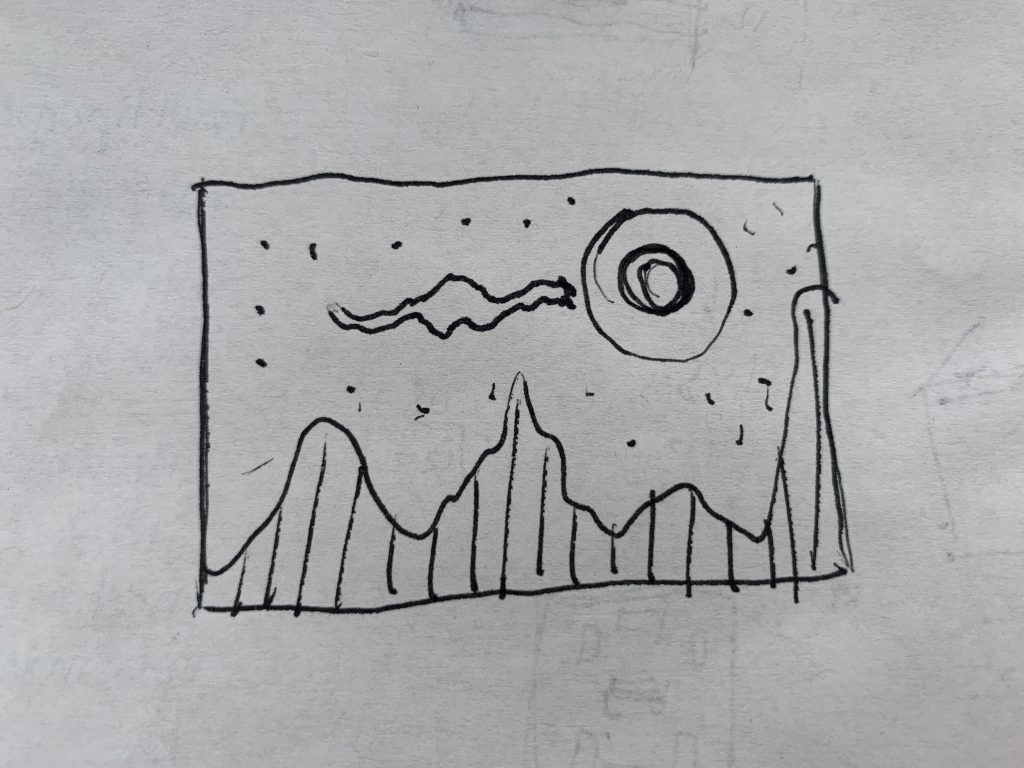
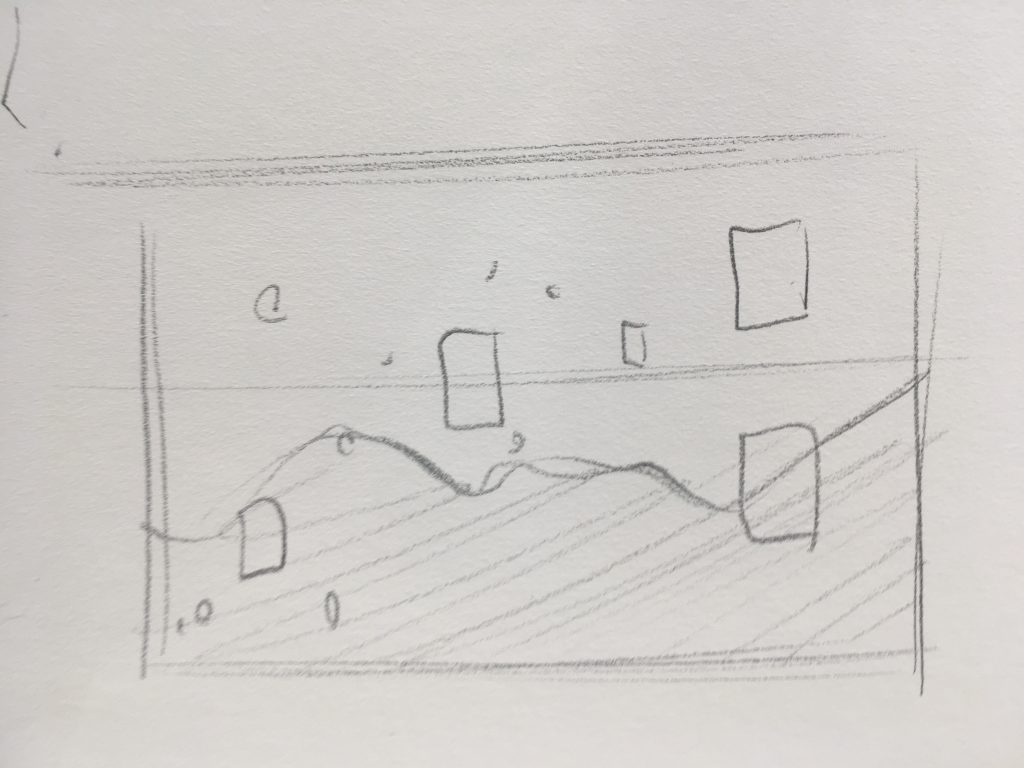
Initial Sketch
For this project, I used images of one of the character in League of legend called “Aurelion Sol” and made her fly over randomized mountain. Moreover, randomized stars are in the background and move to the left of the canvas to create the sense of “Aurelion Sol” flying forwards. The “sun” is actually one of the character’s skills.
// Name: Shariq M. Shah
// Andrew ID: shariqs
// Section: C
// Project 11

//initializing objects as empty arrays
var boxes = [];
var balls = [];

var spikesSpeed = 0.0005;
var spikesDetail = 0.5;

function setup() {
    createCanvas(640, 240);
    // creating boxes
    for (var i = 0; i < 10; i++){
        var rx = random(width);
        boxes[i] = makebox(rx);
    }
    frameRate(30);
}
function draw() {
    background(235, 183, 52);
    noFill();
    stroke(1);
    beginShape();
    for (var x = 0; x < width; x++) {
      var t = (x * spikesDetail * 2) + (millis() * 1.3 * spikesSpeed);
      var y = map(noise(t), 0, 1, 0, height);
      vertex(x, y);
      push();
      fill(0);
      ellipse(x, y, 5, 5);
      pop();
    }
    endShape();
    updateAndshowboxes();
    removeboxesThatHaveSlippedOutOfView();
    addNewboxesWithSomeRandomProbability();
    //text that moves in generative landscape
    text("//wishyouwerehere", constrain(mouseX, 50, width - 100), height/2 + 50, 5)
}
function updateAndshowboxes(){
    // Update the box's positions, and show them.
    for (var i = 0; i < boxes.length; i++){
        boxes[i].move();
        boxes[i].show();
    }
}
function removeboxesThatHaveSlippedOutOfView(){
    var boxesToKeep = [];
    for (var i = 0; i < boxes.length; i++){
        if (boxes[i].x + boxes[i].breadth > 0) {
            boxesToKeep.push(boxes[i]);
        }
    }
    boxes = boxesToKeep; // remember the surviving boxes
}
function addNewboxesWithSomeRandomProbability() {
    // With a very tiny probability, add a new box to the end.
    var newboxLikelihood = 0.007;
    if (random(0,1) < newboxLikelihood) {
        boxes.push(makebox(width));
    }
}
// method to update position of box every frame
function boxMove() {
    this.x += this.speed;
}
function boxshow() {
    var heightUp = 20;
    var bHeight = this.nFloors * heightUp;
    fill(0);
    stroke(5);
    push();
    translate(this.x, height - 40);
    noStroke();
    for (var i = 0; i < 50; i++) {
        rect(5, -15 - (i * heightUp), this.breadth - 5, 1 + i);
        ellipse(-20, -(i * 1.2 * 2 * heightUp), 5 + i, 5 + i);
    }
    pop();
}
function makebox(birthLocationX) {
    var bldg = {x: birthLocationX,
                breadth: 50,
                speed: -1.0,
                nFloors: round(random(2,8)),
                move: boxMove,
                show: boxshow}
    return bldg;
}
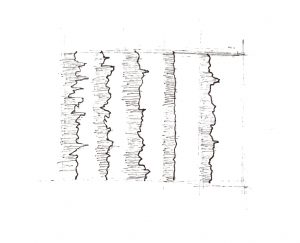
In this project, I used objects to generate an abstract and dynamic landscape that interacts with the rectangular geometry objects in the background. The arrays and dynamic objects generate a constantly moving and energetic field.
//Carly Sacco
//Section C
//csacco@andrew.cmu.edu
//Project 11: Generative Landscape

//creates the components on the water
var waterSpeed = 0.00008;
var waterDetail = 0.0005;

//creates the components for the icebergs
var iceSpeed = 0.0005;
var iceDetail = .05;

//snow array
var snow = [];

function setup() {
    createCanvas(480, 280);

	//initial collection of snow
	for (var i = 0; i < 100; i += 1) {
		var flake = random(width);
		snow[i] = drawSnow(flake);
	}
	frameRate(10);

	}


function draw() {
	//sky
    background(176, 203, 245);

	//icebergs
	noFill();
	beginShape();
	stroke(255);
    for (var x = 0; x < width; x += 1) {
        var t = (x * iceDetail) + (millis() * iceSpeed);
        var y = map(noise(t), 0,1, height/7, height);
        vertex(0, 900)
		vertex(width, 800)
		vertex(x, y);
    }
	endShape();

	//calls the function to make water
	makeWater();

	//penguin body
	fill('black');
	noStroke();
	ellipse(280, 220, 35, 40);
	ellipse(280, 195, 25, 25);

	//penguin stomach
	fill('white');
	ellipse(280, 225, 25, 45);
	ellipse(280, 195, 15, 15);

	//penguin eyes
	fill('black');
	ellipse(276, 191, 3, 3);
	ellipse(284, 191, 3, 3);

	//penguin body
	fill('orange');
	triangle(276, 195, 284, 195, 280, 200);

	//boat
	push();
	noStroke();
	translate(60, 30);
	fill('red')
	quad(40, 200, 250, 200, 230, 260, 60, 260);
	fill('white');
	rect(100, 150, 80, 50);

	fill('black')
	ellipse(110, 165, 15, 15);
	ellipse(140, 165, 15, 15);
	ellipse(170, 165, 15, 15);
	pop();

	//calling the functions to make the snow
	snowFall();
	drawSnow();
	addSnow();

}
//makes the water
function makeWater() {
	noFill();
    beginShape();
	stroke(66, 114, 189);
    for (var x = 0; x < width; x++) {
        var t = (x * waterDetail) + (millis() * waterSpeed);
        var y = map(noise(t), 0,1, height/2, height);
        vertex(0, 800)
		vertex(width, 800)
		vertex(x, y);
    }
    endShape();
}

//continues to add snow that appears
function addSnow() {
	var moreSnow = 5;
	if(1 < moreSnow) {
		snow.push(drawSnow(height));
	}
}

//calls for the snow to appear and move
function snowFall() {
	for (i = 0; i < snow.length; i +=1) {
		snow[i].displaySnow();
		snow[i].moveSnow();
	}
}

//actually drawing what the snow looks like
function drawSnow(width) {
	var sno = {
		x: random(0, 480),
		y: 0,
		radius: random(5, 10),
		speed: 1,
		moveSnow: function() {
			this.y += this.speed;
		},
		displaySnow: function() {
			noStroke();
			fill(255);
			ellipse(this.x, this.y, this.radius, this.radius);
		},
	}
	return sno;
}
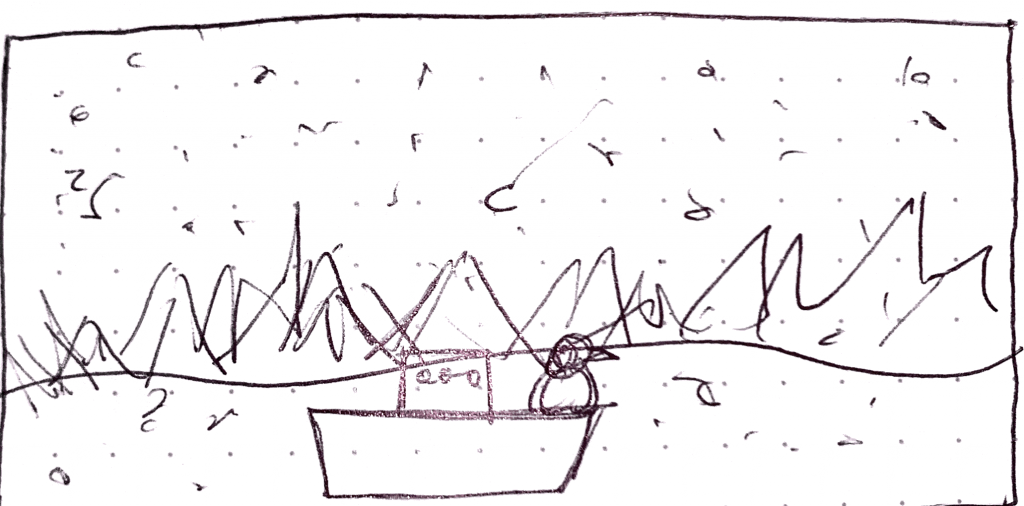
For my project I had decided I wanted to do a winter themed one since it has started to get very cold here. Therefore, instead of mountains I chose to do icebergs and did that by making the sharp edges seem to be floating by the boat. After I added the snow for my objects and boat to fit the theme I thought it would be cute to add the penguin.
Tina Frank is a designer, artist, and professor at the University of Art and Design Linz. She is the head of the Department of Visual Communication at the Institute for Media. Tina Frank lives is Austrian, but does audio – visual performances and installations all over the world.
In one of her recent pieces of work, What If, Frank and Alexandra Murray-Leslie worked together to question political considerations. They looked at environments people inhabit, patriarchal structures, and feminism.
“What If “, an immersive audio-visual installation.
/*
 * Angela Lee
 * Section E
 * ahl2@andrew.cmu.edu
 * Project 11 Generative Landscape
 */

// tallest mountains
var tallMtnDetail = 0.005; // detail in mountains
var tallMtnSpeed = 0.0001; // speed of mountains

// medium mountains
var medMtnDetail = 0.0075;
var medMtnSpeed = 0.0002;

// beach
var beachDetail = 0.003;
var beachSpeed = 0.0004;

// array for ripples
var ripples = [];

var yellow, pink;

function setup() {
    createCanvas(480, 300);
    frameRate(10);

    // boundaries for ripples
    var top = height * 5/8 + 10;
    var bottom = height - 10;

    // first ripples
    for (var i = 0; i < 10; i++) {
        var rippleX = random(width);
        var rippleY = random(top, bottom);
        ripples[i] = makeRipples(rippleX, rippleY);
    }

    // gradient for the water
    yellow = color(255, 219, 140);
    pink = color(247, 132, 124);
 }

function draw() {
    noStroke();
    background(255, 156, 161);
    makeSun(); // setting sun
    makeTallMtn(); // tallest mountains
    makeMedMtn(); // middle mountains
    //makeWater();
    gradientWater();

    // ripple functions
    updateRipple();
    removeRipple();
    addRipple();

    makeBeach();

}
//----------------- FUNCTIONS BELOW THIS LINE -----------------------------

// SETTING SUN
function makeSun() {
    // sun rays
    noStroke();
    fill(255, 161, 135);
    ellipse(width/2, height * 3/8, 275, 275);

    // sun
    stroke(255);
    strokeWeight(1);
    fill(247, 217, 82);
    ellipse(width/2, height * 3/8, 175, 175);

}

// TALLEST MOUNTAINS
function makeTallMtn() {
    fill(252, 119, 165);
    strokeWeight(1);
    beginShape();
    vertex(0, height);
    for (var x = 0; x < width; x++) {
        var t = (x * tallMtnDetail) + (millis() * tallMtnSpeed);
        var y = map(noise(t), 0, 1, height / 8 * 2, height / 8 * 4);
        vertex(x, y);
    }
    vertex(width, height);
    endShape();
}

// MEDIUM MOUTAINS
function makeMedMtn() {
    fill(230, 99, 160);
    strokeWeight(1);
    beginShape();
    vertex(0, height);
    for (var x = 0; x < width; x++) {
        var t = (x * medMtnDetail) + (millis() * medMtnSpeed);
        var y = map(noise(t), 0, 1, height / 8 * 3, height / 8 * 5);
        vertex(x, y);
    }
    vertex(width, height);
    endShape();
}

// OCEAN
function gradientWater() {
    noFill();
    for (var y = height * 5/8; y < height; y++) {
        var inter = map(y, height * 5/8, height, 0, 1);
        var c = lerpColor(yellow, pink, inter);
        stroke(c);
        line(0, y, width, y);
    }
}

// BEACH
function makeBeach() {
    fill(252, 195, 182);
    strokeWeight(1);
    beginShape();
    vertex(0, height);
    for (var x = 0; x < width; x++) {
        var t = (x * beachDetail) + (millis() * beachSpeed);
        var y = map(noise(t), 0, 1, height * 7/8, height * 19/20);
        vertex(x, y);
    }
    vertex(width, height);
    endShape();
}

//----------------- RIPPLE OBJ & FUNCTIONS BELOW THIS LINE -----------------------------

// RIPPLE OBJECT
function makeRipples(xPos, yPos) {
    var makeRipple = {x: xPos,
                      y: yPos,
                      // longer ripples are in the front, shorter ones in the back
                      length: map(yPos, height * 5/8, height, 5, 75),
                      // thinner ripples in the back, thicker ones in the front
                      weight: map(yPos, height * 5/8, height, 1, 4),
                      // faster ripples in the front, slower ripples in the back
                      speed: map(yPos, height * 5/8, height, 1, 4),
                      move: moveRipple,
                      draw: drawRipple}
    return makeRipple;
}

// MOVING THE RIPPLE
function moveRipple() {
    // x position changes by speed
    this.x += this.speed;
    // if the ripple leaves the frame, reset x position
    // to the left side of the frame
    if (this.x > width + this.length) {
        this.x === -this.length;
    }
}

// ADDING RIPPLES
// using a tiny probability, add ripples
function addRipple() {
    if (random(0, 1) < 0.075) {
        ripples.push(makeRipples(-75, random(height * 5/8, height)));
    }
}

// REMOVING RIPPLES
function removeRipple() {
    // an array for ripples to keep
    var keepRipples = [];
    for (var i = 0; i < ripples.length; i++) {
        if (ripples[i].x < width) {
            keepRipples.push(ripples[i]);
        }
    }
    ripples = keepRipples;
}

// UPDATE AND DISPLAY RIPPLE
function updateRipple() {
    for (var i = 0; i < ripples.length; i++) {
        ripples[i].move();
        ripples[i].draw();
    }
}

// DRAWING THE RIPPLE
function drawRipple() {
    strokeWeight(this.weight);
    stroke(255);
    line(this.x, this.y, this.x + this.length, this.y);
}
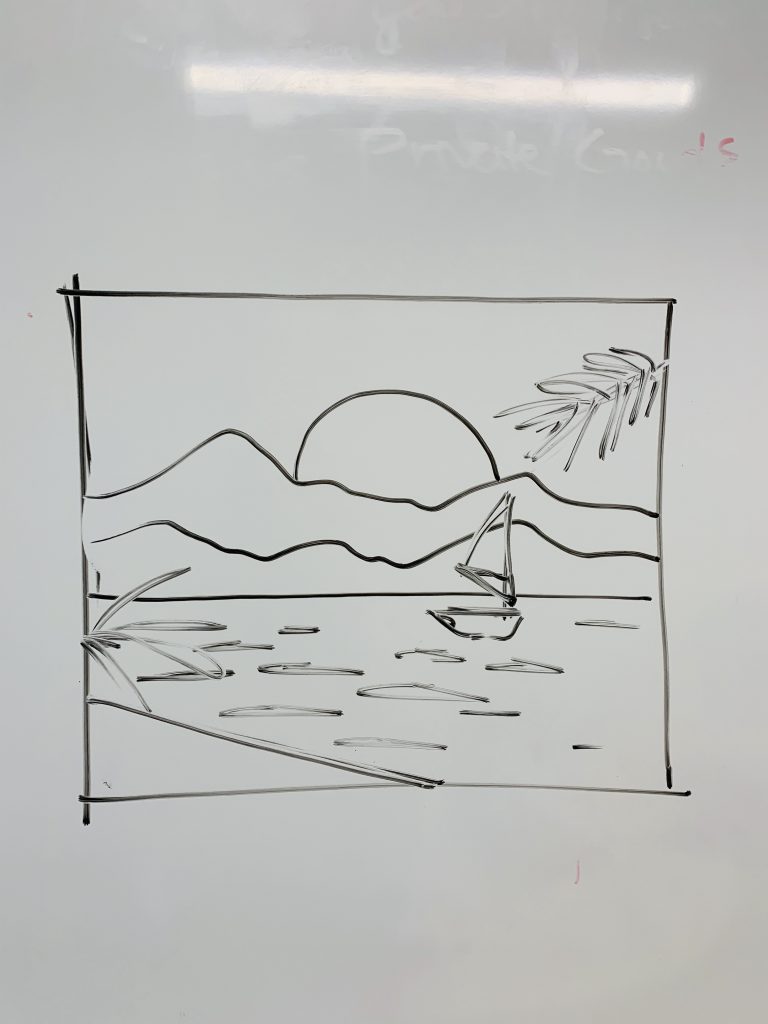
For my landscape, I was inspired the 80s vaporwave illustration style and color. I created a sunset scene and had fun with showing depth through details. For instance, the sizes and speeds of the mountains and ripples are all dependent on the “distance” they would be away from the viewer (the farther something is, the slower and smaller it is).
//alcai@andrew.cmu.edu
//alice cai
//section E
//week 11 assignment A

//terrain variables
var terrainSpeed = -0.0003;
var terrainDetail = 0.005;
var terrainSpeed2 = -0.0004;
var terrainDetail2 = 0.007;


//lantern variables
var List = [];
var moving = -5;
var end = -20;

function setup(){
    createCanvas (480,480);
    frameRate(10);

    //call # of lanterns
    for (var j = 0; j < 20; j++) {
        var px = random(width);
        var py = random(height / 3);
        List[j] = makeLant(px, py);
    }

    //define gradient colors
    yello=color(255, 187, 0);
    orang=color(250, 133, 0);

}

function draw() {
    background(100, 50, 122);
    //call moon
    moon();
    //draw dessert mountains
    mount();
   //water
    fill(10, 12, 71);
    rect(0, height/3 * 2, width, height);
    //render lanterns
    lantRender();

}

//draw a mooon
function moon(){
    noStroke();
    fill(255, 237, 186, 30);
    ellipse(width/2, height/3, 200,200);
    fill(255, 237, 186);
    ellipse(width/2, height/3, 150,150);


}

function mount(){
    //two mountain ranges
    noStroke();
    beginShape();
    fill(122, 55, 80);
    vertex(0, height);
    for (var x = 0; x < width; x++) {
        var t2 = (x * terrainDetail2) + (millis() * terrainSpeed2);
        var y = map(noise(t2), 0, 1, 100, 300);
        vertex(x, y);
    }
    vertex(width, height);
    endShape();

    noStroke();
    beginShape();
    fill(53, 40, 105);
    vertex(0, height);
    for (var x = 0; x < width; x++) {
        var t1 = (x * terrainDetail) + (millis() * terrainSpeed);
        var y = map(noise(t1), 0, 1, 250, 300);
        vertex(x, y);
    }
    vertex(width, height);
    endShape();

}

//make lantern with variable parameters, return object lant
function makeLant(px,py) {
    var lant = {x: px,
                y: py,
                width: random(0,50),
                thic: random(20,30),
                speed: moving,
                update: lantUpdate,
                draw: lantDraw}

    return lant;
}

//draw lantern
function lantDraw() {
    noFill();
    noStroke();
    //random size adds flickering
    var size = this.thic + random(0,5);
    var thic =  this.width;
    push();
    translate(this.x, this.y * 3);
    //gradient line
    for (var i = 0; i < size; i++) {
        var inter = map(i, 0, size, 0, 1);
        var c = lerpColor(orang, yello, inter);
        stroke(c);
        strokeWeight(thic);
        line(0, i, 20, i);
      }
    pop();
}

//move the lanters and have them start over when they hit the end
function lantUpdate() {
    //speed of moving but with random to make wind/random travel speed effect
    this.x += this.speed + random(-5,5);
    if (this.x <= end) {
        this.x += width - end;
    }
}

//render lantern, add to list array
function lantRender() {
    for (var i = 0; i < List.length; i++) {
        List[i].update();
        List[i].draw();
    }

}
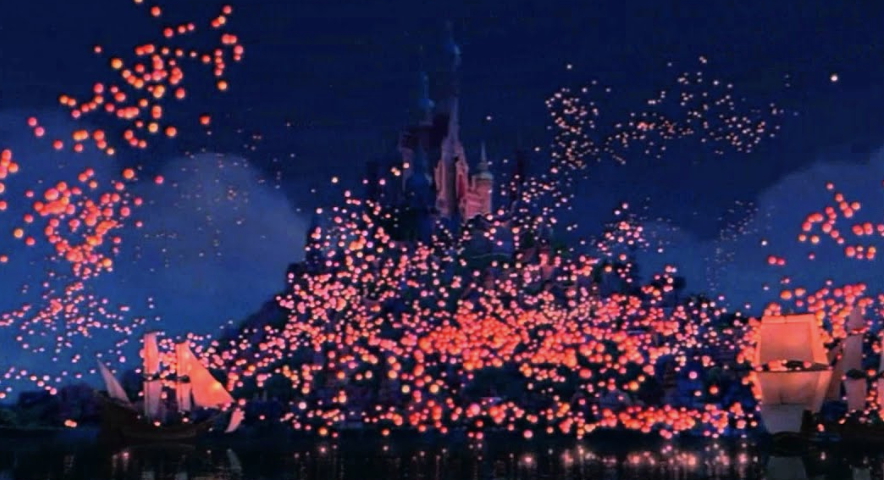
sketch
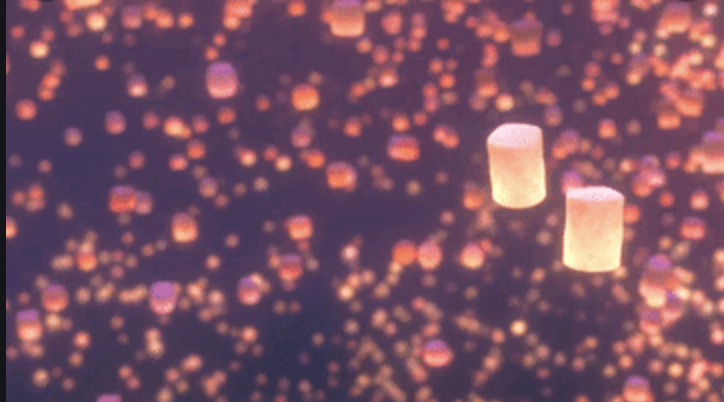
This project took inspiration from the Disney movie Tangled, specifically from the final, super romantic scene of the lantern lighting. I wanted to recreate this scene with the warm colors and floating lanterns. The randomized sizes created flickering and the size varation created depth to the lanters that lit up the sky. The lanterns float across the screen like they are in the sky.
lantern scene from tangledpurply lantern scene from tangled
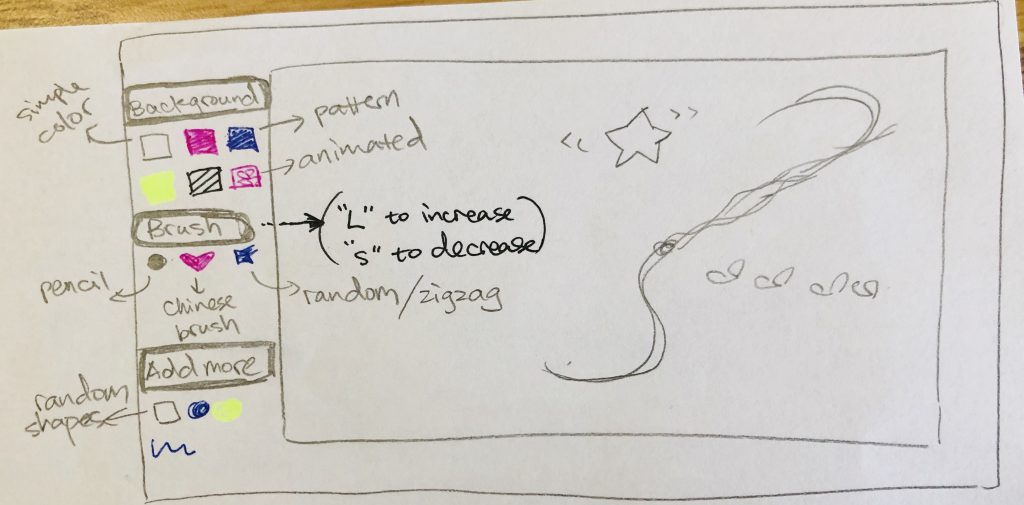
For my final project, I’ve decided to create an “Interactive drawing pad.” Basically, users can click on the buttons on the left to select different backgrounds, brushes and add more special effects. The pad will have the following functions for users to create their own paintings.
Change background:
basic function: change into pure colors
advanced: use patterned background (I will refer to wallpaper, nested loop, use sin and cos to make curves, turtle pattern, etc.)
Change type of brush:
basic “pencil” function:change stroke width and color by pressing “L” (large) / “S” (small) / “R” (red) / “B” (blue) / “Y” (yellow)
special brush 1: Chinese brush (I will refer to mouse dragging function)
special brush 2: zigzags (random lines)
special brush 3: make new balls (objects function)
special brush 4: change into a flower and record traces of movements
Add randomness:
add random stars at night (tie making of random spot with seconds),
add colorful balls (add moving particles),
* moving mountains (make terrain animation),
Add other shapes:
moving star (make a star that’s changing shape randomly),
rotating rectangles (rotate and translate rectangles)
![[OLD FALL 2019] 15-104 • Introduction to Computing for Creative Practice](../../../../wp-content/uploads/2020/08/stop-banner.png)