Ankitha Vasudev – Looking Outwards – 12

The two projects that I have chosen to discuss relate to climate change discuss this topic in different ways.

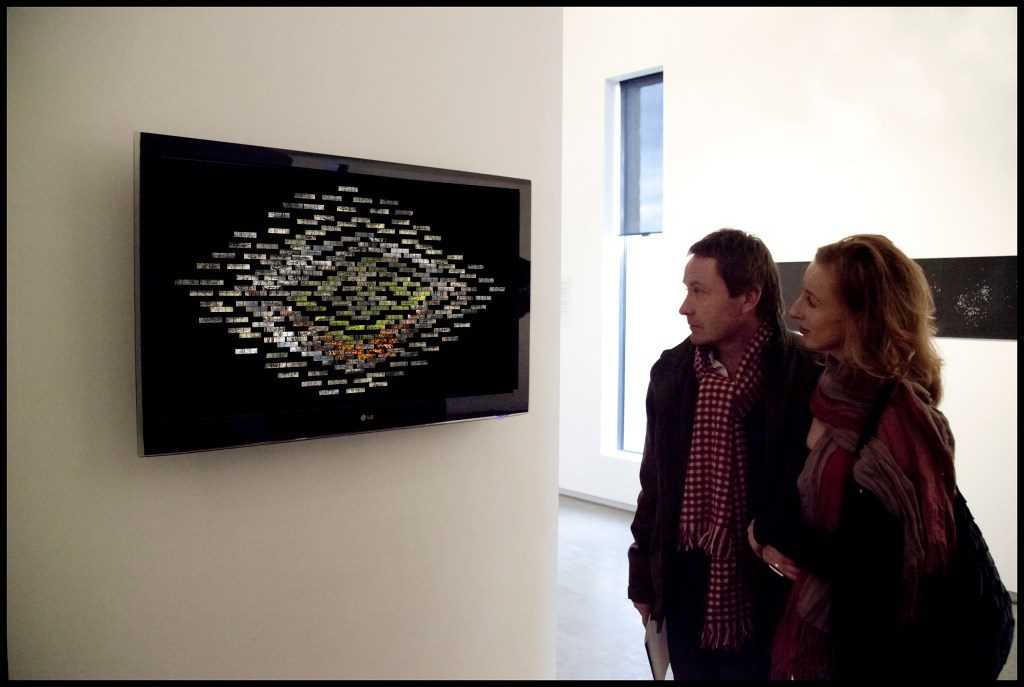
The first project is called Entropy, which was created by ecological artist Lloyd Godman in 2010. I find this project inspiring because it was made as a response to the fire that affected Australia in 2009. The projection was written in C++ and begins by selecting one of 30 composite images and randomly generates a pathway to a single image. The project is a randomized sequence based on images in the data bank. I think this project could have been improved by making it interactive and allowing viewers to click on certain images for more information.

Entropy displayed at the TarraWarra Muesum of Art in Australia, 2010.

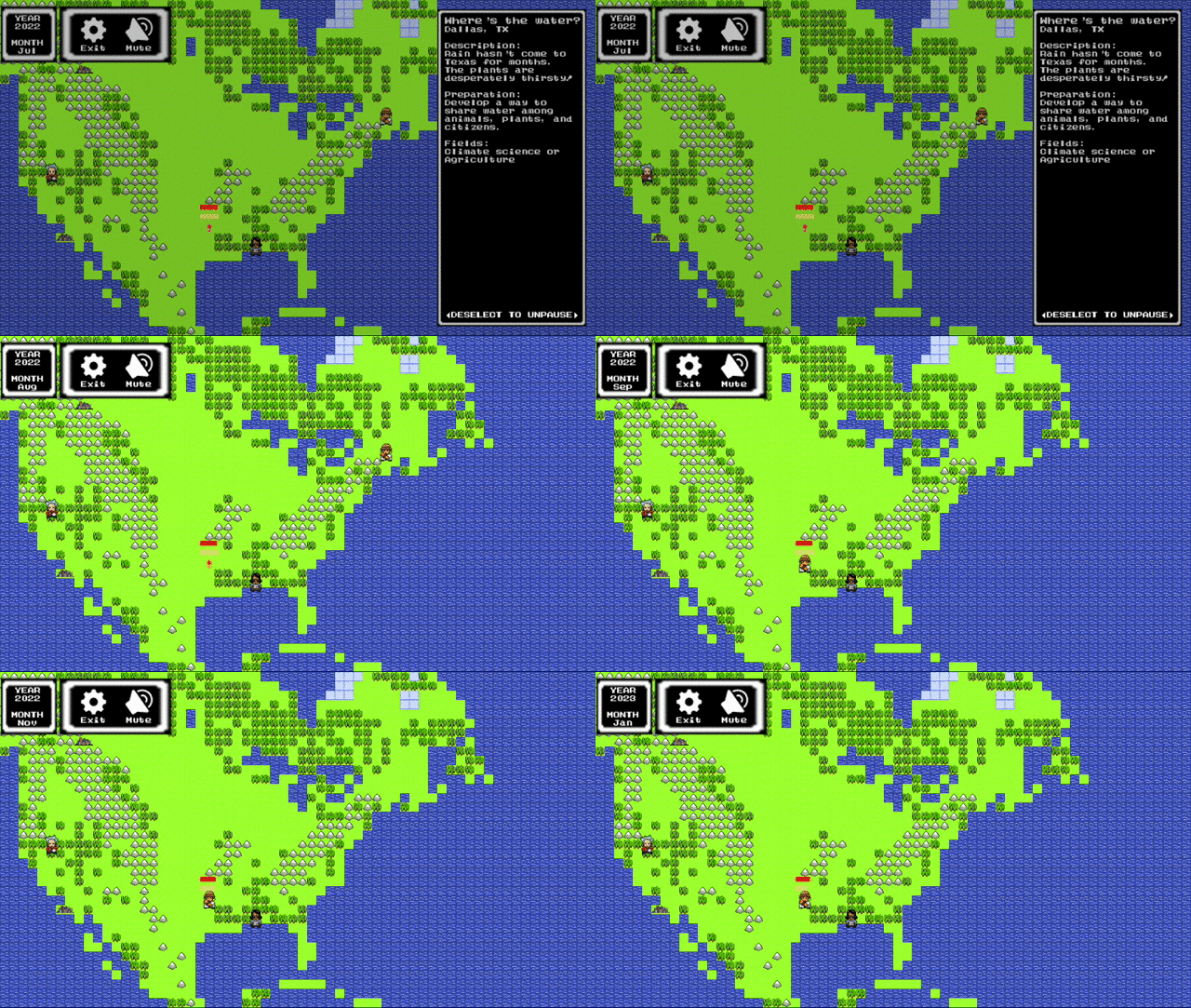
The next project is a game called Climate Quest that was developed in 2015 at the University of Washington. The purpose of this game is to promote environmental awareness. The story behind the game is that climate disasters are occurring across the country, but the heroes must save lives and protect ecosystems. I admire this project because it conveys an important message in a non-conventional way. The idea of storytelling through a video game seems interesting and creative.

Link to an interview with one of the creators of Climate Quest

A GIF of Climate Quest

Alec Albright – Project 11 – Landscape

sketch

// Alec Albright
// aalbrigh@andrew.cmu.edu
// Section B
// Project 11

var time = 0; // time of day (by frame rate)
var timeRate = 1; // rate of time passing
var angle = 0; // rotation angle of sun/moon system
var angleRate = 180 / 255; // rate of change of the angle 
var birdsX = []; // xcoords of birds on the screen
var birdsY = []; // ycoords of birds on the screen
var birdsSpeed = []; // speeds of all birds on the screen
var birdsColor = []; // colors of all birds on the screen

function setup() {
    createCanvas(480, 400);
    ellipseMode(CENTER);
    frameRate(30);
    angleMode(DEGREES);

    // birds
    for (var i = 0; i <= 30; i ++){
        birdsSpeed.push(random(1, 10));
        birdsX.push(600);
        birdsY.push(random(70, 320));
        birdsColor.push(color(random(0, 255), random(0, 255), random(0, 255)));
    }
}

function draw() {
    // managing time
    time += timeRate;
    if (time == 255) {
        timeRate = -1;
    } else if (time == 0) {
        timeRate = 1;
    }

    // coloring sky
    colorSky(time);
    
    // drawing sun/moon
    push();
    translate(240, 250);
    rotate(angle);
    drawSun(0, 200);
    drawMoon(0, -200);
    pop();
    
    angle -= angleRate

    // ground
    ground();
    
    for (var i = 0; i < birdsY.length; i ++){
        drawBird(birdsX[i], birdsY[i], birdsColor[i]);
        birdsX[i] -= birdsSpeed[i];

        if (birdsX[i] < -10) {
            birdsX[i] = 600;
        }
    }
}

function drawSun(x, y) {
    // draws sun
    noStroke();
    fill("yellow");
    ellipse(x, y, 100);
}

function drawMoon(x, y) {
    // draws moon
    noStroke();
    fill("grey");
    ellipse(x, y, 70);
}

function colorSky(time) {
    // draws the sky according to the time of day
    var blue = time;
    var green = map(time, 0, 255, 0, 204);

    noStroke();
    fill(0, green, blue);
    rect(0, 0, width, height);
}

function drawBird(x, y, color) {
    fill(color);
    noStroke();

    triangle(x, y, x - 3, y + 5, x, y + 5);
    triangle(x + 7, y, x + 13, y - 7, x + 11, y)
    rect(x, y, 15, 5);
    triangle(x + 5, y, x + 8, y - 7, x + 8, y);
}

function ground() {   
    fill("darkgreen"); 
    beginShape(); 
    for (var x = 0; x < width; x++) {
        var t = (x * .005) + (millis() * .0005);
        var y = map(noise(t), 0, 1, 150, 350);
        vertex(x, y); 
    }
    vertex(width + 100, height);
    vertex(0, height);
    endShape();
}

For this project, I wanted to depict something creative based in something very realistic. Thus, I came up with the idea of doing a rolling landscape that depicted the passing of days in a logical manner but featuring an assortment of randomly placed and colored birds. In this way, I am also able to emphasize the pop on the screen that the birds have in an interesting way.

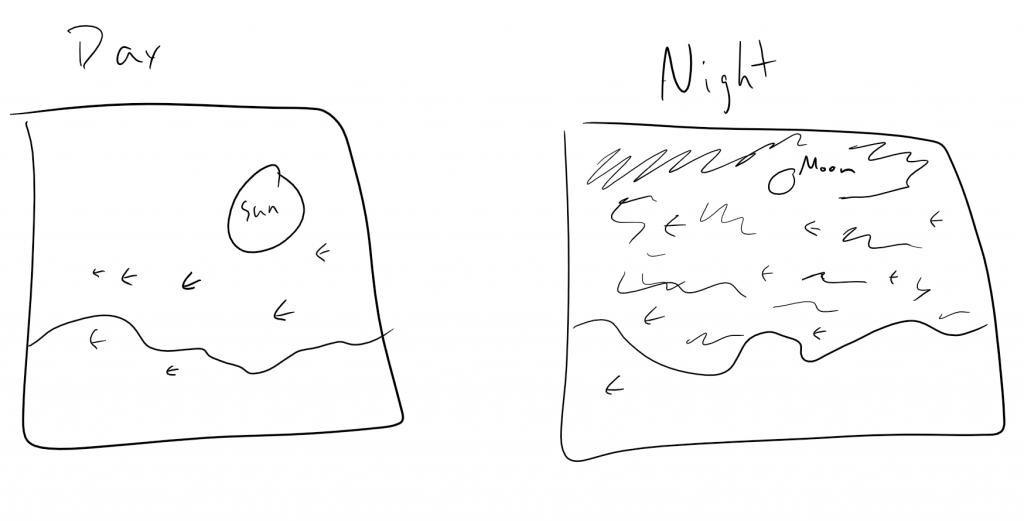
The process was very difficult for me in automating everything correctly while still maintaining readability of code while debugging. Thankfully, however, I was able to get past that! Below are some initial sketches from my laptop as to what my first idea was.

Sketch from my laptop (please excuse the poor birds)

SooA Kim: Looking Outwards – 11


http://untitled5.com/rock-scissors-paper-game-with-face-2014

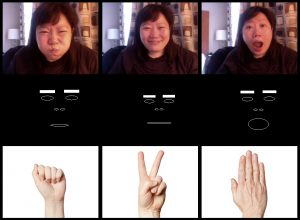
I’mHyojung Seo is a media artist and an Associate Professor at Samsung Art and Design Institute. She creates interactive performance works through installations and various platforms of communication that allows human to seek media as the new sense, or sixth sense that goes beyond our five senses. The process and methods in the works are a crucial part of her creative practice. She has many interesting works, but I really admire this work called “rock scissors paper game with face” (2014). Using FaceOSC and ofxFaceTracker(byKyle Mcdonald) from Github, she figured out the data of getting user’s expression. Then she made a face version of Rock-Paper-Scissors game, where to represent Paper – you have to open your mouth big, for Scissors – wide lips, and for Rock – bigger face (meaning your face should be closer to the camera). Rock-Paper-Scissors game is known has a game of luck; but she advised that this game is more about the effort because you have to change your face intensely to make the right sign.

Rachel Shin – Project 11

reshin-project11

/* Rachel Shin
reshin@andrew.cmu.edu
15-104 Section B
Project 11 - Landscape
*/

var terrainSpeed = 0.0005;
var terrainDetail = 0.0195;
var terrainDetail1 = 0.04;
var stars = [];

function setup() {
    createCanvas(400, 300);
    frameRate(15);
    for (var i = 0; i < 70; i++){
        var starX = random(width);
        var starY = random(0, height/4);
        stars[i] = makeStar(starX, starY);
    }

}

function draw() {
    background(0);
    displayStars(); //bottom layer
    darkTerrain(); //next layer
    terrain(); //second to top layer
    bottomTerrain(); //top layer

    
}

function terrain() {
    noStroke();
    fill(220);
    beginShape(); 

    for (var x = 0; x < width; x ++) {
      var t = (x * terrainDetail) + (millis() * terrainSpeed);
      var y = map(noise(t), 0, 1, 200, 100);
      vertex(x, y);
    }
    
    vertex(width, height);
    vertex(0, height);
    endShape();
}

function darkTerrain() {
    noStroke();
    fill(17, 25, 36);
    beginShape(); 

    for (var x = 0; x < width; x ++) {
      var t = (x * terrainDetail1) + (millis() * terrainSpeed);
      var y = map(noise(t), 0, 2, 0, 300);
      vertex(x, y);
    }

    vertex(width, height);
    vertex(0, height);
    endShape();
}

function bottomTerrain() {
    noStroke();
    fill(255);
    beginShape();

    for (var x = 0; x < width; x ++) {
        var t = (x * terrainDetail1) + (millis() * terrainSpeed);
        var y = map(noise(t), 0, 1, 50, 300);
        vertex(x, y);
    }

    vertex(width, height);
    vertex(0, height);
    endShape();
}

function drawStar() {
    noStroke();
    fill(230, 242, 174);
    push();
    translate(this.x, this.y);
    ellipse(5, 10, 5, 5);
    pop();
}

function makeStar(starX, starY) {
    var makeStar = {x: starX,
                y: starY,
                speed: -1,
                move: moveStar,
                draw: drawStar}
    return makeStar;
}

function moveStar() {
    this.x += this.speed;
    if (this.x <= -10){
        this.x += width;
    }
}

function displayStars() {
    for(i = 0; i < stars.length; i ++) {
        stars[i].move();
        stars[i].draw();
    }
}

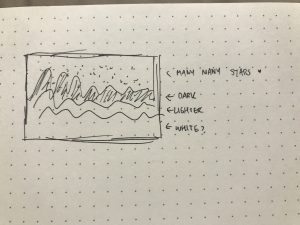
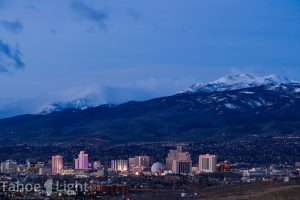
As a kid, I often went on trips to Reno or Lake Tahoe with my family and family friends. If I wasn’t playing video games in the car, I would stare at the mountains that we drove past and was mesmerized by the stars that I couldn’t see in Cupertino because of all the light pollution there. I decided to create 3 different terrains to create more depth in my production and put many stars in it to represent the countless number of stars that I saw during the drive.

sketch

Claire Lee – Project 11 – Landscape

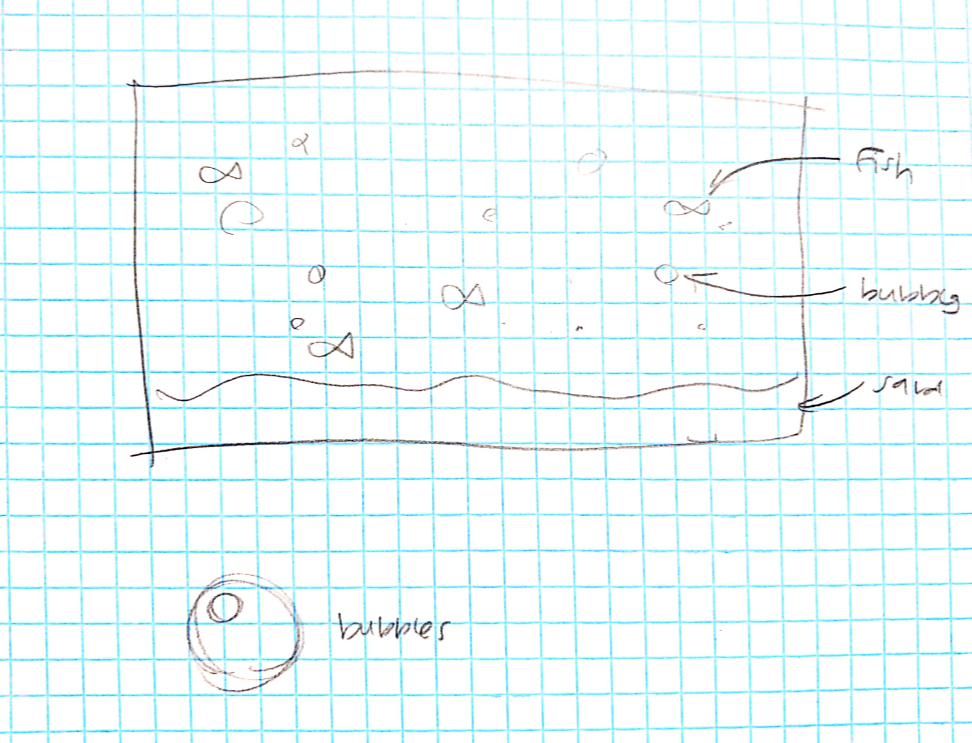
For my landscape project, I chose to make a basic underwater scene containing water, sand, bubbles, and fish. I think this project was a great opportunity to play around with objects and setting different types of parameters. I definitely came out of this with a much better understanding of how to use objects in code. One of the elements that I had trouble with is setting the color using the color() function (which is why I ended up using grayscale). Some things I wish I could have added are: coral/seaweed, other types of animals, and lines to represent water flow.

project11

/* Claire Lee
15-104 Section B
seoyounl@andrew.cmu.edu
Project-11 */

var bubbles = [];
var seaweed = [];
var fish = [];

function setup() {
    createCanvas(480, 240);
    frameRate(10);

    for (i = 0; i < 50; i++) {
        bubbleX = random(width);
        bubbleY = random(height);
        bubbles[i] = blowBubbles(bubbleX, bubbleY);
    }

    for (k = 0; k < 30; k++) {
        fishX = random(width);
        fishY = random(height);
        fish[k] = makeFish(fishX, fishY);
    }
}

function draw() {
    background(140, 225, 255);
    showBubbles();
    showFish();
    showSand();
}


var sandSpeed = 0.0004;

function showSand() {
    var sand = 0.01;
    stroke(235, 220, 180);
    strokeWeight(2)
    beginShape();
    for (var i = 0; i < width; i++) {
        var x = (i * sand) + (millis() * sandSpeed);
        var s = map(noise(x), 0, 1, 150, 200);
        line(i, s, i, height);
        // using map() and noise() function to generate randomized sand terrain
    }
    endShape();
}

function blowBubbles (bubbleX, bubbleY) {
    // making bubble object
    var bubble = {
        x: bubbleX,
        y: bubbleY,
        radius: random(8, 12),
        speed: -0.5,
        float: floatBubbles, 
        draw: drawBubbles 
    }
    return bubble;
}

function floatBubbles() {
    // making the bubbles move horizontally and float
    this.x += (this.speed * 2);
    this.y += this.speed;
    if (this.x <= 0) {
        this.x = width;
    }
    if (this.y <= 0) {
        this.y = height;
    } // bubbles "pop" when they reach top of screen
}

function drawBubbles() {
    push();
    translate(this.x, this.y);
    strokeWeight(1);
    stroke(255, 255, 255, 90);
    fill(160, 245, 255, 90);
    ellipse(1, 10, this.radius, this.radius);
    noStroke();
    fill(255, 255, 255, 90);
    ellipse(-1, 8, 2, 2);
    pop();
}

function showBubbles() {
    for (i = 0; i < bubbles.length; i++) {
        bubbles[i].float();
        bubbles[i].draw();
    }
}

function makeFish(fishX, fishY) {
    var fish = {
        fx: fishX,
        fy: fishY,
        fishspeed: random(-3, -8),
        fishmove: moveFish,
        fishcolor: random(100, 200),
        fishdraw: drawFish
    }
    return fish;
}

function moveFish() {
    this.fx += this.fishspeed;
    if (this.fx <= -10) {
        this.fx += width;
    }
}

function drawFish() {
    var tailLength = 8;
    noStroke();
    fill(this.fishcolor);
    ellipse(this.fx, this.fy, 10, 5);
    triangle(this.fx + (tailLength / 2), this.fy, this.fx + tailLength, this.fy - 3, this.fx + tailLength, this.fy + 3);
}

function showFish() {
    for (i = 0; i < fish.length; i++) {
        fish[i].fishmove();
        fish[i].fishdraw();
    }
}

** I’m using a grace day for this project!

Kristine Kim-Project 11-Landscape


sketch

//Kristine Kim
//Section D
//younsook@andrew.cmu.edu
//Project 11

var mountainspeed = 0.0005; //speed for mountains 
var mountaindetail = 0.005; //shape/detail for mountains

function setup() {
    createCanvas(480, 480); 
    frameRate(10);   //how fast the mountains are moving
}


function draw() {
    var color1 = color(67, 20, 125); //first color for the sunset
    var color2 = color(255, 102, 235); //second color for the sunset
    noStroke();
    sunsetbackground(0,0,width - 50,height - 50, color1, color2, "C");
    
    noStroke();
//calling all the functions
    moon();
    mountain1();
    mountain2();
    fence();
    bussetting(); 
 }
 //drawing the moon in the background behind everything
 function moon(){
    fill(255);
    ellipse(180,120,50,50);
 }
//drawing the lighter mountain in the back
 function mountain1(){
    fill(204, 162, 102);
    beginShape(); 
    vertex(0,height);
    for (var x = 0; x < width; x++) {
        var t = (x * mountaindetail) + (millis() * mountainspeed);
        var y = map(noise(t), 0,0.8, 0, height);
        vertex(x, y); 
    }
    vertex(width,height);
    endShape();
}
//drwing the darker mountain in the front
function mountain2(){
    noStroke();
    fill(125, 91, 49);
    beginShape(); 
    vertex(0,height);
    for (var x = 0; x < width; x++) {
        var t = (x * mountaindetail) + (millis() * mountainspeed);
        var y = map(noise(t), 0,0.5, 0, height -10);
        vertex(x, y); 
    }
    vertex(width,height);
    endShape();
}

//drawing all the static anchors/ drawing the window and handles
function bussetting(){
    noFill();
    stroke(230);
    strokeWeight(110);
    rect(0,0,450,450);
//bus window
    stroke(180);
    strokeWeight(40);
    rect(60,60,350,350,20);
    strokeWeight(20);
    line(80,200,400,200);
    line(233,200,233,400);

//window opener
    fill(0);
    noStroke();
    rect(80,300,10,30);
    rect(380,300,10,30);

//handle bar
    stroke(20);
    line(0,0,0,100);
    line(120,0,120,95);
    line(240,0,240,95);
    line(360,0,360,95);
    line(480,0,480,95);

//handle
    noFill();
    stroke(80);
    strokeWeight(10);
    triangle(-40,160,40,160,0,100);
    triangle(80,160,160,160,120,100);
    triangle(280,160,200,160,240,100);
    triangle(400,160,320,160,360,100);
    triangle(520,160,440,160,480,100);

}
//drawing the fence infront of the mountains in the landscape
function fence(){
    stroke(200);
    strokeWeight(5);
    line(80 ,350,400 ,350);
    line(80,365,400,365);
    line(80,380,400,380);

    line(125,350,125,400);
    line(140,350,140,400);
    line(300,350,300,400);
    line(315,350,315,400);

}

//drawing the sunset as the background
function sunsetbackground(x, y, w, h, color1, color2, axis) {   
    noFill();
    if (axis == "C") {  // Top to bottom gradient
        for (let i = y; i <= y + h; i++) {
        var inter = map(i, y, y + h, 0, 1);
        var color = lerpColor(color1, color2, inter);
        stroke(color);
        line(x, i, x + w, i);
        }
    }  
    
    }
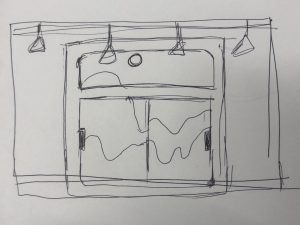


The times where I most often gaze at landscapes or deeply look outside is when I’m on a bus or a vehicle that is why I decide to put this project in a bus setting. I drew the window and handles as static anchors. I went back and studied the terrain assignment we had and used the strategy on this project to create mountains. I also wanted to create a pretty sunset because the one thing I really enjoy about Pittsburgh is their sunset, it’s always vibrant and colorful which I really appreciate. The challenge I had with this project was the sunset and the mountains because even though I studied the code a lot, it still took me a while to figure out everything and get it to how I wanted it to look. 

Danny Cho – Generative Landscape

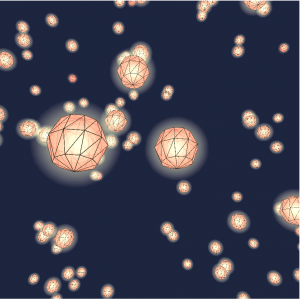
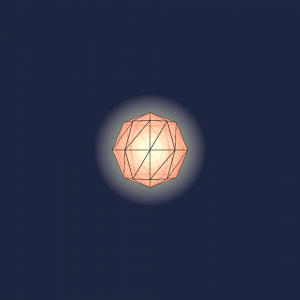
For this project, I was inspired by some of the previous works done in the past 15-104 classes. Especially the ones that were done regarding the concepts of the shooting stars and lamps inspired me. I tried to replicate the frame of the lamps with the detail feature of the sphere function as well as showing the glow by creating multiple translucent sphere in and out of them.

It takes some time for the lamps to start appearing unless you drag around the screen to look for them.

landscape

//Danny Cho
//Project 11
//changjuc@andrew.cmu.ed
//section A
var lampNumber = 20;
var lampXlimit;
var lampZlimit;
var lampYlimit;
var lamps = []; //containing objects
var lampScale = 60; //scale of the lamp exterior
var renderer;


function setup() {
	renderer = createCanvas(480, 480, WEBGL);
	for (var i = 0; i < lampNumber; i++) {
        lampXlimit = random(-100, 600);
        lampXlimit = random(-1000, 1000);
        lampZlimit = random(-50, 1000);
        lamps[i] = makeLamp(lampXlimit, lampYlimit, lampZlimit);
    }
    frameRate(10);

}

function draw() {
	background(28, 37, 65);
	noStroke();
	
	// for (var i = 0; i < lampNumber; i++) {
	// 	push();
	// 	 print("line37")
	// 	translate(lampX[i], lampY[i], lampZ[i]);

	// }
	// pop();
	for (var u = 0; u < lamps.length; u++) {
		lamps[u].draw();
	}

	var keepLamps = []; 
	//would delete the lamps that go beyond a certain height
		for (var j = 0; j < lamps.length; j++) {
			if (lamps[j].y > 500) {
				keepLamps.push(lamps[j]);
			}
		}

	orbitControl();
	fill(255);


}

function makeLamp(lx, ly, lz) {
	print("lamp make")
	var lamp = {x: lx, y: ly, z: lz, draw: lampDraw}
	return lamp;
}

function lampDraw() {
	print("lampdraw")
	push();
	print("line59")
	//location of the lamp
	translate(this.x, this.y, this.z);
	fill(218, 45, 28, 200);
	stroke(0);
	//the exterior of the lamp
	sphere(lampScale, 10, 4);
	noStroke();
	//inner lighting of the lamp
	for (var i = 0; i < 5; i++) {
		fill(255, 220, 115, 20 - 4 * i)
		sphere(9 * i + 10);
	}
	//outer glow of the lamp
	for (var i = 0; i < 6; i++) {
		fill(255, 220, 115, 4.5)
		sphere((i * i) + 60);
	}
	//lamp's movement
	this.y -= 45;
	pop();

	//making new lamps
	var newLamp = 0.008; //chances of new lamp being created
	if (random(0, 1) < newLamp) {
		lampXlimit = random(-2000, 6000);
		lampZlimit = random(-5000, 0);
		lamps.push(makeLamp(lampXlimit, (-lampZlimit) / 4, lampZlimit));
	}
	
}

Caroline Song – Project 12 – Final Project Proposal

Throughout this entire class, I was most intrigued when learning about sound and how to incorporate sound as another element in p5js. I found the interactions between sound and our visuals we were creating to be fascinating and that is what I wanted to focus on in my final project.

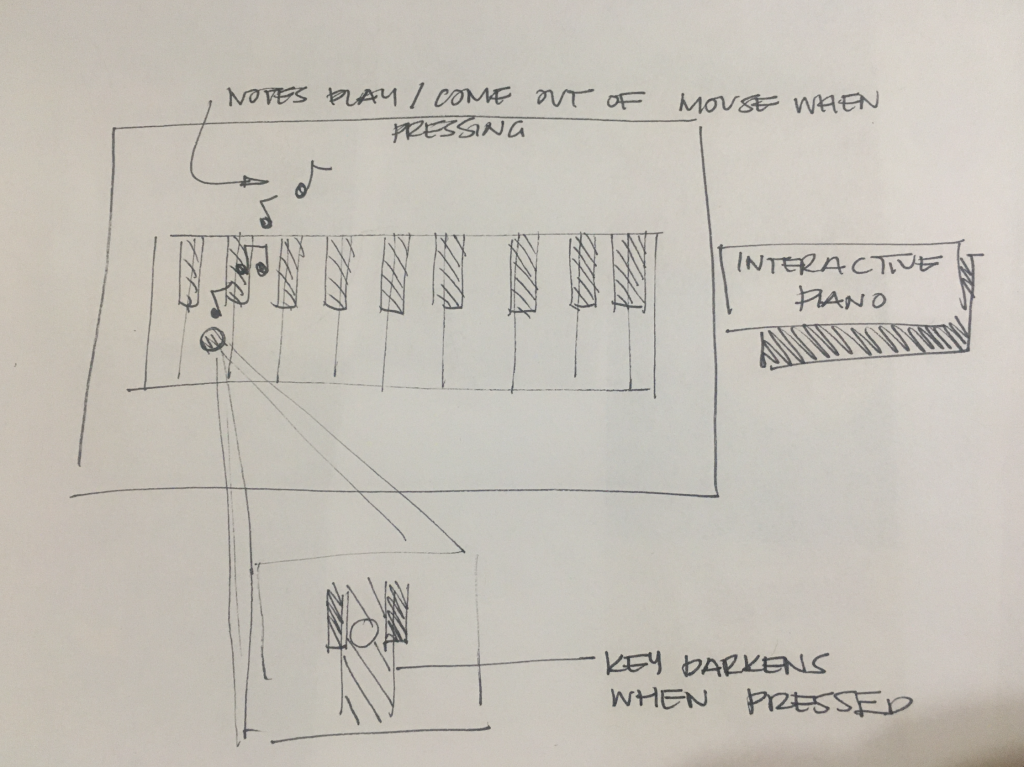
And so, for my final project, I want to create an interactive piano (possibly incorporating about an octave and a half). Within this piano, when the user presses on a certain key, a specific note will play, and the user can create a song. From there, I also wanted a feature of having music notes come out of the mouse when it clicks on the keys and for the keys itself to darken to a different color to signal that it has been pressed.

Furthermore, I also thought about incorporating another element of being able to press a key down and the piano being able to show the user on perhaps the upper left corner of the canvas, the name of the note they pressed on exactly. The purpose of this project is to create an educational game for young children who perhaps want to start learning how to play the piano with this beginner level introduction. The piece will give them positive feedback as they press different notes and also have an element of intrigue with the music notes when they press on the keys. The canvas being able to show the user the note they are playing is part of the educational aspect of the piece so that the user will be able to understand what notes they are playing on the piano and further their comfortability in learning a new instrument with this exposure and beginning steps.

Sketch of final project proposal

Austin Garcia – Project 11 – Generative Landscape


sketch

/*		Austin Garcia
		Section C
		aegarcia@andrew.cmu.edu
		Project 11
*/

var mushrooms = [];
var capColor
var terrainSpeed = 0.0005;
var terrainDetail = 0.005;

function setup() {
    createCanvas(600, 400);

    capColor = color(random(100, 180),random(100, 180),random(100, 180))
    stemColor = color(random(20, 80),random(20, 80),random(20, 80))
    // create an initial collection of mushrooms
    for (var i = 0; i < 10; i++){
        var rx = random(width);
        mushrooms[i] = makeMushroom(rx);
    }
    frameRate(10);
}


function draw() {
    background(200);

    updateAndDisplaymushrooms();
    removemushroomsThatHaveSlippedOutOfView();
    addNewmushroomsWithSomeRandomProbability();

    noFill();
    beginShape();
    for (var x = 0; x < width; x++) {
        var t = (x * terrainDetail) + (millis() * terrainSpeed);
        var y = map(noise(t), 0,1, 0, height);
        vertex(x, y);
    }
    endShape();

    rect(0, 0, width - 1, height - 1);
    displayStatusString();
    displayHorizon();


}


function updateAndDisplaymushrooms(){
    // Update the Mushroom's positions, and display them.
    for (var i = 0; i < mushrooms.length; i++){
        mushrooms[i].move();
        mushrooms[i].display();
    }
}


function removemushroomsThatHaveSlippedOutOfView(){
    // If a Mushroom has dropped off the left edge,
    // remove it from the array.  This is quite tricky, but
    // we've seen something like this before with particles.
    // The easy part is scanning the array to find mushrooms
    // to remove. The tricky part is if we remove them
    // immediately, we'll alter the array, and our plan to
    // step through each item in the array might not work.
    //     Our solution is to just copy all the mushrooms
    // we want to keep into a new array.
    var mushroomsToKeep = [];
    for (var i = 0; i < mushrooms.length; i++){
        if (mushrooms[i].x + mushrooms[i].breadth > 0) {
            mushroomsToKeep.push(mushrooms[i]);
        }
    }
    mushrooms = mushroomsToKeep; // remember the surviving mushrooms
}


function addNewmushroomsWithSomeRandomProbability() {
    // With a very tiny probability, add a new Mushroom to the end.
    var newMushroomLikelihood = 0.007;
    if (random(0,1) < newMushroomLikelihood) {
        mushrooms.push(makeMushroom(width));
    }
}


// method to update position of Mushroom every frame
function MushroomMove() {
    this.x += this.speed;
}


// draw the Mushroom and some windows
function MushroomDisplay() {
    var floorHeight = 20;
    var bHeight = this.nFloors * floorHeight;
    fill(255);
    strokeWeight(0);
    push();
    translate(this.x, height - 40);
    fill(stemColor);
    rect(0, -bHeight, this.breadth, bHeight);
    fill(capColor);
    arc(5, -bHeight, this.breadth + 100, bHeight / 2, 3.1, 6.2)

    /*for (var i = 0; i < this.nFloors; i++) {
        rect(5, -15 - (i * floorHeight), this.breadth - 10, 10);
    } */
    pop();
}


function makeMushroom(birthLocationX) {
    var bldg = {x: birthLocationX,
                breadth: random(10, 20),
                speed: -1.0,
                nFloors: round(random(2,8)),
                move: MushroomMove,
                display: MushroomDisplay}
    return bldg;
}


function displayHorizon(){
    stroke(0);
    line (0,height-50, width, height-50);
}

/*
function displayStatusString(){
    noStroke();
    fill(0);
    var statusString = "# mushrooms = " + mushrooms.length;
    text(statusString, 5,20);
}
*/

Katrina Hu – Project 11 – Generative Landscape

sketch_project11

/*Katrina Hu
15104-C
kfh@andrew.cmu.edu
Project-11*/

var x1 = 100;
var x2 = 400;
var x3 = 30;
var luggage = [];

function setup() {
    createCanvas(480, 480);
    frameRate(60);
    background(191, 233, 255);

    //set an initial group of luggage
    for (var i = 0; i < 5; i++) {
    	var rx = random(width);
    	luggage[i] = makeLuggage(rx)
    }
}

function draw() {
	//drawing sun
	noStroke();
	fill(255, 252, 227);
	ellipse(80, 40, 80, 80);
	fill(255, 246, 179);
	ellipse(80, 40, 70, 70);
	fill(255, 238, 112);
	ellipse(80, 40, 50, 50);

	//drawing clouds
	drawCloud(x1);
	drawCloud(x2);
	drawCloud(x3);

	//drawing floor & window
	fill(100);
	rect(97, 0, 10, height);
	rect(377, 0, 10, height);
	rect(0, 67, width, 10);
	rect(0, 294, width, 180);
	fill(184);
	rect(0, 300, width, 180);
	rect(100, 0, 10, height);
	rect(380, 0, 10, height);
	rect(0, 70, width, 10);

	//drawing conveyor belt
	fill(50);
	rect(0, 372, width, 10);
	fill(110);
	rect(0, 380, width, 50)
	fill(200);
	rect(0, 390, width, 30)
	for(var dots = 0; dots < 9; dots ++) {
		fill(110);
		ellipse(dots * 70 + 20, 408, 10, 10);
		fill(250);
		ellipse(dots * 70 + 20, 403, 10, 10);
	}

	//drawing luggage
    updateLuggage();
    removeLuggageFromView();
    addLuggage();
}

function drawCloud(x) {
    push();
    noStroke();
    fill(240);
    ellipse(x, height / 5, 100, 100);
    ellipse(x + 10, height / 5 + 5, 100, 100);
    ellipse(x + 80, height / 5, 80, 70);
    ellipse(x + 10, height / 5 - 10, 80, 80);
    ellipse(x + 70, height / 4 - 55, 60, 50);
    pop();
}


function updateLuggage() {
    for (var i = 0; i < luggage.length; i++) {
        luggage[i].move();
        luggage[i].display();
    }
}

function removeLuggageFromView() {
    //remove luggage from array if it's out of sight
    var luggageToKeep = [];
    for (var i = 0; i < luggage.length; i++) {
        if (luggage[i].x + luggage[i].breadth > 0) {
            luggageToKeep.push(luggage[i]);
        }
    }
    luggage = luggageToKeep; //remember the surviving luggage
}

function addLuggage() {
    //with a very small probability, add a new luggage to the end
    var newLuggageProb = 0.005; 
    if (random(0,1) < newLuggageProb) {
        luggage.push(makeLuggage(width));
    }
}

function luggageDisplay() {
	var top = 375 + this.height;
	//draw luggage
	stroke(0);
    fill(this.r, this.g, this.b);
    rect(this.x, 380, this.breadth, this.height);
    //draw handle
    fill(50);
    rect(this.x + 20, top, this.breadth - 45, 4);
    rect(this.x + 20, top, 4, 10);
    rect(this.x + this.breadth - 25, top, 4, 10);


}

function luggageMove(){
    this.x += this.speed; 
}

function makeLuggage(startX){
    var myLuggage = {x: startX,
                speed: -1.0,        
                breadth: random(80, 120),
                height: -random(50, 80),
                r: random(100, 255),
                g: random(100, 255),
                b: random(100, 255),
                move: luggageMove,
                display: luggageDisplay}
    return myLuggage;
}

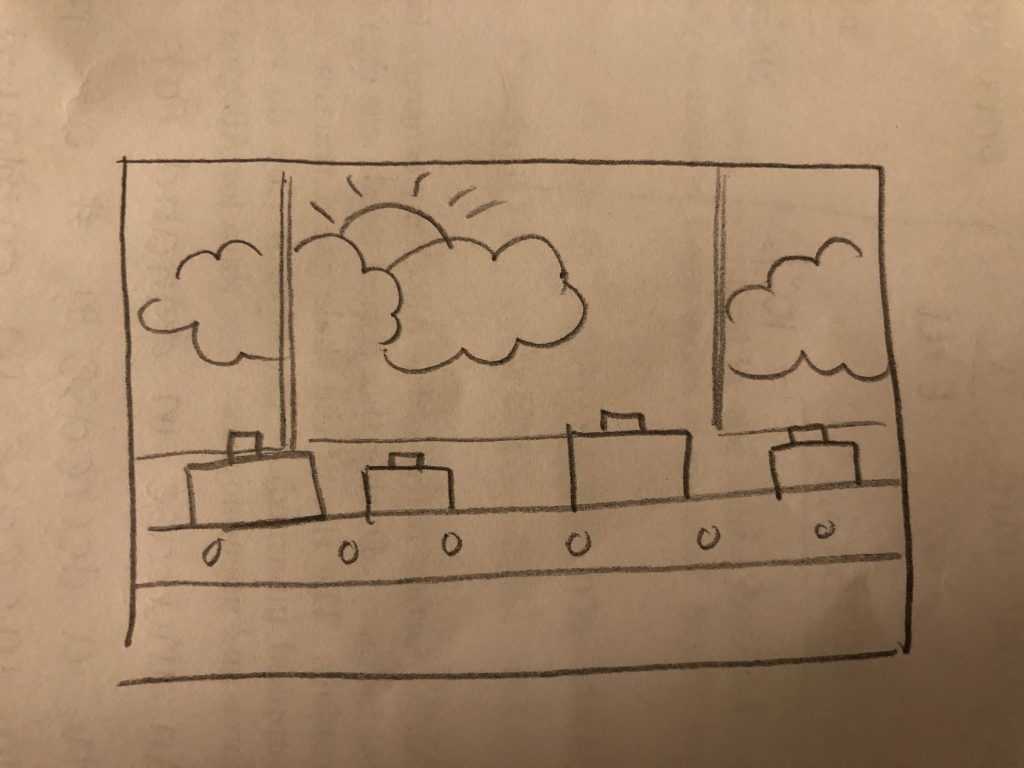
My project is of a luggage conveyor belt in an airport. I decided to choose this landscape because of the picture that was posted within the instructions, which showed luggage moving around the belt. Luggage size and color is randomly picked and drawn onto the conveyor belt. This was a very fun project to do, and it was a great opportunity for me to practice using objects. The part I struggled with the most was figuring out how to draw the luggage handles on top of the suitcases. But overall, I learned a lot and am very happy with how the project turned out.

My original sketch of the project