mjnewman LookingOutwards-06, Section A

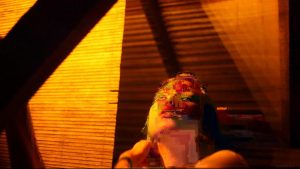
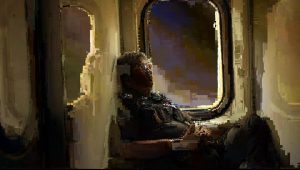
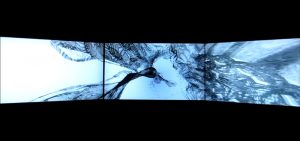
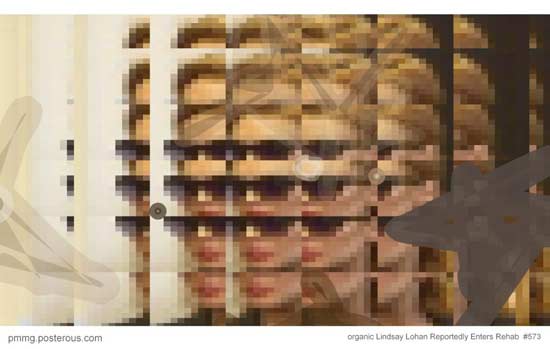
Berlin-based photographer, Polina Efremova, explored what would happen by taking a step back in terms of technology. A lot of us rely on the newest technology to get us through the day and I admire Efremova, by counter intuitively doing the opposite. Efremova’s series called “Destruction” organically and randomly generates glitch art. However, Efremova was forced to abandon this project due to the sudden popularity in glitch art at the time. She thought that her releasing this type of workwould just underscore the meaning and intent behind the photo.

The process is a rather analog process but is full of randomness. Efremova would take a video with current photography technology and play it on an outdated computer, which the computer would have trouble rendering thus ending up with a glitchy screen. Efremova would be able to easily confuse the computer with a series of rapid pauses and plays thus resulting in the glitches. The outcome is some highly complex and complicated images that take some time to decode created by mechanical randomness.

hdw – Looking Outwards – 06

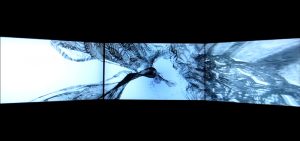
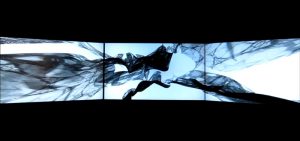
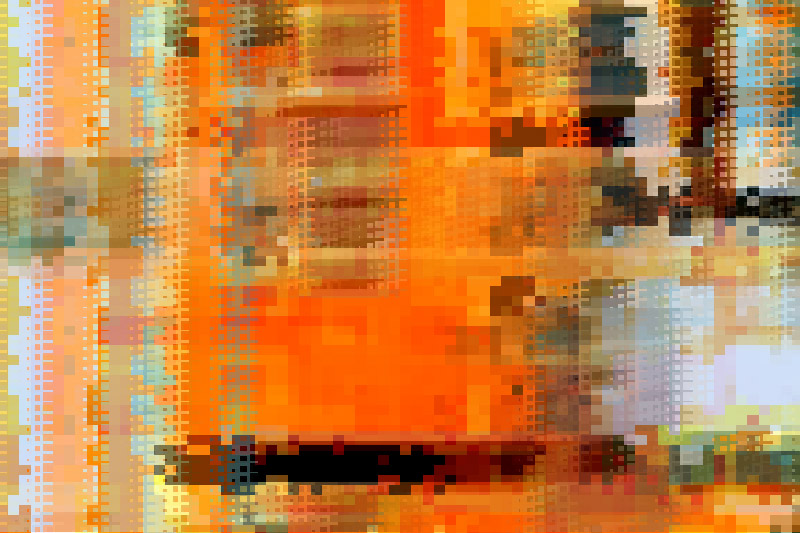
Daniel Brown is a designer, coder and artist for commission that takes on a variety of projects. One of his jobs was to create a visual display for Selfridge’s in London. In his work called “Appliqué”, he made a fractal textile fabric with generative code. It’s randomized, and never repeats itself. It seems like the code would have a lot of recursive functions that calls itself in for-loops to establish the relationship from one part of the textile to the next. Daniel Brown was inspired by traditional embroidery heritage and working with fabrics and textiles, so his work was made to imitate the movement and texture of the fabric. You can see more of his work here.

Above are some shots of his display.

amui1-Project-06-Abstract-Clock

amui1-p6

//Allison Mui
//15-104 Section A
//amui1@andrew.cmu.edu
//Project-06

//variables for solar system
solarSize = 325;
//variables for star

function setup() {
    createCanvas(400,400);
}

function draw() {
    background(25,25,62);

    //get time
    var hr = hour();
    var twelveHr = hr%12;
    var min = minute();
    var sec = second();

    //print time
    fill(255);
    strokeWeight(0);
    text(nf(twelveHr,2,0) + ':' + nf(min,2,0) + ':' + nf(sec,2,0),30,30);

    //border of solar system
    noFill();
    stroke(60,60,85);
    strokeWeight(6);
    ellipse(width/2,height/2,solarSize,solarSize);
    ellipse(width/2,height/2,solarSize-100,solarSize-100);


    //HOURS

    //flag stick
    push();
    translate(width/2,height/2);
    rotate(hr);
    stroke(255);
    strokeWeight(5);
    line(0,0,0,90);
    pop();

    //flag
    push();
    translate(width/2,height/2);
    fill(255);
    strokeWeight(0);
    rotate(hr);
    rectMode(CENTER);
    fill(164,216,150);
    rect(-25,78,40,30,5);
    pop();

    //flag symbol
    push();
    translate(width/2,height/2);
    fill(255,255,0);
    strokeWeight(0);
    rotate(hr);
    ellipse(-25,78,10,10);

    pop();

    //sun

    //assign random variables to make sun move
    var sunX = random(-.5,.5);
    var sunY = random(-.5,.5);

    fill(255,198,0);
    strokeWeight(0);
    ellipse(width/2,height/2,solarSize/4,solarSize/4);
    //flares
    for (i=0; i < 20; i++) {
      push();
      translate(width/2,height/2);
      rotate(TWO_PI*i/20);
      fill(255,172,0);
      triangle(10+sunX,50+sunY,40-sunX,20+sunY,20+sunX,30+sunY);
      pop();
    }


    //SECONDS

    //star
    fill(255,255,0);
    //makes star move
    var offset = second();
    //maps second to width of the canvas
    var offset = map(offset,0,60,0,width);
    translate(0,50);
    var xStar = [16+offset,20+offset,
                30+offset,25+offset,
                23+offset,15+offset,
                7+offset,9+offset,
                4+offset,14+offset];
    var yStar = [5,10,
                15,20,
                30,25,
                30,20,
                15,10];

    var lenStar = xStar.length;

    beginShape();
    for (var i = 0; i <lenStar; i++) {
      vertex(xStar[i],yStar[i]);
    }
    endShape();
    //shooting star
    stroke(255);
    strokeWeight(2);
    line(-50+offset,15,0+offset,15);
    line(-50+offset,20,0+offset,20);

    //spaceship
    fill(211,211,211);
    strokeWeight(1);

    //MINUTES

    //makes spaceship move
    var shipOff = minute();
    var shipOff = map(shipOff,0,60,0,width);
    //variables for ship x and y movement
    var sxDist = 6;
    var syDist = 10;
    //to test
    //print('subtracted=' + shipOff/syDist);

    //draws ship
    stroke(0);
    translate(0,0);

    //right side of circle
    //left side of circle
    //base triangle
    triangle(-5+shipOff,height-90-shipOff/syDist,
            27.5+shipOff,height-75-shipOff/syDist,
            60+shipOff,height-90-shipOff/syDist);
    //base little circles
    ellipse(27.5+shipOff,height-73-shipOff/syDist,8,3);
    ellipse(27.5+shipOff,height-70-shipOff/syDist,6,3);
    ellipse(27.5+shipOff,height-66-shipOff/syDist,4,3);

    //body of ship
    strokeWeight(0);
    //light pink
    fill(249,170,202);
    rect(-5+shipOff,height-95-shipOff/syDist,63,10,5);
    //darker pink
    fill(241,43,122);
    rect(-10+shipOff,height-100-shipOff/syDist,75,8,5);

    // top triangle
    fill(172,153,198);
    triangle(-5+shipOff,height-100-shipOff/syDist,
            27.5+shipOff,height-120-shipOff/syDist,
            60+shipOff,height-100-shipOff/syDist);
    fill(209,209,227);
    //top window thingy
    arc(27.5+shipOff,height-106-shipOff/syDist,35,40,PI,0,CHORD);

    //draws alien


    //alien head
    fill(164,216,150);
    ellipse(27.5+shipOff,height-111-shipOff/syDist,10,10);
    stroke(164,216,150);
    strokeWeight(2);
    //alien attenae
    line(27.5+shipOff,height-111-shipOff/syDist,
          23.5+shipOff,height-119-shipOff/syDist);
    line(27.5+shipOff,height-111-shipOff/syDist,
          31.5+shipOff,height-119-shipOff/syDist);
    ellipse(22.5+shipOff,height-120-shipOff/syDist,5,1);
    ellipse(33.5+shipOff,height-120-shipOff/syDist,5,1);

    //alien eyes
    fill(0);
    strokeWeight(0);
    ellipse(25.5+shipOff,height-112-shipOff/syDist,2,2);
    ellipse(29.5+shipOff,height-112-shipOff/syDist,2,2);

}

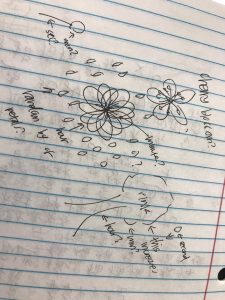
I found this project to be one of the more challenging assignments. However, I liked it because there was a lot of room for creativity. Similar to the other projects, I wanted to tell time, but somehow include a story. I had the most trouble coordinating the rotations with the hours/seconds/minutes. In the future, I would like to spend more time expanding on that further.
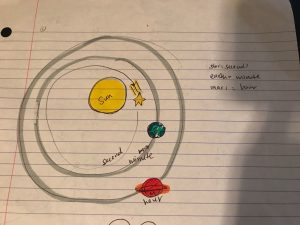
 

This was what my idea started out as.

daphnel-Project 06-Abstract Clock

Clock

var petals = 0;
var petals2 = 0;
var ellipseSize=200;
var minuteCircleSize=7;

function setup() {
    createCanvas(480, 480);
}
function draw() {
    background(229, 255, 255);
    var H = hour();
    var M = minute();
    var S = second();

    angleMode(RADIANS);
    petals += 4;
    petals2 += 3;
    strokeWeight(0);
    for(var i=0; i<5; i++){
        //increment based on i and to make the zig zag petal pattern;
        var x = width/13 + 100 * i;
        fill(255, 204, 204, 204);
        arc(x, 30 + petals, 15, 10,PI+QUARTER_PI, QUARTER_PI);
        arc(x, 150 + petals, 15, 10,PI+QUARTER_PI, QUARTER_PI);
        arc(x, 270 + petals, 15, 10,PI+QUARTER_PI, QUARTER_PI);
        var x1 = width/5 + 100 * i;
        arc(x1, 90 + petals2, 15, 10,PI+QUARTER_PI, QUARTER_PI);
        arc(x1, 210 + petals2, 15, 10,PI+QUARTER_PI, QUARTER_PI);
        arc(x1, 330 + petals2, 15, 10,PI+QUARTER_PI, QUARTER_PI);
    }

    if(petals>height){
      petals=-50;
      petals2=-50; //to make the petals loop;
    }

    angleMode(DEGREES);
    noStroke();
    //the flower petals that grow by the hour
    if (H==0){
        H = 12;
      }else if(H < 24 & H > 12){
        H -= 11;
      }else{
        H = hour();
      }
    for(h=1; h<H; h++){ //the petals that increase by the hour;
        push();
        translate(width/2, height/2);
        rotate(h*30);
        fill(255, 204, 204, 204);
        ellipse(width/5, 0, ellipseSize,ellipseSize/2);
        pop();
    }
    for(m = 0; m<M; m++){ //the brown circles representing minutes;
        push();
        translate(width/2,height/2);
        rotate(6 * m);
        fill(230, 77, 0, 50); //4th number is for transparency;
        ellipse(width/8,0, minuteCircleSize, minuteCircleSize);
        pop();
      }

    for(s = 0; s<S; s++){ //the yellow stamens representing seconds;
        push();
        translate(width/2,height/2);
        rotate(6 * s);
        strokeWeight(2);
        stroke(255, 255, 204);
        line(0,0,0,-60);
        pop();
    }
}

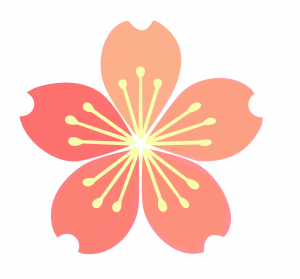
The hardest part about this assignment was making my code more efficient. After making the petals and the rest of the flower, something seemed to be a little boring so I tried to create a background that would loop in the back, but I just couldn’t think of how to make it loop more efficiently even though it looks like an easy fix. I found it interesting to see the process of my clock actually changing throughout time. Since I like cherry blossoms and the color of the original pink background, I decided to use those as my inspirations for this project. It was hard for me to work with the arc function as it was my first time using it and there were a lot of components to it as well. The top photo below was something I used as sort of an inspiration of how I wanted my clock to look like. I changed up some of the components to match the number of hours, minutes and seconds.


amui1-LookingOutwards-06

The piece I chose to reflect on today is “Two hands, one loop.” This is a piece by the artist, J.Eric Morales.

I chose this piece because the shapes and outlines are computed and drawn to be very random. But in the end, the shapes and outlines have a purpose and form something recognizable. In fact, the shapes are created of a single line. Learning this, I admire this piece even more. At first glance, the portions besides the hand look unstructured. However, all being strung together by one single line gives the piece unity and cohesiveness. The random movement of the line forms shapes come together that and even form a greater story. I really admire this because it shows that the artist had such an abstract way of thinking, but a very definite plan and objective of the piece.

I couldn’t find any information on how the artist computed the algorithms and randomness in the work. But, I suppose he had the line have random distance between the first and second point and then when it got to the placements of the hand, the random possibilities of distances got smaller.

Link to other projects Morales completed are found here

Morales full page can be found here


jwchou-project06-abstractClock

sketch 66

//Jackie Chou
//Section E
//jwchou@andrew.cmu.edu
//Project 06 Abstract Clock

var prevSec;
var millisRolloverTime;

//--------------------------
function setup() {
    createCanvas(480, 480);
    millisRolloverTime = 0;   
}
//--------------------------
function draw() {
	noStroke;
	fill(255, 60, 60); //red background
	rect(35,0, width-70, height); 
	fill(255);
	rect(0,0, 35, height); //left white margin
	rect(width-35, 0, 35, height); //right white margin
	rect(0,0, width, 15); //top white margin
	rect(0,height-15, width, 15); //bottom white margin
	var fillLevel = 255/24; //rectangle opacity

 
  	for(i=0; i < 23; i++) { //create 24 evenly columns spanning canvas
   	  noStroke;
   	  filllevel = fillLevel * i;
   	  fill(255, 255, 255, fillLevel);
   	  rect(35,0,((width-70)/24)*i, height); //keeps margins in consideration
    }
    
    // Fetch the current time
    var H = hour();
    var M = minute();
    var S = second();
    
    // Reckon the current millisecond, 
    // particularly if the second has rolled over.
    // Note that this is more correct than using millis()%1000;
    if (prevSec != S) {
        millisRolloverTime = millis();
    }
    prevSec = S;
    var mils = floor(millis() - millisRolloverTime);
    
    fill(128,100,100);
    text("Hour: "   + H, 10, 22);
    text("Minute: " + M, 10, 42);
    text("Second: " + S, 10, 62);
    text("Millis: " + mils, 10, 82);
    
    var hourBarWidth   = map(H, 0, 23, 45, height-45);
    var minuteBarWidth = map(M, 0, 59, 0, width);
    var secondBarWidth = map(S, 0, 59, 0, width);
    
    // Make a bar which *smoothly* interpolates across 1 minute.
    // We calculate a version that goes from 0...60, 
    // but with a fractional remainder:
    var secondsWithFraction   = S + (mils / 1000.0);
    var secondsWithNoFraction = S;
    var secondBarWidthChunky  = map(secondsWithNoFraction, 0, 60, 0, width);
    var secondBarWidthSmooth  = map(secondsWithFraction,   0, 60, 0, width);
    var yPos = secondBarWidth-53  //vertical second position 
    var xPos = hourBarWidth-39.5 //horizontal hour position

    //plane
    noStroke();
    fill(190);
    ellipse(xPos + 40, yPos + 40, 70, 11); //wings
    ellipse(xPos + 40, yPos + 20, 35, 8); //horz stabilizer
    fill(108, 190, 225);
    ellipse(xPos + 40, yPos + 40, 17, 45); //fuselage
    ellipse(xPos + 57, yPos + 45, 6, 15); //left engine
    ellipse(xPos + 23, yPos + 45, 6, 15); //right engine
    fill(0);
    ellipse(xPos + 23, yPos + 50, 10, 2); //right propeler
    ellipse(xPos + 57, yPos + 50, 10, 2); //left propeller
    fill(190);
    ellipse(xPos + 40, yPos + 15, 5, 17); //tail
    fill(0);
    beginShape(); //cockpit
    vertex(xPos + 35, yPos + 50);
    vertex(xPos + 40, yPos + 57);
    vertex(xPos + 45, yPos + 50);
    vertex(xPos + 45, yPos + 45);
    vertex(xPos + 40, yPos + 50);
    vertex(xPos + 35, yPos + 45);
    vertex(xPos + 35,yPos +  50);
    endShape();

	for(c=0; c < M; c++) { //create dots trailing the plane to tell minutes
	  fill(255);
	  ellipse(hourBarWidth, yPos - 6.5*c, 3, 3) //dots using yPos of plane +hour position
	}    
}

For this project, I wanted to continue the theme of planes that I started last week.

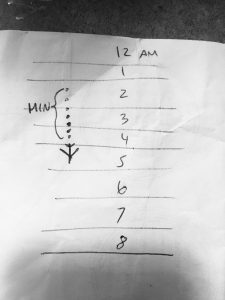
I was wondering how I would depict time using the plane. This sketch represents my initial idea:

I wanted the plane to move vertically, 1/24 of its way through the canvas per hour, with a trail of dots behind it to signify the minutes. However, I quickly realized, after coding it, that the minute dots would go off the canvas for an entire hour at a time if the time was in the morning.

So I revised my idea, so that the plane would move horizontally one unit per hour. The dots would still signify the minutes. To signify seconds, the plane would move vertically by a 1/60 of the height every second. In this second configuration, the dots behind the plane are visible at least for a few moments per minute.


jwchou-LookingOutwards-06

Postmodern Modernist Generator
by Don Relyea

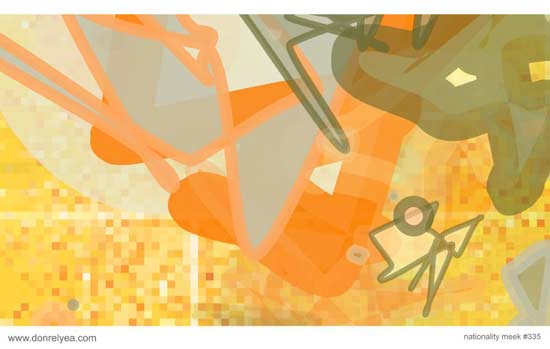
This project is a program that generates random modernist art by Don Relyea. It’s the third iteration, and with each iteration, Relyea incorporated new elements and features into his program.

I really admire Relyea’s thinking behind his programs. On his documentation page, he writes about how artists can truly never be replicated by programs, because they make spontaneous, intuitive decisions. However, he says that by logically breaking down choices an artist might make, a program can create a fairly good (and fast) approximation of art. Because he programs the generator to make decisions like an artist, Relyea’s artistic sensibilities are represented in the algorithms. However, It is not completely random, because the generator bases the art off of pre-selected color palates.

The last time the algorithm was updated seems to be 2010.


mjeong1-LookingOutwards-06-sectionA

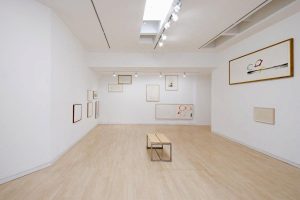
Exhibition in Kettle’s Yard gallery in Cambridge by John Cage
Computer-generated Random Numbers Determined Media, Composition and Color of the Art Work

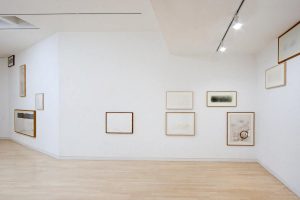
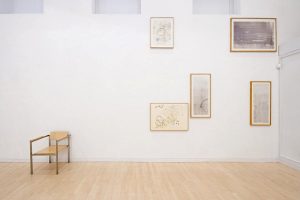
John Cage is known for the use of randomness in his art. In his art works in The Kettles Yard exhibition, Cage used computer generated random numbers to determine which row of stones, which brush to use, and the position of the stone on the paper. After generating such randomness, he finally paints around the stone. He also uses randomness in the form of exhibition, using computer generated-coordinates to determine the heights and positions of the pictures. Even during the exhibition, art pieces are removed and added through the random process.

I think his approach to randomness is remarkable because unlike Jackson Pollock, who used randomness as a controlled expression, Cage completely sacrificed his control to use chance operation. Art has been considered as a form of expressed feelings. However, Cage in Kettles Yard completely challenged this notion of traditional art and enlighten public with the beauty of randomness.

link to Kettle’s Yard

mjeong1-06-Abstract-Clock-SectionA

sketch

//Min Young Jeong
//mjeong1@andrew.cmu.edu
//Project-06
//section A

function setup() {
    createCanvas(500,500);//create canvas 500X500 
}

function draw() {
    background(51,51,51);

    var h = hour(); 
    var m = minute(); 
    var s = second(); 
    //setting up variables for the time
    var mappedh= map(h,0,24,0,4);
    //divide 24 hours into 4 so that later I can create 4 rectangles that represents hours 
    //each rectangle will represent 6 hours

    stroke(203,203,203);
    strokeWeight(5);
    fill(33,33,33);
    quad(20,330,480,330,460,490,40,490);
    stroke(0);
    //initial back ground which is the machine 

    for(var i = 0; i<mappedh; i++){
        fill(255,100,100);
        noStroke();
        rect(i*70+35,370,60,60,20);
        fill(0);
        noStroke();
        textSize(20);
        text("25%",i * 70+45,405);
    }
    //hour each pink rectancle represents 6 hours so that 4 rectangles as totall will have 100% which is 24 hours

    if(m%2 ==0){
        fill(255,50,50);
        rect(350,370,80,80,15);
    }
    else{
        fill(7,196,7);
        rect(350,370,80,80,15);
    }
    //min 
    //spin button will change the color, green to red, red to green. 
    //color change happens every minute
    fill(0);
    strokeWeight(2);
    textSize(25);
    text("SPIN",360,415);
    noStroke();
    fill(162,162,162);
    rect(0,0,500,350);
    fill(68,62,64);
    quad(10,10,490,10,470,30,30,30);
    fill(102,102,102);
    quad(10,10,30,30,30,320,10,340);
    fill(221,221,221);
    quad(10,340,30,320,470,320,490,340);
    fill(124,122,116);
    quad(490,340,470,320,470,30,490,10);
    fill(0);
    rect(30,30,440,290);
    //background of slot machine
    //grey picture frame

    for(var i = 0; i<3; i++){
        fill(255);
        stroke(180);
        strokeWeight(3);
        rect(i*150+35,50,130,200);
        //three white background for three screens
        //use for loop create three rectangles using on rect command
        if(m<20){
            fill(255,50,50);
            stroke(0);
            textSize(180);
            text("7",150*(i-2)+50,210);
            fill(200);
            rect(350,100,100,100);
            rect(200,100,100,100);
        }
        //if we have min 0 to 19(for example 06:15am or pm), then we have one 7 and two rectangles
        //on the screen
        if (m>=20 & m<40){
            fill(255,50,50);
            stroke(0);
            textSize(180);
            text("7",150*(i-1)+50,210);
            fill(200);
            rect(350,100,100,100);
        //if the minute is 20 to 39, then it has two 7s and one rectangle 

        }
        if (m>=40 & m<60){
            fill(255,50,50);
            stroke(0);
            textSize(180);
            text("7",150*i+50,210);
        }
        //if the minute is 40 to 59, then we have three 7s

        if (m<60 & m>50){
            fill(255,50,50);
            stroke(0);
            textSize(180);
            text("7",150*i+50+random(1,5),210);
        }
        //from 50 min to 60 min, 7s are shaking
    }

    for(var i = 0; i<s; i++){
        fill(255,50,50);
        stroke(255);
        strokeWeight(2);
        rect(i*7+35,290,7,20);
    }
    //number of red rectanlges that represent the secs

    if(m==0){
        textSize(50);
        text("JACKPOT",50,480);
    }
    //each o'clock will have jackpot, ex)3 o'clock, 4 o'clock

}


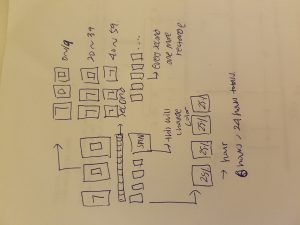
For this assignment I created slot machine that represents abstract clock. Every second, the number of red rectangles under the slot machine screes will increase. Every other minute, the color of button will change its color. And every 20 min you get “7” on your screen which increases its number at 20 min, 40min, and 60min. As the number of the “7” will increase and when it reaches three “7”s, then you will get “jackpot”

adev_Project 6_abstract_clock

adev_Project_6

//Aisha Dev
//15-104 SECTION E
//Project 6


var rectPitY = 80;


function setup() {
   createCanvas (400,400);
 }


 function draw(){
 	background(0);
    // Pittsburgh time (EST)
 	var Hpit = hour();
 	var Mpit = minute();
    

   // Time in New Delhi
 	var Hdel = Hpit + 9;
 	var Mdel = Mdel + 30;

 	for (var i = 0; i <= second(); i ++){
 		strokeWeight(0.3);
 		 fill (55,55,55,50);
     line (400, height/2, width/i, i*20);
 		strokeWeight(0.5);
 		stroke(255);
     line (i, 0, i*20, i+width);
     }
   
    //Hours in Pittsburgh
     fill(255);
     stroke(40);
     rect (width/2, 80+Hpit, 150, 20);

     //Hours in Delhi
     noFill();
     stroke(255);
     strokeWeight (3);
     rect(width/4 + Hdel, 300, 20+(4*Hdel), 150);

     //Minutes in Pittsburgh
     for (var i = 0; i <= Mpit; i ++){
     	stroke(10);
 		strokeWeight(2);
 		 fill (255);
     ellipse(i*2.2, 50+(i*1.3), 70, 70);
     }

      //Minutes in Delhi
     for (var i = 0; i <= Mpit; i ++){
     	stroke(255);
 		strokeWeight(1);
 		 noFill ();
     ellipse(200+(i*1.5), 320, 20, 20);
     }

 }

I wanted to include multiple time zones because I feel like that is how I experience time. I wanted to include what Indian Standard Time means to me when I’m on Eastern standard time.