ashleyc1-Section C-Project-06-Abstract-Clock

sketch

 //Ashley Chan
 //Section C
 //ashleyc1@andrew.cmu.edu
 //Project-06-Abstract-Clock

var  lastSecond;
var  currentSecond;

var lastMinute;
var currentMinute;

var lastHour;
var currentHour;

var secondAngle;
var minuteAngle;
var hourAngle;

var x = 0;
var y = 0;

var maxDiameter = 280;
var theta = 0;

var strokeCol;
var weight;


function setup() {
    frameRate(1);
    createCanvas(300, 300);
   // translate(150, 150); //Set origin to center of canvas
    angleMode(DEGREES);
    background(215, 192, 208);
    drawMinuteArc();
}

function draw() {
    translate(150, 150); //Set origin to center of canvas
    rotate(-90); //set hands so they start where 12 would be

        drawStuffBasedOffMinute();

        drawStuffEverySecond();

        drawMinuteArc();

        drawStuffBasedOffHour();

     
     if (second() != 0) {
     //clock outline
        stroke(255);
        strokeWeight(5);
        noFill();
        ellipse(0, 0, 200, 200);

    }


}

function drawStuffBasedOffHour() {

      currentHour = hour();

            if (lastHour != currentHour) {

                //calculate how much to rotate hour rect
                hourAngle = currentHour * (360/12);
                    //For every hour that passes, rotate hour rect
                    for (var i = 0; i <= 12; i++){
                        push();
                        rotate(hourAngle);
                        fill(255, 100, 150, 8);
                        noStroke();
                        rect(0, 50, 25, 25);
                        pop();

                    }

            }
}


function drawStuffBasedOffMinute() {

      currentMinute = minute();
      
            if (lastMinute != currentMinute) {
                //have circle with stroke outline pulse according to minute
                for (var i = 0; i < 60; i ++) {
                    var diam = (sin(theta) * maxDiameter/2) + maxDiameter/2;

                    strokeWeight(.1);
                    stroke(0);
                    noFill();
                    ellipse(0, 0, diam, diam);

                    theta += 1;
                    }
                }

                
}

function drawStuffEverySecond() {

      currentSecond = second();

                if (currentSecond != 0) {

                    //Calculate how much to rotate line
                    secondAngle = currentSecond * (360/60);
                        push();
                        rotate(secondAngle);
                        fill(255, 100, 150, 8);
                        stroke(50, 50, 50);
                        line(0, 0, 80, 0);
                        noStroke();
                        ellipse(0, 110, 10, 10);
                        pop();
                    
            }

            else {
                setup();
            }

}

function drawMinuteArc() {

            if (lastMinute != currentMinute) {
                //calculate houw much to rotate min hand
                minuteAngle = currentMinute * (360/60);
                    //For every hour that passes, rotate hour hand
                    push();
                    rotate(minuteAngle);
                    stroke(255);
                    strokeWeight(1);
                    ellipse(20, 20, 25, 25);            
                    pop();

                print(minuteAngle);
        }   
}


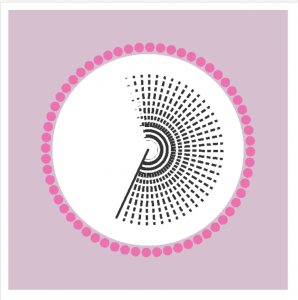
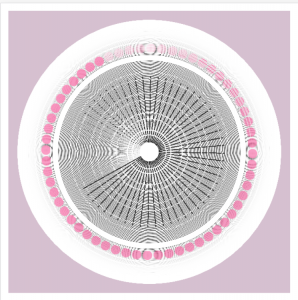
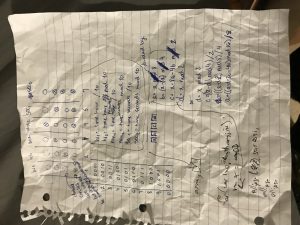
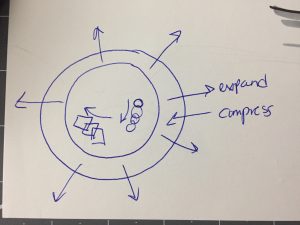
This clock isn’t what I thought it would be. I think I had a lot of creative ideas that just didn’t completely work out. I wanted to create a pulsing circle based on the minute and have a “second” hand and circle revolve around the center. Every hour, a square would rotate as well. I also wanted all of these shapes to draw over each other. By doing so I could create a cool optical illusion effect which I think I was successful at but there are still bugs in my code that I couldn’t quite resolve. Additionally, wordpress seems to not be able to handle my clock since so much information is being stored and drawn over. My code doesn’t normally freeze when the index is run normally if you want to check: ashleyc1-Section C-Project-06
Initial Sketch
In progress code of just seconds that I like better than my final

Sheenu-Project 06-Abstract Clock

sketch

//Sheenu You
//Section E
//sheenuy@andrew.cmu.edu
//Project-06
var one=50

var prevSec;
var millisRolloverTime;

function setup() {
    createCanvas(480, 480);
    millisRolloverTime = 0;
}

function draw() {
    background(198,229,217); // My favorite blueish greem
    
    // Fetch the current time
    var H = hour();
    var M = minute();
    var S = second();
    
    // Reckon the current millisecond, 
    // particularly if the second has rolled over.
    // Note that this is more correct than using millis()%1000;
    if (prevSec != S) {
        millisRolloverTime = millis();
    }
    prevSec = S;
    var mils = floor(millis() - millisRolloverTime);
    
    var hourBarWidth   = map(H, 0, 23, 0, width);
    var minuteBarWidth = map(M, 0, 59, 0, width);
    var secondBarWidth = map(S, 0, 59, 0, width);
    
    // Make a bar which *smoothly* interpolates across 1 minute.
    // We calculate a version that goes from 0...60, 
    // but with a fractional remainder:
    var secondsWithFraction   = S + (mils / 1000.0);
    var secondsWithNoFraction = S;
    var secondBarWidthChunky  = map(secondsWithNoFraction, 0, 60, 0, width);
    var secondBarWidthSmooth  = map(secondsWithFraction,   0, 60, 0, width);
    
    noStroke();
    //Metronome Variables 
    var speed =2;
    var dir = 1;
    var secondx = 120
    var winklex=240
    //Controls Metronome Arm
    if(S%2==0){
    	 secondx = 120
    } else { 
    	 secondx = 360
    }
    //Metronome Itself
    fill(151,208,199)
    ellipse(240,438,420,50)
    fill(214,129,137);
    quad(184,47,294,47,367,324,101,324);
    rectMode(CORNERS);
    rect(101,324,367,439);
    fill(198,164,154)
    quad(189,52,289,52,362,322,106,322)
    fill(233,78,119)
    triangle(111,367,111,430,357,430)
    fill(244,234,213)
    rect(219,66,263,311)
    strokeWeight(3);
    stroke(233,78,119);
    //Metronome Arm
    line(secondx,74,240,325)
    fill(233,78,119);
    rect(106,323,362,328);
    fill(244,234,213);
    rect(107,331,361,363);
    noStroke();
    fill(214,129,137);
    text("Minutes",220,78)
    //Minutes Dashes
    for(var poop=0; poop<M+1;poop++){
    	    stroke(233,78,119);
        strokeWeight(1);
    	line(240,308-poop*4,258,308-poop*4)
    	//Resets Dashes when Minutes is 0(?)
    	if(M==0){
    		fill(244,234,213)
    		rect(219,66,263,311)

    	}
    }
    //Hours
    text("Est. 19"+H,215,351)

}


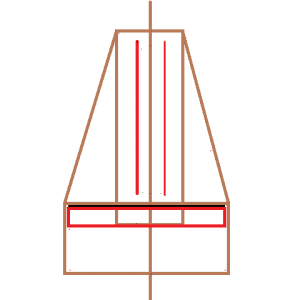
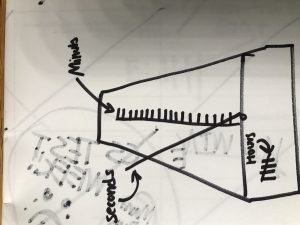
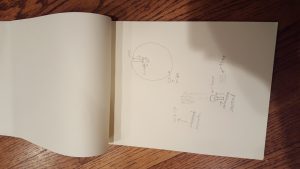
When I was very young, I never understood what a metronome was used for. The only thing that I found fascinating about the thing was the satisfying ticking noises, a unique and signature sound that sounded different and more pleasant compared to other ticking objects I encountered with everywhere at the time. Although the movement of the wand was repetitive and wasn’t really that interesting, I used to wonder why and how it moves back and fourth. I always wondered about the purpose of the metronome until I started to learn how to play the piano and learned that the metronome was used to control your tempo. Before I knew anything about the metronome, I assumed the metronome to be some type of clock since it had numbers, ticked, and moved back and fourth like a pendulum on old fashioned wall clocks or grandfather clocks. This gave me the inspiration to make this project. Although the color palette is a bit strange and there is no ticking noises, I still really like this project regardless.

hannajan-Project06-Abstract Clock

sketch

//Hanna Jang 
//Section B 
//hannajan@andrew.cmu.edu 
//Project 6: Abstract Clocks 

var thehead=80; 
var offset=50; 
var offset2=30; 
var offset3=130; 


function setup() {
	createCanvas(400, 400); 
}

function draw() {
	background(197, 216, 184); 
	noStroke(); 
	
	//race paths 
	for (var j=1; j<4; j++) {
	fill(233, 176, 77); 
	rect(0, j*100, width, height/6); 
		}
	
	//race signs 
	fill(255); 
	rect(width/17, height/10, width/6, width/10); 
	rect(width*14/18, height/10, width/6, width/10); 
	
	//race sign letters
	strokeWeight(2); 
	fill(0); 
	text("START", width/11, height/6); 
	text("FINISH", width*9/11, height/6); 
	
	//character names 
	fill(0); 
	text("Second the Rabbit", width/4+8, offset3); 
	text("Minute Man", width/4+8, offset3*2-offset2); 
	text("Hour the Panda", width/4+8, offset3*3-offset); 
	
	//Fetch the current Time 
	var H=hour(); 
	var M=minute(); 
	var S=second(); 
	
	//track clock paths for racers 
	if (H<13) {
	var mappedH=map(H, 0, 11, 0, width-thehead/2); 
} else {
	var mappedH=map(H-12, 0, 11, 0, width-thehead/2);
}
	var mappedM=map(M, 0, 59, 0, width-thehead/2); 
	var mappedS=map(S, 0, 59, 0, width-thehead/2); 
	
	//Second the Rabbit 
	//head 
	fill(255); 
	ellipse(mappedS, width/3, thehead, thehead); 
	//ears 
	ellipse(mappedS-offset2, width/3-offset, thehead/4, thehead*4/5); 
	ellipse(mappedS+offset2, width/3-offset, thehead/4, thehead*4/5); 
	//eyes 
	fill(0); 
	ellipse(mappedS-thehead/5, width/3-thehead/10, thehead/10, thehead/10); 
	ellipse(mappedS+thehead/5, width/3-thehead/10, thehead/10, thehead/10); 
	
	//Minute the Man 
	//head 
	fill(255, 222, 168); 
	ellipse(mappedM, width/2+offset2, thehead, thehead); 
	//hair 
	fill(123, 79, 8);
	arc (mappedM, width/2+offset2, offset2*3, offset2*3, PI, TWO_PI ); 
	//eyes 
	fill(0); 
	ellipse(mappedM-thehead/5, height/3+offset3-20, thehead/10, thehead/10); 
	ellipse(mappedM+thehead/5, height/3+offset3-20, thehead/10, thehead/10); 
	
	//Hour the Panda 
	//ears 
	fill(0); 
	ellipse(mappedH-offset2, width/2+offset*2, thehead/3, thehead/3); 
	ellipse(mappedH+offset2, width/2+offset*2, thehead/3, thehead/3); 
	//head 
	fill(255); 
	ellipse(mappedH, width/2+offset3, thehead, thehead); 
	//eyes 
	fill(0); 
	ellipse(mappedH-thehead/4, width/2+offset*2+30, thehead/3, thehead/3); 
	ellipse(mappedH+thehead/4, width/2+offset*2+30, thehead/3, thehead/3); 
	fill(255); 
	ellipse(mappedH-thehead/4, width/2+offset*2+30, thehead/10, thehead/10); 
	ellipse(mappedH+thehead/4, width/2+offset*2+30, thehead/10, thehead/10); 
	
	
	//text showing clock time on top. 	
	//If the Hours value is higher than 12, then 12 is subtracted. 
	fill(255); 
	if (H<13) {
	text(H, width/4, 20); 
} else {
	text(H-12, width/4, 20); 
	}
	text(":", width/4+15, 20); 
	text(M, width/3-9, 20); 
	text(":", width/3+8, 20); 
	text(S, width/3+15, 20); 
}


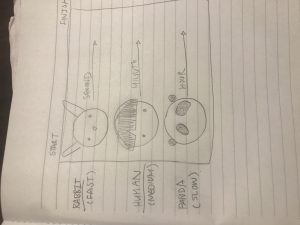
I thought of how the seconds clock moves faster than the minute and the hours is the slowest. I then thought of different symbols to represent this difference in speed. I came up with Second the Rabbit, Minute Man, and Hour the Panda. I am quite pleased with the outcome and the race my symbols are running.

Matthew Erlebacher Project-06 Abstract Clock

Abstract Clock

// Matthew Erlebacher
// Section B
// merlebac@andrew.cmu.edu
// Project-06

function setup() {
    createCanvas(480, 480);
}

function draw() {
    background(125);

    var H = hour();
    var M = minute();
    var S = second();
    // Sets up variables for time

    var mappedH = map(H, 0, 23, 20, 240);
    var mappedM = map(M, 0, 59, 0, width);
    var mappedS = map(S, 0, 59, 0, width / 2);
    // Maps time variables to different values

    fill(255);
    ellipse(width / 2, height / 2, width, height);
    // Creates giant circle in the background

    fill(75);
    rect(width / 2 - 5, 0, 10, mappedS);
    // Creates rectangle that extends downward length is connected to seconds

    fill(0);
    rect(0, height - 20, mappedM, 20);
    // Creates rectangle at the bottom extends rightward lenght is connected to minutes

    fill(0);
    ellipse(width / 2, mappedS, mappedH, mappedH);
    // Creates circle in the middle of canvas radius connected to hours

    fill(125);
    text(H, width / 2, 3 * height / 4 + 40);
    text(M, width / 2, 3 * height / 4 + 60);
    text(S, width / 2, 3 * height / 4 + 80);
    // Creates texts that list time
}

The end design was definitely very abstract. The design was a circle that lowers as each second passes. The radius of the circle increases by the hour, and there is a bar at the bottom that increases by the minute. I also included the time in text since I thought it might be unclear as to what everything meant. Originally the circle was supposed to come from the bottom, but I realized that it would be easier to implement, and it also looked better in the end. While I would have liked to make a more interesting design, I didn’t have the time since I was already struggling with arrays, and the time variables. Despite this, I enjoyed what I came up with, and its overall simplicity.

dayoungl Project 06

sketch

//Sharon Lee
//dayoungl@andrew.cmu.edu
//Section E
//Project-06
var d = 15;
var r = 0;
var g = 0;
var b = 0;
function setup() {
    createCanvas(450,450);
}

function draw(){
    background(255);
    fill(0, 10);
    stroke(0, 160);
    var H = hour();
    var M = minute();
    var S = second();
    // rectangle rotates by seconds
    translate(width/2, height/2);
    for (i = 0; i < S; i++) {
        push();
        rotate(i / 6.0);
        scale(i / 10.0);
        stroke(r,g,b);
        r = i * 10;
        b = i * 4;
        rect(0, -50, 10, 50);
        // print(S);
        pop();
    }
    //displays time
    var lo = height/2;
    textSize(20);
    textAlign(CENTER);
    fill(0);
    noStroke();
    text(H + " : ", 40, lo);
    text(M + " : ", 80, lo);
    text(S, 120, lo);

    // for (i = 0; i < H; i ++){
    //     r = 240;
    //     g = 240;
    //     b = 240;
    //     background(r,g,b);


}

    // var mappedH = map(H, 0,23, 0, width);
    // var mappedM = map(M, 0,59, 0, width);
    // var mappedS = map(S, 0,59, 0, width);

//     for (j = 0; j < 6; j ++){
//         for (i = 0; i <= S; i++){
//             stroke(r,g,b);
//             strokeWeight(2);
//             r = i * 5;
//             g = i * 3;
//             // line(10 * i, 100 * j, 10 * i, 150);
//             ellipse(10 * i, 10 * j, 50, 50);
//         }     
//     }
// }
//     for (i = 0; i <= M; i ++){
//         ellipse(10 * i, 10 * j, 50, 50);


//     }
    //second
//     for (i = 0; i < 6; i ++){
//         for(j = 0; j < 10; j ++){
//             // happy = [60 * j];
//             // sad = [60 * i];
//             push();
//             translate(40,40);
//             noStroke();
//             for (k = 0; k < S; k ++){
//                 fill(255);
//                 ellipse (20 * i, 60, d,d);
//             pop();
//             }
//         }
//     }    
// }       
    

    //Display the ellipses
    //ellipses change colour as time passes
    // for (i = 0; i < 24; i ++){
    //     var mappedH = map(H, 0,23, 0, d);
    //     fill(255);
    //     // r -= hour(-50);

    // }
    // for (i = 0; i < 24; i ++){
    //     var mappedM = map(M, 0.59, 0, d);
    //     fill (255,237,68);
    //     r = 255;
    //     g = 237;
    //     b -= 50;        
    //     ellipse(width/3 + 100, 100, d, d);
    // }
    // for (i = 0; i < 60; i ++){
    //     map (S, 0.59, 0, d); 
    //     fill(r,g,b);
    //     r = H - 5;
    //     g = H - 5;
    //     b = H - 5;
    //     ellipse(width/3 + 250, 100, d, d);
    // }

elizabew – looking outwards – 06 – SectionE

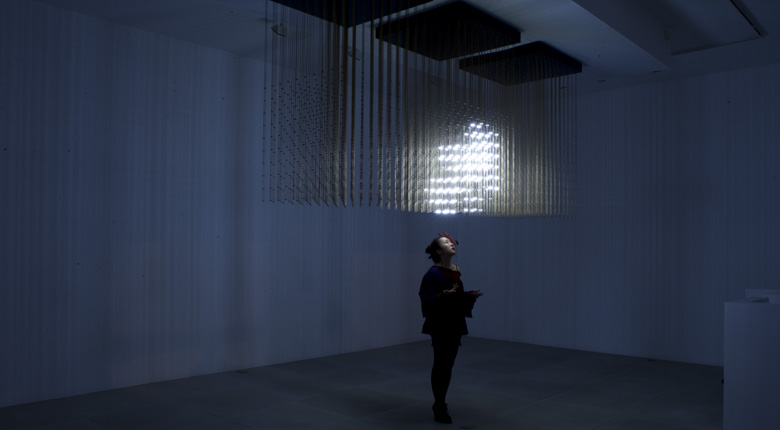
Swarm Light was an installation created by Random International, a collaborative studio founded by Hannes Koch and Florian Ortkrass. This installation explores artificial intelligence in motion using self-organising systems. These systems do have an “order” to them, but what I really admire about this project is how the randomness within the lights in this piece creates a swarm effect as a reaction to movement and surroundings that immerses observers to feel as though the installation is alive. The project itself is made from “LEDs, polished brass rods, custom circuit boards, custom driver software and hard ware, behavioral algorithm, sound / motion sensors, computer & interface”. What really comes through the piece is the inspiration that the creators got to create it, which was the efficiency of flocks of birds and how they react to their surroundings.

Click here for more information on this project

rkondrup-06-project-abstract-clock

sketch

// ryu kondrup
// rkondrup@andrew.cmu.edu
// section D
// project-06-abstract-clock

function setup() {
    createCanvas(480, 480);
}

function draw() {
  background(255);

    var centerPt = width/2;
    var sWidth = 100;
    var mWidth = 60;
    var hWidth = 30;
    var s = second();
    var m = minute();
    var h = hour();
    var sAngle = radians(s*6)-PI/2;
    var mAngle = radians(m*6)-PI/2;
    var hAngle = radians(h*30)-PI/2;

    //sin cos positioning of each circle


    //big center circle
    fill(120, 210, 200);
    stroke(255, 245, 210);
    strokeWeight(3);
    ellipse(centerPt, centerPt, width);

//to make 60 lines
for (var i = 0; i < 60; i++) {

    //seconds
    var sPositionX = cos(sAngle)*150+centerPt;
    var sPositionY = sin(sAngle)*150+centerPt;
    //minutes
    var mPositionX = cos(mAngle)*100+centerPt;
    var mPositionY = sin(mAngle)*100+centerPt;
    //hours
    var hPositionX = cos(hAngle)*60+centerPt;
    var hPositionY = sin(hAngle)*60+centerPt;
    //main background circle
    var xPerimeter = cos(radians(6*i))*240+240;
    var yPerimeter = sin(radians(6*i))*240+240;
    //new perimeter circle
    var x2Perimeter = cos(radians(i*s))*240+240;
    var y2Perimeter = sin(radians(i*s))*240+240;


//LINES!!!!!!!!!!!!!!!!!!!!
    stroke(245, 255, 210);
    strokeWeight(1);
    noFill();
        beginShape();
        //center reference point
        curveVertex(centerPt, centerPt);
        //fixed perimeter
        curveVertex(xPerimeter, yPerimeter);
        //second hand
        curveVertex(sPositionX, sPositionY);
        //minute hand
        curveVertex(mPositionX, mPositionY);
        //hour hand
        curveVertex(hPositionX, hPositionY);
        //fixed perimeter
        curveVertex(x2Perimeter, y2Perimeter);
        //back to center reference point
        curveVertex(centerPt, centerPt);
        endShape();
    }

// //CIRCLES!!!!!!!! HIDDEN
// fill(230, 230, 230);
// //seconds
// ellipse(sPositionX, sPositionY, sWidth)
// //minutes
// ellipse(mPositionX, mPositionY, mWidth)
// //hours
// ellipse(hPositionX, hPositionY, hWidth)


}

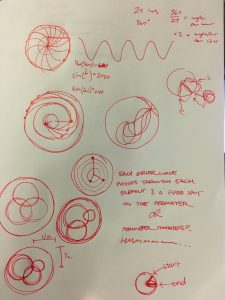
In this assignment I originally wanted to make circles which rotate inside of other rotating circles in the way that the moon orbits the earth as the earth orbits the sun, but because of time constraints and because I was not able to come up with a way to do it by friday morning, I had to settle on a different design concept. Instead I chose to depict time as a collection of curving lines which share three common points representing the second, minute, and hour. I then attached the lines to the perimeter of the bounding circle. The way that the line density changes each second was an accident but because it made the image more dynamic I decided to leave it.

Project – 06 – ssontag – Binary Clock

I got the idea for this project from my friend who has a binary clock next to his bed, earlier this year he explained to me how to read the clock using binary, but i had no idea how it actually worked. By using my knowledge of how to read the clock i was able to reverse engineer the code to create my own!

Here is my logic behind the Clock!

sketch

function setup() {
    createCanvas(200, 100);
    background(200);
}

function draw() {
//these variables take each digits place of the hour, min, and sec and translate them into
//binary, these variables will give an output of 1 or zero 
    var hr1 = floor(hour() / 10);
    var hr2 = hour() % 10;
    var min1 = floor(minute() / 10);
    var min2 = minute() % 10;
    var sec1 = floor(second() / 10);
    var sec2 = second() % 10;

//this creates an array of these points so i can use a for loops to iterate over each variable
    var timeArray = [hr1, hr2, min1, min2, sec1, sec2]
    var nTimeArray = timeArray.length;

//this for loop will iterate over each variable to give the binary values of each circle in
//each column, then using if statements to set the fill to green only if the binary value is 1
    for(var i = 0; i < nTimeArray; i++) {
        var x = timeArray[i];

        var a = floor(x / 8);
        var b = floor((x - 8 * a) / 4);
        var c = floor((x - 8 * a - 4 * b) / 2);
        var d = x % 2;


        if(a == 1) {
            fill(0, 255, 0);

        } else {
            fill(250);
        }

        ellipse(25 + 30 * i, 20, 10, 10);

        if(b == 1) {
            fill(0, 255, 0);

        } else {
            fill(250);
        }
        ellipse(25 + 30 * i, 40, 10, 10);

        if(c == 1) {
            fill(0, 255, 0);

        } else {
            fill(250);
        }
        ellipse(25 + 30 * i, 60, 10, 10);

        if(d == 1) {
            fill(0, 255, 0);

        } else {
            fill(250);
        }
        ellipse(25 + 30 * i, 80, 10, 10);

    }

}

aboyle-Looking Outwards-06

Picture credit:https://creators.vice.com/en_uk/article/vvzxkb/random-numbers-screen-printed-generative-art-nyc-event

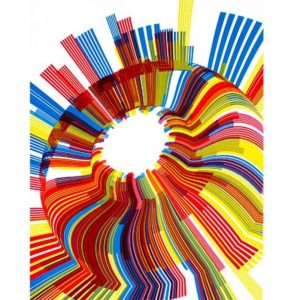
For this post, I decided to look at the work of Marius Watz, specifically his contribution to the “Random Number Multiples” series. All contributors create prints that engage with new techniques, and Marius Watz decided to experiment with computational randomness. Watz created two prints, both part of an “arc” series, that are described as “pseudo-random compositions of radial shapes, subtly distorted by a 3D surface that lends the image a strong focal point and sense of movement.”

First of all, I simply like the aesthetics of this project; I think that the final prints are very interesting to look at. Secondly, I think it’s interesting how the art was generated on a computer and then transferred onto a physical print. In a time where everything’s digitized, it can be tempting to just leave digital art on the computer, but I think that there’s a benefit to bringing that art into the physical world. Finally, while I can tell that aspects of the art were random, the piece is nonetheless cohesive, something that I find intriguing.

The artist describes the composition as “pseudo-random”, so the randomness was heavily biased and deterministic—not “truly random”, perhaps, but interesting nonetheless. From the final product, I can tell that Watz has an appreciation for both color and form.

elizabew-Project-06- Abstract-Clock

sketch

//Elizabeth Wang
//Section E
//elizabew@andrew.cmu.edu
//Project 6: Abstract clock

function setup() {
  createCanvas(400, 400);
}

function draw() {

  var h = hour(); //hour
  var m = minute(); //minute
  var s = second(); //second

  background(0,167,225);

  fill(255);
  noStroke();
  ellipse (150, 120, 50, 100); //left ear
  ellipse (250, 120, 50, 100); //right ear
  ellipse (200, 200, 200, 200); //head

  fill(255,200,87);
  ellipse (175, 210, 20, 10); //nose

  stroke(0);
  strokeWeight(2);
  fill(255);
  ellipse (140, 180, 50, 50); //right eye
  ellipse (220, 180, 50, 50); //left eye

  var thetaSecond = ((3*PI)/2) + (PI/30) * s; //increments of 60 for seconds
  var xls = 140 + 10*cos(thetaSecond); //x left eye position
  var yls = 180 + 10*sin(thetaSecond); //y left eye position
  var xrs = 220 + 10*cos(thetaSecond); //x right eye position
  var yrs = 180 + 10*sin(thetaSecond); //y right eye position
  fill(0);
  noStroke();
  ellipse (xls, yls, 30, 30); //left eye moving
  ellipse (xrs, yrs, 30, 30); //right eye moving


  //mouth
  noStroke();
  fill(52,52,52);
  rect(158, 225, 40, 2*m, 20, 20, 10, 10); //mouth gets bigger every minute
  if (m>30){ //when mouth gets big, also a mark for when it is past 30 minutes

    var xt = 100 + 80*cos(thetaSecond); //x right eye position
    var yt = 200 + 80*sin(thetaSecond); //y right eye position
    textSize(20);
    text("it's been 30 minutes, I'M LATE!", xt, yt);
    fill(189,217,191);

  }


  //cheek blush

  if (h == 0){ //changing from 24 to 12 hour time
    h = 12;
  }
  if (h > 12){
    h = h - 12;
  }

  for(var x = 0; x < h ; x++){ //every hour there is a new blush line
    stroke(237,106,90);
    var spacing = x * 15;
    line(spacing + 130, 200, spacing + 90, 220);

  }

}

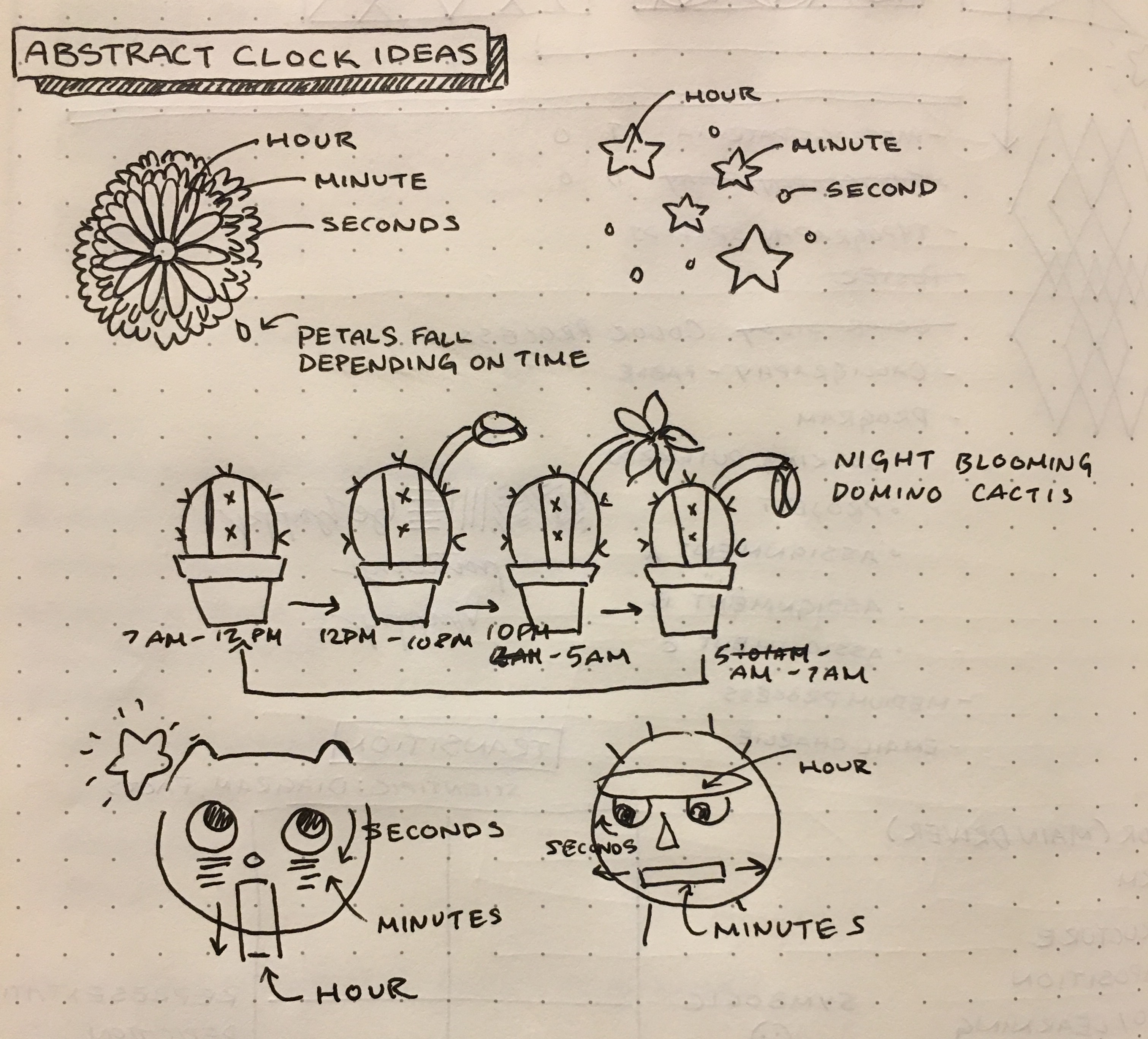
Reflection

This project was difficult for me in the sense that it was hard for me to distance myself from what actual clocks generally looks like. At first I tested out trying to make a flower grow out of a cactus and eventually die as the day went on, but it ended up being too complicated, so I simplified it to a face instead. I’m happy with how the final looks, but I still feel as though if I had more time, I would add more graphic elements. The face itself rolls its eyes every second, and every minute that passes, the mouth gets longer. Once 30 minutes passes, text pops up that informs the user that it has been over 30 minutes. For the hour, I added “blush” lines, and each line represents one hour.