Looking Outwards 06

http://dada.compart-bremen.de/item/artwork/1265

I have always been a fan of simplicity in art and design. All the while providing enough substance to hold the attention of the viewer. I think this piece by Herbert W. Franke does this quite well. After all, it is only a plain white canvas with many squares randomly placed. However, in this simply idea he gives the audience a fun moment to look at his work. He does this by changing the sizes of the squares and letting them overlap, giving the piece an added dimension. Now each different viewer can see something personal in the random amalgamation of squares.

As far as the actually production of the piece, I would imagine, with whichever program he used, he used arrays to hold various sizes and a “random” command to place and call different sizes from the array. He describes the process as drawing and then generating it digitally.

Looking Outwards 06 – Yugyeong Lee

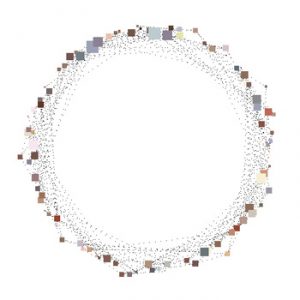
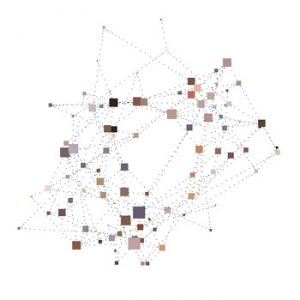
Jared Tarbell, co-founder of Etsy, is a generative artist who utilizes algorithms to create graphic images. His online portfolio known as Gallery of Computation (2012) has compilation of computational, generative art works created through the use of different geometries and texture. Although he manipulates code to achieve certain result, some of his works embody use of randomness in generating art. Happy Place is an example of that which are configuration of a system of nodes that are connected at random preference to other nodes around. And these connections are defined as “friendships.” Limits are set to this random variable: nodes move close to make friendships but no closer than a minimum distance and nodes keep a reasonable distance from “non-friends.” At start, the nodes are placed inside the boundary of a circle; however, once the nodes are connected to the system, they form to its best structure while re-arranging appropriately. The artist’s sensibilities are best portrayed through the view of the nodes and its connection as “friends” and “friendships” as well as its use of Sand Stroke object that texture the connections to add depth to the final result. The artist also shows one design that derived out from an error that created a strange vertical movement, open to discover new things from different possibilities.

Java showing the underlying system

Happy Place 1000                                                          Happy Place 1001


portfolio: http://www.complexification.net/gallery/

Looking Outwards 06 – ssontag – Conway’s Game of Life

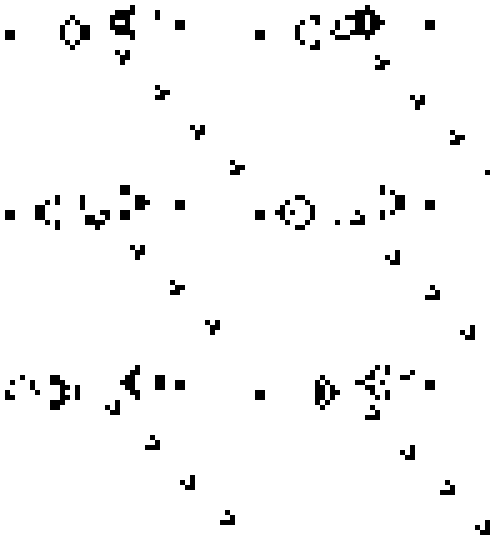
The other day my friend was telling me about Conway’s Game of Life, it is a celluar autmaton and was created by mathematician John Horton. This i a pseudo random program that uses a set of rules to create a different situation based on the starting position determined by the user. As soon as the starting condition is determined, the rules play out. The program will run as long as none of the shapes die. They die if they are completely surrounded and cannot grow based on the rules. I appreciate this a lot because it was not originally created to be art, but since it’s creation many people have analyzed the rules and created some very graphically interesting animations.

Here is an example called Gosper’s glider gun.

dayoungl Looking Outwards -06

Second Voyage to Italy (second version), 1962 SFMOMA

For this week’s topic on “randomness”, I chose to write about artist Cy Twombly. Cy Twombly is a famous American painter who is known for his stylistic freely-scribbled, graffiti-like, large-scale paintings. Twombly drew inspiration from mythological stories and expanded it into his own way of representing a cultural memory. Just like the painting above, his paintings are compose of variety of colour palette. However, oddly all the colours come together and create an unique harmony; not one colour seem to pop predominantly and overpower the other strokes on the canvas but every strokes are in perfect harmony. Perhaps, this is the point where we should be asking ourselves about where to draw the line between randomness and intentionalness in his painting. Even though the strokes he painted on were random, his colour choice may not have been. To apply this on my creative process, I think this made me thought about where my subconscious is based on: What I think is random, is it really random?

keuchuka project 6

project6

//Fon Euchukanonchai
//15-105 SECTION A
//keuchuka@andrew.cmu.edu
//Project-06

//defining arrays for X and Y of gold coins
var A = [196,210,227,141,156,168,183,245,260,204,190,177,222,239, 163, 150, 250, 199, 186, 213, 231, 172, 243, 159, 195, 209, 229, 182, 239, 168, 204, 220, 190, 176, 233, 205, 221, 191, 177, 235,195, 211, 181, 224,199, 213, 184, 226, 210, 198, 184, 202, 190, 217, 186, 199, 213, 191, 206, 200]

var B = [327,327,327,327,327,327,327,327,327,324,324,324,324,324,324,324,324, 319,319,319,319,319,319,319, 314, 314,314,314,314,314, 310,310,310,310,310, 305,305,305,305,305, 303,303,303,303, 298,298,298,298, 294,294,294, 290,290,290, 285,285,285, 280,280, 275];

function setup() {
	createCanvas(400, 400);
}

function draw() {

    background(255);
    
    //putting time functions in variables
    var S = second();
    var M = minute();
    var H = hour();

    //values to shake increase as seconds get higher as it nears one minute
    var mShake = map(S, 0, 60, 0, 1.5);
    var shake = random(-mShake, mShake)

    //map for cloak to expand according to minute value
    expandX = map(M, 0, 60, 0, 100 )
    expandY = map(M, 0, 60, 0, 30)

    //map for cloak to change brightness/darkness according to hour of the day
    if (H >= 0 & H <= 12){
    hourMap = map(H, 0, 12, 0, 255)
    }

    if (H >= 12 && H <= 24){
    hourMap = map(H, 12, 24, 255, 0)
    }

    //cloak
    beginShape();
    fill(hourMap);
    noStroke();
    curveVertex(91-expandX, 400);
    curveVertex(91-expandX, 400);
    curveVertex(111-expandX*0.8, 217);
    curveVertex(129-expandX*0.65, 96);
    curveVertex(178-expandX*0.4, 57-expandY);
    curveVertex(218+expandX*0.4, 59-expandY);
    curveVertex(270+expandX*0.65, 96);
    curveVertex(286+expandX*0.8, 217);
    curveVertex(309+expandX, 400);
    curveVertex(309+expandX, 400);
    endShape();

    //face
    push();
    beginShape();
    fill(221, 231, 229)
    noStroke();
    curveVertex(136, 112);
    curveVertex(136, 112);
    curveVertex(157, 83);
    curveVertex(190, 69);
    curveVertex(239, 85);
    curveVertex(259, 131);
    curveVertex(241, 254);
    curveVertex(182, 275);
    curveVertex(146, 237);
    curveVertex(131, 167);
    curveVertex(136, 112);
    curveVertex(136, 112);
    endShape();
    pop();

    //inner face
    beginShape();
    fill(255)
    noStroke();
    curveVertex(196, 80);
    curveVertex(196, 80);
    curveVertex(228, 92);
    curveVertex(249, 139);
    curveVertex(244, 203);
    curveVertex(235, 240);
    curveVertex(226, 256);
    curveVertex(202, 272);
    curveVertex(174, 270);
    curveVertex(150, 240);
    curveVertex(139, 205);
    curveVertex(135, 161);
    curveVertex(139, 120);
    curveVertex(161, 85);
    curveVertex(196, 80);
    curveVertex(196, 80);
    endShape();

    //right eyebrow
    beginShape();
    fill(158, 133, 189);
    noStroke();
    curveVertex(160, 105);
    curveVertex(160, 105);
    curveVertex(165, 105)
    curveVertex(168, 118);
    curveVertex(170, 129)
    curveVertex(168, 137);
    curveVertex(161, 140);
    curveVertex(153, 138);
    curveVertex(150, 133)
    curveVertex(151, 125);
    curveVertex(154, 117);
    curveVertex(160, 105);
    curveVertex(160, 105);
    endShape();


    //left eyebrow
    beginShape();
    fill(158, 133, 189);
    noStroke();
    curveVertex(230, 105);
    curveVertex(230, 105);
    curveVertex(237, 112)
    curveVertex(245, 131);
    curveVertex(242, 139)
    curveVertex(236, 141);
    curveVertex(230, 140);
    curveVertex(225, 136);
    curveVertex(225, 123)
    curveVertex(226, 113);
    curveVertex(230, 105);
    curveVertex(230, 105);
    endShape();

    //left eye
    fill(0);
    beginShape();
    push();
    noStroke();
    frameRate(1);
    curveVertex(146+shake, 152);
    curveVertex(146+shake, 152);
    curveVertex(152+shake, 149);
    curveVertex(163+shake, 147);
    curveVertex(172+shake, 151);
    curveVertex(175+shake, 157);
    curveVertex(170+shake, 162);
    curveVertex(159+shake, 164);
    curveVertex(145+shake, 159);
    curveVertex(146+shake, 152);
    curveVertex(146+shake, 152);
    pop();
    endShape();

    //right eye

    beginShape();
    fill(0);
    frameRate(1);
    noStroke();
    curveVertex(233+shake, 147);
    curveVertex(233, 147+shake);
    curveVertex(249+shake, 149);
    curveVertex(254, 159+shake);
    curveVertex(244+shake, 164);
    curveVertex(232, 164+shake);
    curveVertex(224+shake, 159);
    curveVertex(222, 154+shake);
    curveVertex(225+shake, 150);
    curveVertex(233, 147+shake);
    curveVertex(233+shake, 147);
    endShape();

    //left under eye
    beginShape();
    fill(131);
    noStroke();
    curveVertex(161, 170);
    curveVertex(161, 170);
    curveVertex(171, 168);
    curveVertex(172, 168);
    curveVertex(164, 175);
    curveVertex(149, 172);
    curveVertex(148, 170);
    curveVertex(161, 170);
    curveVertex(161, 170);
    endShape();

    //right under eye
    beginShape();
    fill(131);
    noStroke();
    curveVertex(235, 169);
    curveVertex(235, 169);
    curveVertex(246, 169);
    curveVertex(247, 171);
    curveVertex(235, 174);
    curveVertex(227, 173);
    curveVertex(223, 170);
    curveVertex(225, 168);
    curveVertex(235, 169);
    curveVertex(235, 169);
    endShape();

    //left cheek
    beginShape();
    fill(158, 133, 189);
    noStroke();
    curveVertex(151, 188);
    curveVertex(151, 188);
    curveVertex(153, 182)
    curveVertex(157, 180);
    curveVertex(169, 185)
    curveVertex(170, 210);
    curveVertex(170, 218);
    curveVertex(168, 226);
    curveVertex(165, 226);
    curveVertex(158, 214);
    curveVertex(151, 188);
    curveVertex(151, 188);

    endShape();

    //right cheek
    beginShape();
    fill(158, 133, 189);
    noStroke();
    curveVertex(242, 190);
    curveVertex(242, 190);
    curveVertex(239, 207)
    curveVertex(231, 226);
    curveVertex(226, 224)
    curveVertex(224, 190);
    curveVertex(230, 180);
    curveVertex(238, 181);
    curveVertex(242, 190);
    curveVertex(242, 190);
    endShape();

    //chin mark

    beginShape();
    fill(158, 133, 189);
    noStroke();
    curveVertex(198, 256);
    curveVertex(198, 256);
    curveVertex(208, 255)
    curveVertex(210, 256);
    curveVertex(199, 263)
    curveVertex(189, 261);
    curveVertex(185, 257);
    curveVertex(186, 255);
    curveVertex(198, 256);
    curveVertex(198, 256);
    endShape();

    //heart comes up near end of minute
    if (S>57){
        push();
        heart(0,0);
        heart(77, 0);
        pop();
    }

    //mouth eating
    var mouthExpandx= 0;
    var mouthExpandy= 0;

    //mouth gets wider at end of minute
    if (55 < S & S < 60){
    mouthExpandx = map(S, 50, 57, 0, 10);
    mouthExpandy = map(S, 50, 57, 0, 50);
    }
    
    //mouth shuts at end of minute
    if (S > 59){
    mouthExpandx = map(S, 58, 60, 10, 0);
    mouthExpandy = map(S, 58, 60, 50, 0);
    }

    //mouth
    fill(0);
    beginShape();
    frameRate(10);
    noStroke();
    curveVertex(197+shake, 237+shake);
    curveVertex(197, 237+shake);
    curveVertex(211+shake, 236)
    curveVertex(218, 239+shake);
    curveVertex(220+shake, 244+shake)
    curveVertex(214+mouthExpandx, 249+shake+mouthExpandy);
    curveVertex(190+shake, 250+mouthExpandy);
    curveVertex(179+shake-mouthExpandx, 248+shake+mouthExpandy);
    curveVertex(175, 244+shake);
    curveVertex(177+shake, 239+shake);
    curveVertex(185, 236+shake);    
    curveVertex(197+shake, 237+shake);
    curveVertex(197, 237+shake);
    endShape();


    //bowl top
    fill(120, 18, 20)
    arc(198, 329, 186, 54, 0, PI)

    //bowl bottom
    fill(239, 59, 57)
    ellipse(198, 329, 184, 5)


    //calling array values for gold coins every second plus jitter
    for (var i = 0; i < S; i++){
        frameRate(20);
        var shakeX = A[i] + random(-0.5,0.5)
        var shakeY = B[i] + random(-0.5 ,0.5)
        coin(shakeX, shakeY);
    }

}

//gold coin
function coin(x, y) {
    push();
    translate(x, y);
    fill(226, 156, 37);
    ellipse(0, 0, 22, 8);
    fill(252, 207, 117);
    ellipse(0, 0, 19, 5);
    fill(255, 232, 192);
    ellipse(0, -1, 10, 2);
    pop();
}

 //heart
 function heart(x,y) {
    beginShape();
    noStroke();
    translate(x,y);
    fill(255, 0 ,0);
    curveVertex(160, 161)
    curveVertex(160, 161)
    curveVertex(157, 157)
    curveVertex(155, 152)
    curveVertex(158, 151)
    curveVertex(159, 154)
    curveVertex(160, 152)
    curveVertex(162, 150)
    curveVertex(165, 151)
    curveVertex(163, 157)
    curveVertex(160, 161)
    curveVertex(160, 161)
    endShape();
}

I wanted to create a clock based on a toy that is based on a character from a Ghibli movie. The seconds are the most apparent from the coins, the size of the cloak follows the minute, and the color of the cloak is based on the hour. I wasn’t too concerned with being able to tell time. Overall this was satisfying to make even though there are issues with the smoothness of animation.
cduong-looking outward-06

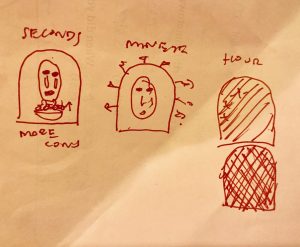
I tried to look up randomness in computation of art through architecture and stumbled upon an interesting article: https://www.fastcodesign.com/3052333/the-value-of-randomness-in-art-and-design

There is a project called “Coding Architecture”, which was done by Linyi Dai. It is under the category “Randomness Projects” http://lostritto.com/risd2015spring-seminar/?cat=6. This project was a result of a challenge that students were given, which was to consider what they can do in order to generate random results. Dai used the value that she was given to generate the rungs of a sphere that seem random but were actually well thought on based on what she might have wanted it the different rungs to look like, which was a sphere. What I admire about this project is that these students, including Lindi, use computation as a medium for art rather than a tool and can use the concept of randomness to create something in art that may not be as random as one may think.

In this particular assignment the way that Linyi used the concept of algorithms and randomness was to just use what she was given, values, and create pretty much anything she wanted, which was a sphere that was cut up. when randomness is used in art and architecture I think a person puts together what they want to put together and thinks seems coherent to themselves, but may look completely random to someone else, which is what I usually feel when I’m in a museum looking at artwork.

Nothing is random, whether it has to do with the design of something or the idea of something, there is always a underlying reason for why something is the way it is even if it may seem random. The article states that “randomness” is not a new concept. In nature random occurrences are easily found, but that’s different in a digital computer where the “randomness” is now quantifiable and known. Although the “applications of randomness in statistics, computer science, finance, and mathematics are well established, it is less so in art and design”. This is why I wanted to look more into the idea of randomness in something like architecture, which I didn’t specifically find but I found that there are cases where they use computational practices like randomness to create architecture. Example: Coding Architecture.

aboyle-Project 06-Abstract Clock

aboyle clock

function setup() {
    createCanvas(480, 480);
}


function draw() {
  background(122,109,95);
  rectMode(CORNER)

  var h=hour();
  var m=minute();
  var s=second();
  var month;
  var mappedS = map(s,0,59,135,370);

  stroke(0)
  strokeWeight(1)
  fill(255);
  rect(130,20,245,190);
  rect(130,210,245,35)

//makes calendar squares
  for (r=1; r <= 7; r++)
    for(c=1;c <= 5;c++)
    rect(95+35*r,210+35*c,35,35)

//changes month according to hour
  if (h==1 || h==13){
    month="January"
  } if (h==2 || h==14){
    month="February"
  } if (h==3 || h==15){
    month="March"
  } if (h==4 || h==16){
    month="April"
  } if (h==5 || h==17){
    month="May"
  } if (h==6 || h==18){
    month="June"
  } if (h==7 || h==19){
    month="July"
  } if (h==8 || h==20){
    month="August"
  } if (h==9 || h==21){
    month="September"
  } if (h==10 || h==22){
    month="October"
  } if (h==11 || h==23){
    month="November"
  } if (h==12 || h==24){
    month="December"
  }


//month according to hour
  fill(0);
  textSize(25);
  text(month,width/2.3,237)

//moves x depending on minute
//since there are only 31 days in a month
//it changes color halfway through

  var across=m
  var down=245
  stroke(255,0,0)
  strokeWeight(5);
  if (m >7){
    across=m-7
    down=280
  } if (m >14){
    across=m-14
    down=315
  } if (m >21){
    across=m-21
    down=350
  } if (m >28){
    across=m-28
    down=385
  } if (m >31){
    across=m-31
    down=245
    stroke(0)
  } if (m >38){
    across=m-38
    down=280
    stroke(0)
  } if (m >45){
    across=m-45
    down=315
    stroke(0)
  } if (m >52){
    across=m-52
    down=350
    stroke(0)
  } if (m >58){
    across=m-58
    down=385
    stroke(0)
  } if (m < 1){
    strokeWeight(0);
  }

//draws X
  line(95+across*35,down,130+across*35,down+35);
  line(130+across*35,down,95+across*35,down+35);

//Picture Variables
  var secondLine=mappedS+40
  var thirdLine=mappedS+105
  var endPointOne=105
  var endPointTwo=198
  var endPointThree=mappedS
  var endPointFour=65
  var smallLine=mappedS-50
  var bluePoint=mappedS


//Calendar picture
  strokeWeight(5)
  stroke(0);
//first vertical line
  line(mappedS,22,mappedS,207)
//second smaller vertical line
  if (mappedS >330){
    secondLine=mappedS-198
  }
  line(secondLine,100,secondLine,207)
//third vertical line
  if (mappedS >270){
    thirdLine=mappedS-130
  }
  line(thirdLine,22,thirdLine,150)
//fourth vertical line
  if (mappedS < 180){
    smallLine=mappedS+190
  }
  line(smallLine,150,smallLine,207)
//first horizontal line
  strokeWeight(5);
  if (mappedS >272){
    endPointOne=102+(270-mappedS)
    line(132,100,mappedS-132,100)
  }
  line(mappedS,100,mappedS+endPointOne,100)
//second horizontal lines
  if (mappedS >100){
    endPointTwo=198+(135-mappedS)
  }
  line(secondLine,150,secondLine+endPointTwo,150)
  line(132,150,mappedS,150)

//blue square
  rectMode(CORNERS)
  fill(0,0,255)
  if (mappedS < 180){
    bluePoint=372
    rect(132,150,mappedS,208)
  }
  rect(smallLine,150,bluePoint,208)
//red square
  fill(255,0,0)
  if(100 < mappedS & mappedS < 270){
    rect(132,22,mappedS,150)
    endPointThree=372
  }
  rect(thirdLine,22,endPointThree,150)
//yellow square
  fill(255,255,0)
  if (270 < mappedS && mappedS < 330){
    endPointFour=333-mappedS
    rect(132,100,thirdLine,150)
  }
  rect(secondLine,100,secondLine+endPointFour,150)


//tack to attach calendar to wall
    ellipse(255,32,5);

}

When brainstorming for my abstract clock, I thought about how a lot of our timekeeping was based on the number 12. I decided that I wanted to make an abstract clock based on a calendar, where the actual time corresponds to the represented date—3:12 will be represented as March 12th, for example. I had to use a lot of if-then statements in this project. For the minutes, I had to make an if-then statement for each set of seven minutes so I could move the x over across the row and then back to the beginning of the row when it drops a column.

I decided to make the picture on the calendar a Mondrian-esque art piece in reference to our first coding project. I wanted the art to seem as if it was wrapping around, which necessitated a lot more if-then statements. I’m assuming that there was more concise way to do it, but I don’t know it yet. Overall, while I wish it could have been visually prettier, I’m pretty happy with the concept and execution!

Project 6, odh

odhP6

//Owen D Haft
//Section D
//odh@andrew.cmu.edu
//Project 6

function setup() {
    createCanvas(265, 530);
}
 
function draw() {
    background(220-(2*day())); //The background darkens with the currentday
    stroke(255);

    //Creates the Red Ball thats grows/move/changes color with the current second
    strokeWeight(1);
    fill(second()*4, second(), second());
    ellipse(width-4*second(), height/2+4*second(), second(), second());

    //Creates the Blue Ball thats grows/move/changes color with the current minute
    strokeWeight(2);
    fill(minute(), minute(), minute()*4);
    ellipse(4*minute(), height/2-4*minute(), minute(), minute());
   
    rotate(6); //This adds disorder to the lines and helps place the Hour ball with them

    //Creates the Yellow Ball thats grows/move/changes color with the current hour
    strokeWeight(4);
    fill(hour()*12, hour()*12, 0);
    ellipse((width/2)+1, height/2, hour(), hour());
       
    strokeWeight(1);

    //Creates the lines
    line(0, height, width, 0);
    line(0, width, height, 0);
    line(width/2, 0, width/2, height);
    line(0, height/2, width, height/2);
}

In my abstract clock I really ran with the word “abstract.” I reduced seconds, minutes, and hours each into a primary colored ball that moves and changes color and size as each aspect of time changes. I also hinted at the day with the shade of the background.

dnoh-sectionD-project6-abstractclock

sketch

//Daniel Noh
//Section D
//dnoh@andrew.cmu.edu
//Project-06

var r = 40;
var g = 40;
var b = 80;

function setup() {
  createCanvas(400,400);
}

function draw() {
  var h = hour();
  var m = minute();
  var s = second();
  //Variable maps hours to triangle width and colors
  var Hx = map(h,0,24,0,400);
  var HcolorRG = map(h,0,24,0,40);
  var HcolorB = map(h,0,24,0,80);
  //Variable maps seconds to strokeWeight and ellipseSize
  var Sstroke = map(s,0,60,0,10);
  var Ssize = map(s,0,60,0,400);
  //Variable maps minutes to degrees
  var Mend = map(m,0,60,0,360);
  angleMode(DEGREES);

  background(20,20,50);

  //hour triangle - gets fatter as hour passes and fades into background
  fill(60-HcolorRG,60-HcolorRG,130-HcolorB);
  noStroke();
  triangle(200,0,Hx,400,400-Hx,400);
  //minute arc - timer within second circle that ticks to show minutes.
  fill(255);
  arc(200,200,Ssize,Ssize,Mend-90,270);
  //second circle - the circle gets bigger every second as well as the stroke
  noFill();
  strokeWeight(Sstroke);
  stroke(255);
  ellipse(200,200,Ssize,Ssize);
}

I wanted to create an abstract clock using simple shapes. I thought the hour should change very subtly, as hours pass by slowly, so I made the triangle in the background slowly fade into the background as well as get wider. It was also a part of my design that the minute and second “hands” were integrated within each other because of how quick each is relative to hours. The minutes are shown simply as a timer. However, the circle slowly fills up the page every second, practically screaming when it approaches the end of a minute.

hqq – secE – LookingOutwards – 06 – randomness

To explore randomness in computational art this week, I decided to look into the work of Rami Hammour, an architect and graduate of the Masters of Architecture program at the Rhode Island School of Design. Rami Hammour’s work often uses computation to derive generative forms that resemble ordinary and analog techniques. For example, the piece above entitled “A Text of Random Meanings” uses computational randomness to create strokes in columns that resemble a list of text. Rami Hammour achieves this using a python scripts that takes in the values of three integers: 9, 11, and 13, as registers to move the drawn line along the canvas. By using a Python script to this degree, Rami Hammour is able to create works that draw and highlight variances in the stroke.

Other pieces in the series use wider and less dense strokes to reveal the binary code beneath the randomness that the script entails. As it zooms in, it reveals a series of right angles in the piece.