juyeonk-Project-11-Composition

sketch

//Claire Koh
//Section E
//juyeonk@andrew.cmu.edu
//Project-11

var t1; // Linked to makeTurtle

function setup() {
    createCanvas(480, 300);
    
    t1 = makeTurtle(width/2,height/2); // sets the starting coordinate for the turtle
    t1.penDown();
    
}


function draw() {
    background(0);
    t1.forward(1)
    t1.turnToward(mouseX, mouseY, 10);
    
    drawCarrots(); // draws the Carrot
}


//Draws the carrot that follows around the cursor
function drawCarrots () {
    noStroke();
    fill(56, 88, 48);
    triangle(mouseX, mouseY, mouseX+3, mouseY - 20, mouseX+6, mouseY)
    triangle(mouseX+6, mouseY, mouseX + 9, mouseY - 20, mouseX+10, mouseY-3)
    fill(255,156,0);
    triangle(mouseX, mouseY - 10, mouseX-5, mouseY + 30, mouseX + 10, mouseY - 3)
}


function turtleLeft(d) {
    this.angle -= d;
}


function turtleRight(d) {
    this.angle += d;
}


function turtleForward(p) {
    var rad = radians
    (this.angle);
    var newx = this.x + cos(rad) * p;
    var newy = this.y + sin(rad) * p;
    this.goto(newx, newy);
}


function turtleBack(p) {
    this.forward(-p);
}


function turtlePenDown() {
    this.penIsDown = true;
}


function turtlePenUp() {
    this.penIsDown = false;
}


function turtleGoTo(x, y) {
    push();
    
   
    if (this.penIsDown) {
      strokeJoin(MITER);
      strokeCap(PROJECT);
      stroke(this.color);
      strokeWeight(this.weight);
      line(this.x, this.y, x, y);
      this.x = x;
      this.y = y;
        
        
        noStroke();
    fill(174, 237, 201);
    ellipse(this.x, this.y, 30,50);
    
    fill(56, 88, 48);
    ellipse(this.x, this.y, 20,40);
    
    ellipse(this.x, this.y + 31, 12)
    }
    pop();


}


function turtleDistTo(x, y) {
    return sqrt(sq(this.x - x) + sq(this.y - y));
}


function turtleAngleTo(x, y) {
    var absAngle = degrees(atan2(y - this.y, x - this.x));
    var angle = ((absAngle - this.angle) + 360) % 360.0;
    return angle;
}


function turtleTurnToward(x, y, d) {
    var angle = this.angleTo(x, y);
    if (angle < 180) {
        this.angle += d;
    } else {
        this.angle -= d;
    }
}


function turtleSetColor(c) {
    this.color = c;
}


function turtleSetWeight(w) {
    this.weight = w;
}


function turtleFace(angle) {
    this.angle = angle;
}


function makeTurtle(tx, ty) {
    var turtle = {x: tx, y: ty,
                  angle: 0.0, 
                  penIsDown: true,
                  color: color(128),
                  weight: 1,
                  left: turtleLeft, 
                  right: turtleRight,
                  forward: turtleForward, 
                  back: turtleBack,
                  penDown: turtlePenDown, 
                  penUp: turtlePenUp,
                  goto: turtleGoTo, 
                  angleto: turtleAngleTo,
                  turnToward: turtleTurnToward,
                  distanceTo: turtleDistTo, 
                  angleTo: turtleAngleTo,
                  setColor: turtleSetColor, 
                  setWeight: turtleSetWeight,
                  face: turtleFace};
    return turtle;
    
}


For this project I wanted to take the term “turtle” literally and make a turtle that follows around the cursor. The turtle is constantly moving, but its point of destination is always changing according to the new location of mouseX and mouseY. When reaches the cursor, it will circle around the cursor, but as soon as you move the mouse it will start moving towards the mouse again.

One thing that I could have done is rotating the turtle towards the mouse so that its head will always facing the cursor. But unfortunately the push and pop commands and the translate and rotate commands did not work as I expected.
enwandu-Project 11- Composition

sketch

// Emmanuel Nwandu
// enwandu@andrew.cmu.edu
// Section D
// Assignment-11: Freestyle Turtles

// Global Variables
var d = 150;
var x = 50;
var y = 300;

function turtleLeft(d) {
    this.angle -= d;
}


function turtleRight(d) {
    this.angle += d;
}


function turtleForward(p) {
    var rad = radians(this.angle);
    var newx = this.x + cos(rad) * p;
    var newy = this.y + sin(rad) * p;
    this.goto(newx, newy);
}


function turtleBack(p) {
    this.forward(-p);
}


function turtlePenDown() {
    this.penIsDown = true;
}


function turtlePenUp() {
    this.penIsDown = false;
}


function turtleGoTo(x, y) {
    if (this.penIsDown) {
      stroke(this.color);
      strokeWeight(this.weight);
      line(this.x, this.y, x, y);
    }
    this.x = x;
    this.y = y;
}


function turtleDistTo(x, y) {
    return sqrt(sq(this.x - x) + sq(this.y - y));
}


function turtleAngleTo(x, y) {
    var absAngle = degrees(atan2(y - this.y, x - this.x));
    var angle = ((absAngle - this.angle) + 360) % 360.0;
    return angle;
}


function turtleTurnToward(x, y, d) {
    var angle = this.angleTo(x, y);
    if (angle < 180) {
        this.angle += d;
    } else {
        this.angle -= d;
    }
}


function turtleSetColor(c) {
    this.color = c;
}


function turtleSetWeight(w) {
    this.weight = w;
}


function turtleFace(angle) {
    this.angle = angle;
}


function makeTurtle(tx, ty) {
    var turtle = {x: tx, y: ty,
                  angle: 0.0,
                  penIsDown: true,
                  color: color(128),
                  weight: 1,
                  left: turtleLeft, right: turtleRight,
                  forward: turtleForward, back: turtleBack,
                  penDown: turtlePenDown, penUp: turtlePenUp,
                  goto: turtleGoTo, angleto: turtleAngleTo,
                  turnToward: turtleTurnToward,
                  distanceTo: turtleDistTo, angleTo: turtleAngleTo,
                  setColor: turtleSetColor, setWeight: turtleSetWeight,
                  face: turtleFace};
    return turtle;
}

function setup(){
    createCanvas(400, 400);
    background(0);

    var t1 = makeTurtle(x, y);
    var t2 = makeTurtle(x, y);
    var t3 = makeTurtle(x, y);
    var t4 = makeTurtle(x, y);
    var t5 = makeTurtle(x, y);
    
// Controls the color and lineweight of the meanders
     t1.setColor(255);
     t1.setWeight(2);
     t2.setColor(255);
     t2.setWeight(2);
     t3.setColor(255);
     t3.setWeight(2);
     t4.setColor(255);
     t4.setWeight(2);
     t5.setColor(255);
     t5.setWeight(2);

     // Drwas the different meanders
     // meander1(t1);
     // meander2(t2);
     meander3(t3);
     meander4(t4);
     meander5(t5);
}

// Creates path of first stage
function meander1(t1){
    t1.left(60);
    t1.forward(d);
    t1.right(60);
    t1.forward(d);
    t1.right(60);
    t1.forward(d);
}
// Creates path of second stage
function meander2(t2){
    t2.forward(d/2);
    t2.left(60);
    t2.forward(d/2);
    t2.left(60);
    t2.forward(d/2);
    t2.right(60);
    t2.forward(d/2);
    t2.right(60);
    t2.forward(d/2);
    t2.right(60);
    t2.forward(d/2);
    t2.right(60);
    t2.forward(d/2);
    t2.left(60);
    t2.forward(d/2);
    t2.left(60);
    t2.forward(d/2);
}
// Creates path of third stage
function meander3(t3){
        t3.left(60);
        t3.forward(d/4);
        t3.right(60);
        t3.forward(d/4);
        t3.right(60);
        t3.forward(d/4);
        t3.left(60);
        t3.forward(d/4)
        t3.left(60);
        t3.forward(d/4);
        t3.left(60);
        t3.forward(d/4);
        t3.left(60);
        t3.forward(d/4);
        t3.right(60);
        t3.forward(d/4);
        t3.right(60);
        t3.forward(d/4);
        t3.right(60);
        t3.forward(d/4);
        t3.left(60);
        t3.forward(d/4);
        t3.left(60);
        t3.forward(d/4);
        t3.right(60);
        t3.forward(d/4);
        t3.right(60);
        t3.forward(d/4);
        t3.right(60);
        t3.forward(d/4);
        t3.right(60);
        t3.forward(d/4);
        t3.left(60);
        t3.forward(d/4);
        t3.left(60);
        t3.forward(d/4);
        t3.right(60);
        t3.forward(d/4);
        t3.right(60);
        t3.forward(d/4);
        t3.right(60);
        t3.forward(d/4);
        t3.left(60);
        t3.forward(d/4);
        t3.left(60);
        t3.forward(d/4);
        t3.left(60);
        t3.forward(d/4);
        t3.left(60);
        t3.forward(d/4);
        t3.right(60);
        t3.forward(d/4);
        t3.right(60);
        t3.forward(d/4);
}
// Creates path of fourth stage
function meander4(t4){
    t4.forward(d/8);
    t4.left(60);
    t4.forward(d/8);
    t4.left(60);
    t4.forward(d/8);
    t4.right(60);
    t4.forward(d/8);
    t4.right(60);
    t4.forward(d/8);
    t4.right(60);
    t4.forward(d/8);
    t4.right(60);
    t4.forward(d/8);
    t4.left(60);
    t4.forward(d/8);
    t4.left(60);
    t4.forward(d/8);
    t4.left(60);
    t4.forward(d/8);
    t4.right(60);
    t4.forward(d/8);
    t4.right(60);
    t4.forward(d/8);
    t4.left(60);
    t4.forward(d/8)
    t4.left(60);
    t4.forward(d/8);
    t4.left(60);
    t4.forward(d/8);
    t4.left(60);
    t4.forward(d/8);
    t4.right(60);
    t4.forward(d/8);
    t4.right(60);
    t4.forward(d/8);
    t4.left(60);
    t4.forward(d/8);
    t4.left(60);
    t4.forward(d/8);
    t4.right(60);
    t4.forward(d/8);
    t4.right(60);
    t4.forward(d/8);
    t4.left(60);
    t4.forward(d/8);
    t4.right(60);
    t4.forward(d/8);
    t4.right(60);
    t4.forward(d/8);
    t4.right(60);
    t4.forward(d/8);
    t4.left(60);
    t4.forward(d/8);
    t4.left(60);
    t4.forward(d/8);
    t4.left(60);
    t4.forward(d/8);
    t4.left(60);
    t4.forward(d/8);
    t4.right(60);
    t4.forward(d/8);
    t4.right(60);
    t4.forward(d/8);
    t4.right(60);
    t4.forward(d/8);
    t4.left(60);
    t4.forward(d/8);
    t4.left(60);
    t4.forward(d/8);
    t4.right(60);
    t4.forward(d/8);
    t4.right(60);
    t4.forward(d/8);
    t4.right(60);
    t4.forward(d/8);
    t4.right(60);
    t4.forward(d/8);
    t4.left(60);
    t4.forward(d/8);
    t4.left(60);
    t4.forward(d/8);
    t4.right(60);
    t4.forward(d/8);
    t4.right(60);
    t4.forward(d/8);
    t4.right(60);
    t4.forward(d/8);
    t4.left(60);
    t4.forward(d/8);
    t4.left(60);
    t4.forward(d/8);
    t4.left(60);
    t4.forward(d/8);
    t4.left(60);
    t4.forward(d/8);
    t4.right(60);
    t4.forward(d/8);
    t4.right(60);
    t4.forward(d/8);
    t4.right(60);
    t4.forward(d/8);
    t4.left(60);
    t4.forward(d/8);
    t4.right(60);
    t4.forward(d/8);
    t4.right(60);
    t4.forward(d/8);
    t4.left(60);
    t4.forward(d/8);
    t4.left(60);
    t4.forward(d/8);
    t4.right(60);
    t4.forward(d/8);
    t4.right(60);
    t4.forward(d/8);
    t4.left(60);
    t4.forward(d/8);
    t4.left(60);
    t4.forward(d/8);
    t4.left(60);
    t4.forward(d/8);
    t4.left(60);
    t4.forward(d/8);
    t4.right(60);
    t4.forward(d/8);
    t4.right(60);
    t4.forward(d/8);
    t4.left(60);
    t4.forward(d/8);
    t4.left(60);
    t4.forward(d/8);
    t4.left(60);
    t4.forward(d/8);
    t4.right(60);
    t4.forward(d/8);
    t4.right(60);
    t4.forward(d/8);
    t4.right(60);
    t4.forward(d/8);
    t4.right(60);
    t4.forward(d/8);
    t4.left(60);
    t4.forward(d/8);
    t4.left(60);
    t4.forward(d/8);
}
// Creates path of fifth stage
function meander5(t5){
    t5.left(60);
    t5.forward(d/16);
    t5.right(60);
    t5.forward(d/16);
    t5.right(60);
    t5.forward(d/16);
    t5.left(60);
    t5.forward(d/16)
    t5.left(60);
    t5.forward(d/16);
    t5.left(60);
    t5.forward(d/16);
    t5.left(60);
    t5.forward(d/16);
    t5.right(60);
    t5.forward(d/16);
    t5.right(60);
    t5.forward(d/16);
    t5.right(60);
    t5.forward(d/16);
    t5.left(60);
    t5.forward(d/16);
    t5.left(60);
    t5.forward(d/16);
    t5.right(60);
    t5.forward(d/16);
    t5.right(60);
    t5.forward(d/16);
    t5.right(60);
    t5.forward(d/16);
    t5.right(60);
    t5.forward(d/16);
    t5.left(60);
    t5.forward(d/16);
    t5.left(60);
    t5.forward(d/16);
    t5.right(60);
    t5.forward(d/16);
    t5.right(60);
    t5.forward(d/16);
    t5.right(60);
    t5.forward(d/16);
    t5.left(60);
    t5.forward(d/16);
    t5.left(60);
    t5.forward(d/16);
    t5.left(60);
    t5.forward(d/16);
    t5.left(60);
    t5.forward(d/16);
    t5.right(60);
    t5.forward(d/16);
    t5.right(60);
    t5.forward(d/16);
    t5.left(60);
    t5.forward(d/16);
    t5.left(60);
    t5.forward(d/16);
    t5.left(60);
    t5.forward(d/16);
    t5.right(60);
    t5.forward(d/16);
    t5.right(60);
    t5.forward(d/16);
    t5.right(60);
    t5.forward(d/16);
    t5.right(60);
    t5.forward(d/16);
    t5.left(60);
    t5.forward(d/16);
    t5.left(60);
    t5.forward(d/16);
    t5.left(60);
    t5.forward(d/16);
    t5.right(60);
    t5.forward(d/16);
    t5.right(60);
    t5.forward(d/16);
    t5.left(60);
    t5.forward(d/16);
    t5.left(60);
    t5.forward(d/16);
    t5.left(60);
    t5.forward(d/16);
    t5.left(60);
    t5.forward(d/16);
    t5.right(60);
    t5.forward(d/16);
    t5.right(60);
    t5.forward(d/16);
    t5.left(60);
    t5.forward(d/16);
    t5.left(60);
    t5.forward(d/16);
    t5.left(60);
    t5.forward(d/16);
    t5.right(60);
    t5.forward(d/16);
    t5.right(60);
    t5.forward(d/16);
    t5.right(60);
    t5.forward(d/16);
    t5.right(60);
    t5.forward(d/16);
    t5.left(60);
    t5.forward(d/16);
    t5.left(60);
    t5.forward(d/16);
    t5.left(60);
    t5.forward(d/16);
    t5.right(60);
    t5.forward(d/16);
    t5.right(60);
    t5.forward(d/16);
    t5.left(60);
    t5.forward(d/16);
    t5.left(60);
    t5.forward(d/16);
    t5.left(60);
    t5.forward(d/16);
    t5.right(60);
    t5.forward(d/16);
    t5.right(60);
    t5.forward(d/16);
    t5.right(60);
    t5.forward(d/16);
    t5.right(60);
    t5.forward(d/16);
    t5.left(60);
    t5.forward(d/16);
    t5.left(60);
    t5.forward(d/16);
    t5.left(60);
    t5.forward(d/16);
    t5.right(60);
    t5.forward(d/16);
    t5.right(60);
    t5.forward(d/16);
    t5.right(60);
    t5.forward(d/16);
    t5.left(60);
    t5.forward(d/16);
    t5.left(60);
    t5.forward(d/16);
    t5.right(60);
    t5.forward(d/16);
    t5.right(60);
    t5.forward(d/16);
    t5.right(60);
    t5.forward(d/16);
    t5.right(60);
    t5.forward(d/16);
    t5.left(60);
    t5.forward(d/16);
    t5.left(60);
    t5.forward(d/16);
    t5.left(60);
    t5.forward(d/16);
    t5.right(60);
    t5.forward(d/16);
    t5.right(60);
    t5.forward(d/16);
    t5.left(60);
    t5.forward(d/16);
    t5.left(60);
    t5.forward(d/16);
    t5.left(60);
    t5.forward(d/16);
    t5.left(60);
    t5.forward(d/16);
    t5.right(60);
    t5.forward(d/16);
    t5.right(60);
    t5.forward(d/16);
    t5.left(60);
    t5.forward(d/16);
    t5.left(60);
    t5.forward(d/16);
    t5.left(60);
    t5.forward(d/16);
    t5.right(60);
    t5.forward(d/16);
    t5.right(60);
    t5.forward(d/16);
    t5.right(60);
    t5.forward(d/16);
    t5.right(60);
    t5.forward(d/16);
    t5.left(60);
    t5.forward(d/16);
    t5.left(60);
    t5.forward(d/16);
    t5.right(60);
    t5.forward(d/16);
    t5.right(60);
    t5.forward(d/16);
    t5.right(60);
    t5.forward(d/16);
    t5.left(60);
    t5.forward(d/16);
    t5.left(60);
    t5.forward(d/16);
    t5.left(60);
    t5.forward(d/16);
    t5.left(60);
    t5.forward(d/16);
    t5.right(60);
    t5.forward(d/16);
    t5.right(60);
    t5.forward(d/16);
    t5.right(60);
    t5.forward(d/16);
    t5.left(60);
    t5.forward(d/16);
    t5.left(60);
    t5.forward(d/16);
    t5.right(60);
    t5.forward(d/16);
    t5.right(60);
    t5.forward(d/16);
    t5.right(60);
    t5.forward(d/16);
    t5.right(60);
    t5.forward(d/16);
    t5.left(60);
    t5.forward(d/16);
    t5.left(60);
    t5.forward(d/16);
    t5.right(60);
    t5.forward(d/16);
    t5.right(60);
    t5.forward(d/16);
    t5.right(60);
    t5.forward(d/16);
    t5.left(60);
    t5.forward(d/16);
    t5.left(60);
    t5.forward(d/16);
    t5.left(60);
    t5.forward(d/16);
    t5.left(60);
    t5.forward(d/16);
    t5.right(60);
    t5.forward(d/16);
    t5.right(60);
    t5.forward(d/16);
    t5.right(60);
    t5.forward(d/16);
    t5.left(60);
    t5.forward(d/16);
    t5.left(60);
    t5.forward(d/16);
    t5.right(60);
    t5.forward(d/16);
    t5.right(60);
    t5.forward(d/16);
    t5.right(60);
    t5.forward(d/16);
    t5.right(60);
    t5.forward(d/16);
    t5.left(60);
    t5.forward(d/16);
    t5.left(60);
    t5.forward(d/16);
    t5.left(60);
    t5.forward(d/16);
    t5.right(60);
    t5.forward(d/16);
    t5.right(60);
    t5.forward(d/16);
    t5.left(60);
    t5.forward(d/16);
    t5.left(60);
    t5.forward(d/16);
    t5.left(60);
    t5.forward(d/16);
    t5.left(60);
    t5.forward(d/16);
    t5.right(60);
    t5.forward(d/16);
    t5.right(60);
    t5.forward(d/16);
    t5.left(60);
    t5.forward(d/16);
    t5.left(60);
    t5.forward(d/16);
    t5.left(60);
    t5.forward(d/16);
    t5.right(60);
    t5.forward(d/16);
    t5.right(60);
    t5.forward(d/16);
    t5.right(60);
    t5.forward(d/16);
    t5.right(60);
    t5.forward(d/16);
    t5.left(60);
    t5.forward(d/16);
    t5.left(60);
    t5.forward(d/16);
    t5.right(60);
    t5.forward(d/16);
    t5.right(60);
    t5.forward(d/16);
    t5.right(60);
    t5.forward(d/16);
    t5.left(60);
    t5.forward(d/16);
    t5.left(60);
    t5.forward(d/16);
    t5.left(60);
    t5.forward(d/16);
    t5.right(60);
    t5.forward(d/16);
    t5.right(60);
    t5.forward(d/16);
    t5.right(60);
    t5.forward(d/16);
    t5.right(60);
    t5.forward(d/16);
    t5.left(60);
    t5.forward(d/16);
    t5.left(60);
    t5.forward(d/16);
    t5.left(60);
    t5.forward(d/16);
    t5.right(60);
    t5.forward(d/16);
    t5.right(60);
    t5.forward(d/16);
    t5.left(60);
    t5.forward(d/16);
    t5.left(60);
    t5.forward(d/16);
    t5.left(60);
    t5.forward(d/16);
    t5.right(60);
    t5.forward(d/16);
    t5.right(60);
    t5.forward(d/16);
    t5.right(60);
    t5.forward(d/16);
    t5.right(60);
    t5.forward(d/16);
    t5.left(60);
    t5.forward(d/16);
    t5.left(60);
    t5.forward(d/16);
    t5.left(60);
    t5.forward(d/16);
    t5.right(60);
    t5.forward(d/16);
    t5.right(60);
    t5.forward(d/16);
    t5.left(60);
    t5.forward(d/16);
    t5.left(60);
    t5.forward(d/16);
    t5.left(60);
    t5.forward(d/16);
    t5.left(60);
    t5.forward(d/16);
    t5.right(60);
    t5.forward(d/16);
    t5.right(60);
    t5.forward(d/16);
    t5.left(60);
    t5.forward(d/16);
    t5.left(60);
    t5.forward(d/16);
    t5.left(60);
    t5.forward(d/16);
    t5.right(60);
    t5.forward(d/16);
    t5.right(60);
    t5.forward(d/16);
    t5.right(60);
    t5.forward(d/16);
    t5.right(60);
    t5.forward(d/16);
    t5.left(60);
    t5.forward(d/16);
    t5.left(60);
    t5.forward(d/16);
    t5.left(60);
    t5.forward(d/16);
    t5.right(60);
    t5.forward(d/16);
    t5.right(60);
    t5.forward(d/16);
    t5.left(60);
    t5.forward(d/16);
    t5.left(60);
    t5.forward(d/16);
    t5.left(60);
    t5.forward(d/16);
    t5.left(60);
    t5.forward(d/16);
    t5.right(60);
    t5.forward(d/16);
    t5.right(60);
    t5.forward(d/16);
    t5.right(60);
    t5.forward(d/16);
    t5.left(60);
    t5.forward(d/16);
    t5.left(60);
    t5.forward(d/16);
    t5.right(60);
    t5.forward(d/16);
    t5.right(60);
    t5.forward(d/16);
    t5.right(60);
    t5.forward(d/16);
    t5.right(60);
    t5.forward(d/16);
    t5.left(60);
    t5.forward(d/16);
    t5.left(60);
    t5.forward(d/16);
    t5.right(60);
    t5.forward(d/16);
    t5.right(60);
    t5.forward(d/16);
    t5.right(60);
    t5.forward(d/16);
    t5.left(60);
    t5.forward(d/16);
    t5.left(60);
    t5.forward(d/16);
    t5.left(60);
    t5.forward(d/16);
    t5.left(60);
    t5.forward(d/16);
    t5.right(60);
    t5.forward(d/16);
    t5.right(60);
    t5.forward(d/16);
}

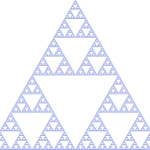
I was inspired the Sierpinski Triangle, and the result of my code is meant to be an abstracted version, with a similar idea. I wanted to challenge myself, so I was originally looking into ideas of recursion to draw the Sierpinski Triangle, along with the turtle graphics, but unfortunately after a while it went beyond what I was capable of. I chose to keep going with the idea, and abstract it, in the hope that sometime in the future I will learn (which I did), and possibly rework the code some day to make what I originally set out to. However, I think this is still a pretty interesting graphic. I commented out the first two meanders.

Sierpinski’s Triangle

dnoh-sectionD-project11-composition

sketch

var t1;
var t2;
var t3;
var t4;
var t5;
var t6;

function setup() {
    createCanvas(480,480);
    background(0);
      t1 = makeTurtle(0, 1*height/6);
      t2 = makeTurtle(0, height/2);
      t3 = makeTurtle(0, 5*height/6);
      t4 = makeTurtle(0,height);
      t5 = makeTurtle(0,0);
      t6 = makeTurtle(width, 1*height/2);
      t7 = makeTurtle(0, 2*height/6);
      t8 = makeTurtle(0, 4*height/6);
}

function draw() {
  followingDraw();
}
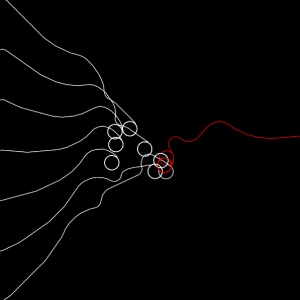
//the fucntion below creates turtles that constantly turn towards the mouse, creating a snake-like effect
function followingDraw (){
  t1.penDown();
  t1.setColor(255);
  t1.forward(2);
  t1.turnToward(mouseX, mouseY, 10);

  t2.penDown();
  t2.setColor(255);
  t2.forward(2);
  t2.turnToward(mouseX, mouseY, 10);

  t3.penDown();
  t3.setColor(255);
  t3.forward(2);
  t3.turnToward(mouseX, mouseY, 10);

  t4.penDown();
  t4.setColor(255);
  t4.forward(2);
  t4.turnToward(mouseX, mouseY, 10);

  t5.penDown();
  t5.setColor(255);
  t5.forward(2);
  t5.turnToward(mouseX, mouseY, 10);

  t7.penDown();
  t7.setColor(255);
  t7.forward(2);
  t7.turnToward(mouseX, mouseY, 10);

  t8.penDown();
  t8.setColor(255);
  t8.forward(2);
  t8.turnToward(mouseX, mouseY, 10);


//this is the lone red line from the right
  var red = color(255,0,0);
  t6.penDown();
  t6.setColor(red);
  t6.forward(2);
  t6.turnToward(mouseX, mouseY, 10);
}

function turtleLeft(d) {
    this.angle -= d;
}


function turtleRight(d) {
    this.angle += d;
}


function turtleForward(p) {
    var rad = radians(this.angle);
    var newx = this.x + cos(rad) * p;
    var newy = this.y + sin(rad) * p;
    this.goto(newx, newy);
}


function turtleBack(p) {
    this.forward(-p);
}


function turtlePenDown() {
    this.penIsDown = true;
}


function turtlePenUp() {
    this.penIsDown = false;
}


function turtleGoTo(x, y) {
    if (this.penIsDown) {
      stroke(this.color);
      strokeWeight(this.weight);
      line(this.x, this.y, x, y);
    }
    this.x = x;
    this.y = y;
}


function turtleDistTo(x, y) {
    return sqrt(sq(this.x - x) + sq(this.y - y));
}


function turtleAngleTo(x, y) {
    var absAngle = degrees(atan2(y - this.y, x - this.x));
    var angle = ((absAngle - this.angle) + 360) % 360.0;
    return angle;
}


function turtleTurnToward(x, y, d) {
    var angle = this.angleTo(x, y);
    if (angle < 180) {
        this.angle += d;
    } else {
        this.angle -= d;
    }
}


function turtleSetColor(c) {
    this.color = c;
}


function turtleSetWeight(w) {
    this.weight = w;
}


function turtleFace(angle) {
    this.angle = angle;
}


function makeTurtle(tx, ty) {
    var turtle = {x: tx, y: ty,
                  angle: 0.0,
                  penIsDown: true,
                  color: color(128),
                  weight: 1,
                  left: turtleLeft, right: turtleRight,
                  forward: turtleForward, back: turtleBack,
                  penDown: turtlePenDown, penUp: turtlePenUp,
                  goto: turtleGoTo, angleto: turtleAngleTo,
                  turnToward: turtleTurnToward,
                  distanceTo: turtleDistTo, angleTo: turtleAngleTo,
                  setColor: turtleSetColor, setWeight: turtleSetWeight,
                  face: turtleFace};
    return turtle;
}

I thought that this project was quite simple, yet a created a very alluring graphic. I honestly just went for this project without any sketches, only knowing that I wanted to create lines that either followed by mouse or ran away from it. However, after reaching this point of the project I didn’t really see a point in adding more, because I thought that would ruin the effect of the simplicity of the project. Finally, although it wasn’t intentional I thought that the circles that are often formed by quickly moving the mouse back and forth created a notion that the “piece” generated by the program was finished, thus becoming an “artwork generator”.

mstropka-Project-11-E

sketch

function setup() {
    createCanvas(400, 400);
    background(0);
    strokeJoin(MITER);
    strokeCap(PROJECT);

}

function mousePressed(){

  drawturtles(mouseX, mouseY);

}

function drawturtles() {
  var t1 = makeTurtle(mouseX + 20, mouseY);
  var t2 = makeTurtle(mouseX - 20, mouseY);
  var t3 = makeTurtle(mouseX, mouseY + 20);
  var t4 = makeTurtle(mouseX, mouseY - 20);

  t1.penDown;
  t2.penDown;
  t3.penDown;
  t4.pendown;
  for(var i = 0; i < 480; i++){
    stroke(random(0,255),0,0);
    t1.forward(random(0,40));
    t1.right (random(0, 180));
    t1.forward (random(0,40));

    stroke(random(0,255), random(0,255), random(0,255));
    t2.forward(random(0,40));
    t2.right (random(0, 180));
    t2.forward (random(0,40));

    stroke(random(0,255), random(0,255), random(0,255));
    t3.forward(random(0,40));
    t3.right (random(0, 180));
    t3.forward (random(0,40));

    stroke(random(0,255), random(0,255), random(0,255));
    t3.forward(random(0,40));
    t3.right (random(0, 180));
    t3.forward (random(0,40));


  }
}
function draw() {
  }


  function turtleLeft(d){this.angle-=d;}function turtleRight(d){this.angle+=d;}
  function turtleForward(p){var rad=radians(this.angle);var newx=this.x+cos(rad)*p;
  var newy=this.y+sin(rad)*p;this.goto(newx,newy);}function turtleBack(p){
  this.forward(-p);}function turtlePenDown(){this.penIsDown=true;}
  function turtlePenUp(){this.penIsDown = false;}function turtleGoTo(x,y){
  if(this.penIsDown){stroke(this.color);strokeWeight(this.weight);
  line(this.x,this.y,x,y);}this.x = x;this.y = y;}function turtleDistTo(x,y){
  return sqrt(sq(this.x-x)+sq(this.y-y));}function turtleAngleTo(x,y){
  var absAngle=degrees(atan2(y-this.y,x-this.x));
  var angle=((absAngle-this.angle)+360)%360.0;return angle;}
  function turtleTurnToward(x,y,d){var angle = this.angleTo(x,y);if(angle< 180){
  this.angle+=d;}else{this.angle-=d;}}function turtleSetColor(c){this.color=c;}
  function turtleSetWeight(w){this.weight=w;}function turtleFace(angle){
  this.angle = angle;}function makeTurtle(tx,ty){var turtle={x:tx,y:ty,
  angle:0.0,penIsDown:true,color:color(128),weight:1,left:turtleLeft,
  right:turtleRight,forward:turtleForward, back:turtleBack,penDown:turtlePenDown,
  penUp:turtlePenUp,goto:turtleGoTo, angleto:turtleAngleTo,
  turnToward:turtleTurnToward,distanceTo:turtleDistTo, angleTo:turtleAngleTo,
  setColor:turtleSetColor, setWeight:turtleSetWeight,face:turtleFace};
  return turtle;}

For this week’s assignment, I made a program in which four turtles are drawn around the mouse when it is clicked. They move forward and right by random increments until they move off of the canvas.

Jdbrown – Looking Outwards 11 – Sound Art

I’m a really big fan of sound art that deals with wearable technology and the body’s role in music-making. Using surface transducers (little machines which vibrate at a frequency depending on their input, i.e. little vibrating circles that turn surfaces into speakers), the Human Harp is an example of an instrument that incorporates gesture as well as space into its performative practice.

It’s a fairly simple set-up, but it’s one of the projects that has most inspired me.

Josh


selinal-Looking-Outwards-11

Surround Sounds by Christian Marclay

Surround Sounds is an art installation by Christian Marclay which entraps viewers in a room with projections that play “music” through their animation of visual onomatopoeias. The room is actually silent, but by using the animations to take over the space, sound can be envisioned, or felt in an alternative way. This piece shows an interesting connection between sound art and music, because the art under the category of sound art simply does not make sound. I admire this aspect of the piece. I am not sure if many algorithms were used directly in this piece, but Marclay worked with a team of animators in Adobe After Effects.

creyes1-Project-11-Composition

creyes1 Project-11 (Turtle Composition)

//Christopher Reyes
//Section D
//creyes1@andrew.cmu.edu
//Project-11 (Turtle Free Style)

var turtleV; //Vertical grid
var turtleH; //Horizontal grid

var vertOffset = 40;
var horOffset = 5;

var rectHeight = 0;

function setup() {
    createCanvas(480, 480);
    background(255);
    frameRate(60);
}

function draw() {

    //Background white
    noStroke();
    fill(255);
    rect(0, 0, width, height);

    //Blue sun
    noStroke();
    fill(211, 255, 250);
    ellipse(width/2, height/2, 200, 200);

    //Turtle Grid, changes color when close to cursor
    //vertical
    turtleV = makeTurtle(0, 0);
    turtleV.penDown();
    while (turtleV.x < width) {
        turtleV.vertical();
    }
    turtleV.penUp();

    //Horizontal
    turtleH = makeTurtle(0, 0);
    turtleH.penDown();
    while(turtleH.y < height) {
        turtleH.horizontal();
    }
    turtleH.penUp();

    //Curtain, slowly falls after loading
    noStroke();
    fill(229, 249, 247);
    rect(0, rectHeight, width, height);
    fill(192, 216, 214);
    rect(0, rectHeight, width, 50);
    fill(192, 216, 214);
    rect(0, rectHeight + 70, width, 10);
    rectHeight += 5;
}

//Vertical Turtle Grid, changes color when close to cursor
//From RGB(92, 93, 141) to RGB(153, 161, 166);
function verticalWave() {
    this.right(90);
    for (var i = 0; i < 479; i++) {
        this.color = [map(dist(mouseX, mouseY, this.x, this.y), 0, 125, 92, 153),
                      map(dist(mouseX, mouseY, this.x, this.y), 0, 125, 93, 161),
                      map(dist(mouseX, mouseY, this.x, this.y), 0, 125, 141, 166)];
        this.forward(1);
    }

    this.left(90);

    for (var i = 0; i < vertOffset+(i/10); i++) {
        this.color = [map(dist(mouseX, mouseY, this.x, this.y), 0, 125, 92, 153),
                      map(dist(mouseX, mouseY, this.x, this.y), 0, 125, 93, 161),
                      map(dist(mouseX, mouseY, this.x, this.y), 0, 125, 141, 166)];
        this.forward(1);
    }

    this.left(90);

    for (var i = 0; i < 479; i++) {
        this.color = [map(dist(mouseX, mouseY, this.x, this.y), 0, 125, 92, 153),
                      map(dist(mouseX, mouseY, this.x, this.y), 0, 125, 93, 161),
                      map(dist(mouseX, mouseY, this.x, this.y), 0, 125, 141, 166)];
        this.forward(1);
    }

    this.right(90);

    for (var i = 0; i < vertOffset+(i/10); i++) {
        this.color = [map(dist(mouseX, mouseY, this.x, this.y), 0, 125, 92, 153),
                      map(dist(mouseX, mouseY, this.x, this.y), 0, 125, 93, 161),
                      map(dist(mouseX, mouseY, this.x, this.y), 0, 125, 141, 166)];
        this.forward(1);
    }


}

//Vertical Turtle Grid, changes color when close to cursor
//From RGB(168, 198, 159) to RGB(204, 226, 163);
function horizontalWave() {
    for (var i = 0; i < 479; i++) {
        this.color = [map(dist(mouseX, mouseY, this.x, this.y), 0, 125, 168, 204),
                      map(dist(mouseX, mouseY, this.x, this.y), 0, 125, 198, 226),
                      map(dist(mouseX, mouseY, this.x, this.y), 0, 125, 159, 163)];
        this.forward(1);
    }
    this.right(90);
    for (var i = 0; i < horOffset+(i/10); i++) {
        this.color = [map(dist(mouseX, mouseY, this.x, this.y), 0, 125, 168, 204),
                      map(dist(mouseX, mouseY, this.x, this.y), 0, 125, 198, 226),
                      map(dist(mouseX, mouseY, this.x, this.y), 0, 125, 159, 163)];
        this.forward(1);
    }

    this.right(90);
    for (var i = 0; i < 479; i++) {
        this.color = [map(dist(mouseX, mouseY, this.x, this.y), 0, 125, 168, 204),
                      map(dist(mouseX, mouseY, this.x, this.y), 0, 125, 198, 226),
                      map(dist(mouseX, mouseY, this.x, this.y), 0, 125, 159, 163)];
        this.forward(1);
    }
    this.left(90);
    for (var i = 0; i < horOffset+(i/10); i++) {
        this.color = [map(dist(mouseX, mouseY, this.x, this.y), 0, 125, 168, 204),
                      map(dist(mouseX, mouseY, this.x, this.y), 0, 125, 198, 226),
                      map(dist(mouseX, mouseY, this.x, this.y), 0, 125, 159, 163)];
        this.forward(1);
    }
    this.left(90);
}


//Turtle Graphics Functions-----------------------------------------------------
function turtleLeft(d) {
    this.angle -= d;
}


function turtleRight(d) {
    this.angle += d;
}


function turtleForward(p) {
    var rad = radians(this.angle);
    var newx = this.x + cos(rad) * p;
    var newy = this.y + sin(rad) * p;
    this.goto(newx, newy);
}


function turtleBack(p) {
    this.forward(-p);
}


function turtlePenDown() {
    this.penIsDown = true;
}


function turtlePenUp() {
    this.penIsDown = false;
}


function turtleGoTo(x, y) {
    if (this.penIsDown) {
      stroke(this.color);
      strokeWeight(this.weight);
      line(this.x, this.y, x, y);
    }
    this.x = x;
    this.y = y;
}


function turtleDistTo(x, y) {
    return sqrt(sq(this.x - x) + sq(this.y - y));
}


function turtleAngleTo(x, y) {
    var absAngle = degrees(atan2(y - this.y, x - this.x));
    var angle = ((absAngle - this.angle) + 360) % 360.0;
    return angle;
}


function turtleTurnToward(x, y, d) {
    var angle = this.angleTo(x, y);
    if (angle < 180) {
        this.angle += d;
    } else {
        this.angle -= d;
    }
}


function turtleSetColor(c) {
    this.color = c;
}


function turtleSetWeight(w) {
    this.weight = w;
}


function turtleFace(angle) {
    this.angle = angle;
}


function makeTurtle(tx, ty) {
    var turtle = {x: tx, y: ty,
                  angle: 0.0,
                  penIsDown: true,
                  color: color(128),
                  weight: 1,
                  left: turtleLeft, right: turtleRight,
                  forward: turtleForward, back: turtleBack,
                  penDown: turtlePenDown, penUp: turtlePenUp,
                  goto: turtleGoTo, angleto: turtleAngleTo,
                  turnToward: turtleTurnToward,
                  distanceTo: turtleDistTo, angleTo: turtleAngleTo,
                  setColor: turtleSetColor, setWeight: turtleSetWeight,
                  face: turtleFace,
                  vertical: verticalWave,
                  horizontal: horizontalWave};
    return turtle;
}

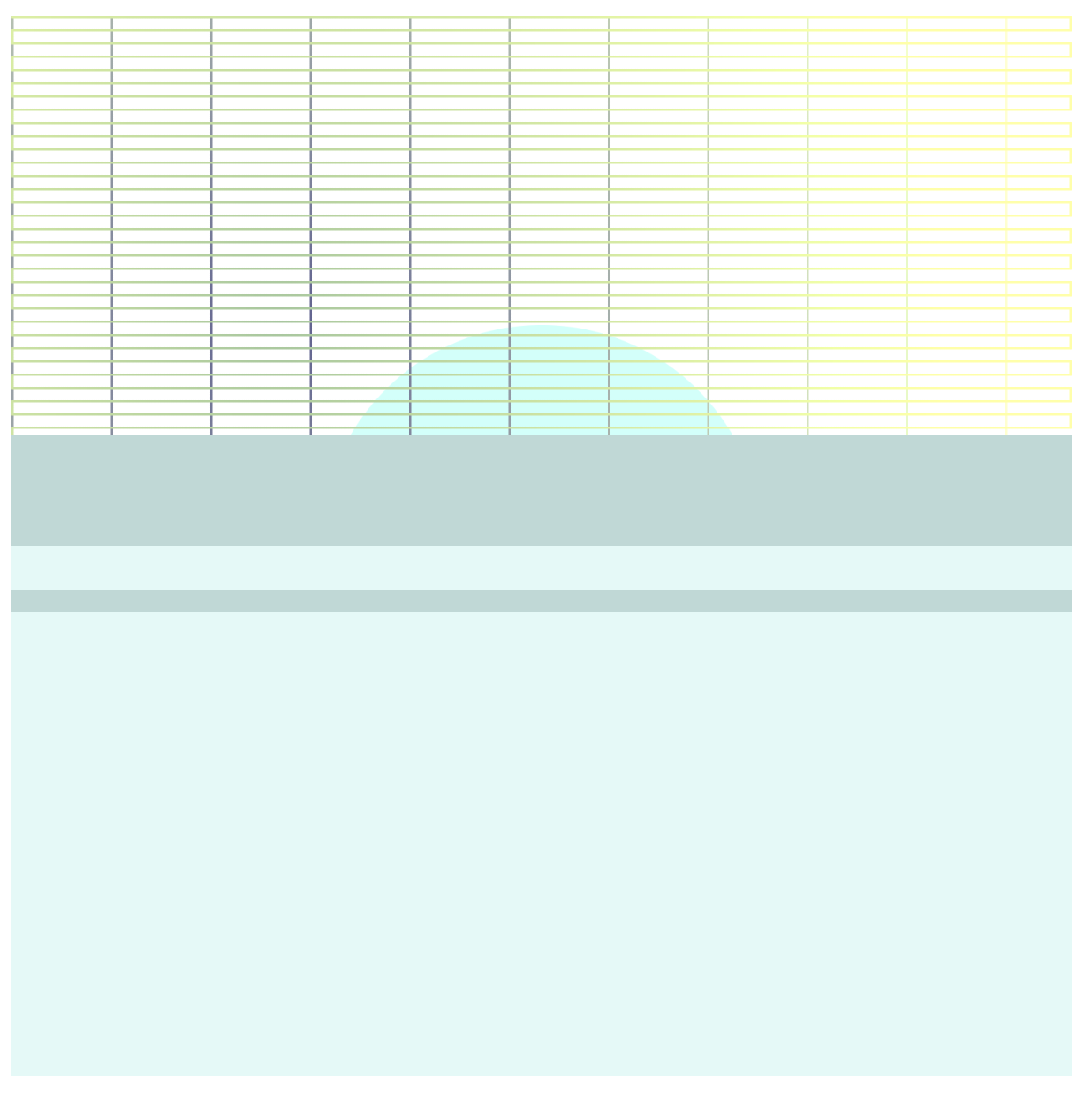
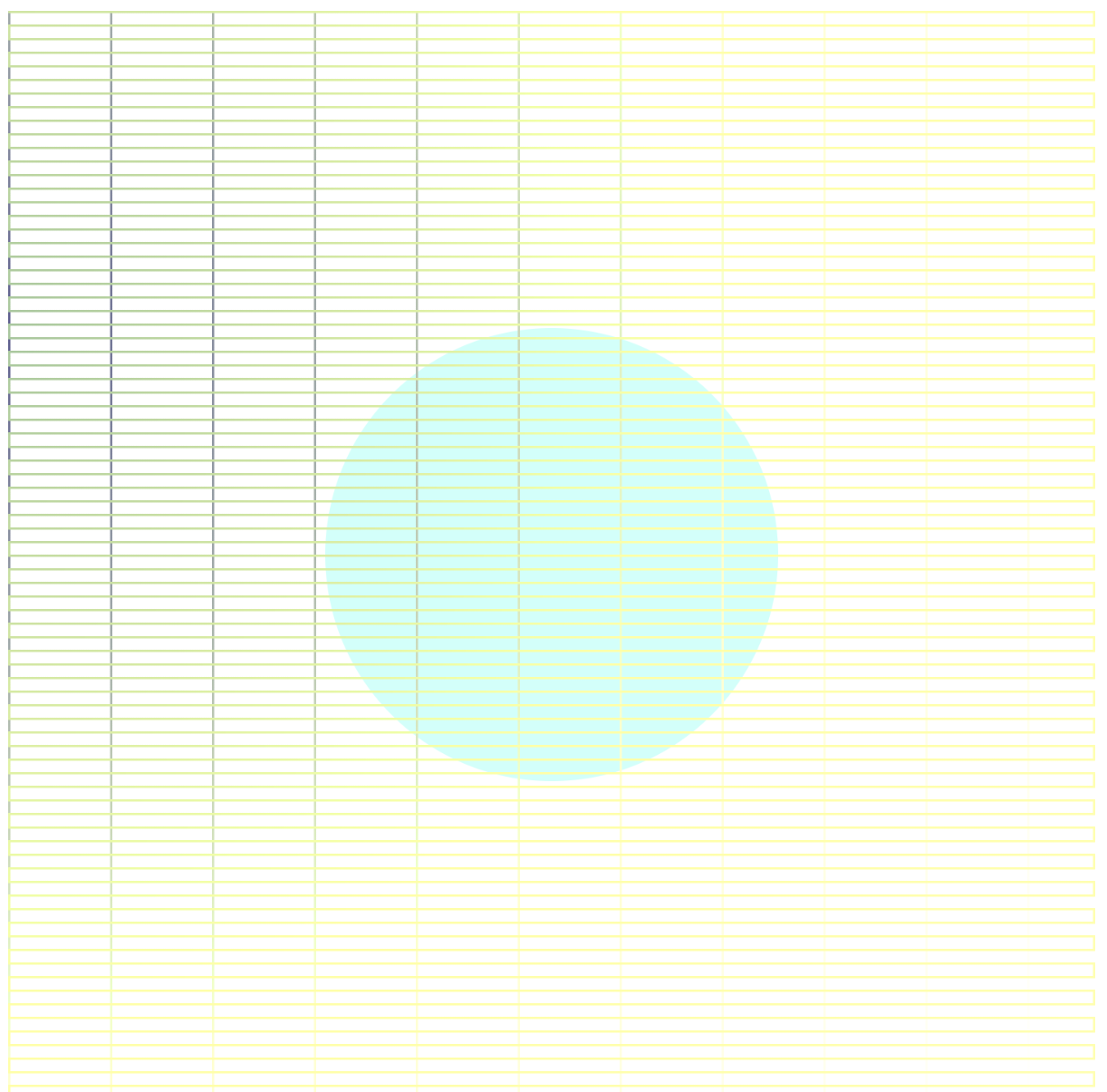
I’m not as pleased with this project as I am with my previous ones, as I found myself constantly limited to the framerate – a lot of my ideas (turtle overlay sampling the color of each pixel of an image, varying thickness based on an underlying image by pixel, a much tighter grid than the one you see now) either caused the frame rate to tank, or got the program hung up in loading. Even so, I do like the idea I put forth here, and as I learn how to make more efficient code, potentially revisit this and make it what I had hoped it would turn out to be. Making this iteration wound up to be a lot of trial-and-error to more fully understand what was causing my previous iterations of this project to fail, so it definitely forced me to be more aware of the code that I was writing, and to consider what I was demanding out of the program.

myoungsh-project11-“OFF-PROJECT”

“MOUSE.PRESS”

sketch

var S = 25;
var M = 50;
var L = 200;
var pickColor;
function setup() {
  createCanvas(800,800);
  background(0);
}
function mousePressed() {
  pickColor = floor(random(0, 2));
  drawThing(mouseX, mouseY);
}
function drawThing(x, y) {
  strokeCap(PROJECT);
  T = makeTurtle(x, y); 
  T.setWeight(5);
  T.setColor(color(256, 256, 0));
  T.right(90);
  T.forward(S/2);
  T.left(90);
  T.forward(S);
  T.right(90);
  T.forward(S);
  T.left(135);
  T.forward(M);
  T.left(90);
  T.forward(M);
  T.left(135);
  T.forward(S);
  T.right(90);
  T.forward(S);
  T.left(90);
  T.forward(S/2);
  T.penUp();
  T.right(90);
  T.forward(L);
  T.penDown();
  T.right(90);
  T.forward(S/2);
  T.left(90);
  T.forward(S);
  T.right(90);
  T.forward(S);
  T.left(135);
  T.forward(M);
  T.left(90);
  T.forward(M);
  T.left(135);
  T.forward(S);
  T.right(90);
  T.forward(S);
  T.left(90);
  T.forward(S/2);
  T.penUp();
  T.right(90);
  T.forward(L/2+2);
  T.right(90);
  T.forward(L/2+2);
  T.penDown();
  T.right(90);
  T.forward(S/2);
  T.left(90);
  T.forward(S);
  T.right(90);
  T.forward(S);
  T.left(135);
  T.forward(M);
  T.left(90);
  T.forward(M);
  T.left(135);
  T.forward(S);
  T.right(90);
  T.forward(S);
  T.left(90);
  T.forward(S/2);
  T.penUp();
  T.forward(2);
  T.right(90);
  T.forward(L);
  T.penDown();
  T.right(90);
  T.forward(S/2+2);
  T.left(90);
  T.forward(S);
  T.right(90);
  T.forward(S);
  T.left(135);
  T.forward(M);
  T.left(90);
  T.forward(M);
  T.left(135);
  T.forward(S);
  T.right(90);
  T.forward(S);
  T.left(90);
  T.forward(S/2);
}
function turtleLeft(d){this.angle-=d;}function turtleRight(d){this.angle+=d;}
function turtleForward(p){var rad=radians(this.angle);var newx=this.x+cos(rad)*p;
var newy=this.y+sin(rad)*p;this.goto(newx,newy);}function turtleBack(p){
this.forward(-p);}function turtlePenDown(){this.penIsDown=true;}
function turtlePenUp(){this.penIsDown = false;}function turtleGoTo(x,y){
if(this.penIsDown){stroke(this.color);strokeWeight(this.weight);
line(this.x,this.y,x,y);}this.x = x;this.y = y;}function turtleDistTo(x,y){
return sqrt(sq(this.x-x)+sq(this.y-y));}function turtleAngleTo(x,y){
var absAngle=degrees(atan2(y-this.y,x-this.x));
var angle=((absAngle-this.angle)+360)%360.0;return angle;}
function turtleTurnToward(x,y,d){var angle = this.angleTo(x,y);if(angle< 180){
this.angle+=d;}else{this.angle-=d;}}function turtleSetColor(c){this.color=c;}
function turtleSetWeight(w){this.weight=w;}function turtleFace(angle){
this.angle = angle;}function makeTurtle(tx,ty){var turtle={x:tx,y:ty,
angle:0.0,penIsDown:true,color:color(128),weight:1,left:turtleLeft,
right:turtleRight,forward:turtleForward, back:turtleBack,penDown:turtlePenDown,
penUp:turtlePenUp,goto:turtleGoTo, angleto:turtleAngleTo,
turnToward:turtleTurnToward,distanceTo:turtleDistTo, angleTo:turtleAngleTo,
setColor:turtleSetColor, setWeight:turtleSetWeight,face:turtleFace};
return turtle;}


svitoora – Looking Outward 11

Break Free by Taryn Southern is a music track and video art that is created using artificial intelligence. I admire the merging of human and machine in this project. Although the music track is generated via artificial intelligence the vocal lyrics are still handwritten by the artist herself.  The raw footage is most likely shot by hand, by edited via artificial intelligence. The video art is also further manipulated in an algorithm similar to Google’s deep mind. Since the song is set to pop music tune, it begs the question of what does making music mean in an age of automation. Can one automate the art of music making? If so, what does it mean to humans who once thought that art and music were the highest echelons of human creativity? Could good music and art be deconstructed simply into just a pattern of stimuli that simply engages the human mind at an aesthetic level? These are the question of the age of automation.

hannahk2-LookingOutwards-11

For this week’s Looking Outwards, I chose Maxime Causeret’s computer generated video and music work, “Order from Chaos”. The work is a blend of computationally generated biological forms and simulations, and computer generated music. Causeret aimed to represent the idea of emergence in the audio and visuals in his video, and even generated the rhythm of the track in an emergent manner. He took audio samples of rain falling, and mapped the transients for the drips, and forced the mapped points towards the nearest drumming grid positions using the computer. The result was that a steady rhythm emerged, and over this audio he added layers and layers of different instruments. He used computer animation to simulate complex biological processes such as endosymbiosis, flocking behavior, etc. The creators artistic sensibilities are clearly manifested in the final work, seeing his other works and his fascination with biological processes on the microscopic scale, and his use of bright, thin lines. I admire this project because of its consistency in the theme of emergence, in all aspects of the video including visuals, sound, etc. The forms displayed are simply mesmerizing and morph into each other beautifully, and the music is enchanting. The whole video seems otherworldly to me, and I really admire that.


Max Cooper – Order from Chaos – Official Video by Maxime Causeret from Max Cooper on Vimeo.