mmirho – Looking Outwards 11 – Marble Machine

Though this is technically composed by a band, I very much would consider this piece much more artistic and designed than a musical composition. I think it blurs the line between the two even further because of course this is still meant to entertain.

The project is called “Marble Machine”, and is composed by Wintergatan.

Here’s the video:

You may argue that this instrument is not computational, but the design of the note timing, the construction of the machine’s parts, and the overall structure of the music is absolutely computationally based. It’s a real-world manifestation, but it was definitely created computationally. The design of the notes was then put through a CNC Mill to create the physical note timing.

BrandonHyun-Project11

sketch

function setup() {
    createCanvas(400, 400);
    background(0);
    var turtle = makeTurtle(130, 80);
    turtle.penDown();
    turtle.setColor(255);
    for (var i = 0; i < 300; i++) {
        turtle.forward(150);
        turtle.right(141.5);
        turtle.forward(60);

        if (i % 20 === 0) {
            turtle.forward(70);
        }
    }
    noLoop();
}


function draw() {
}


function turtleLeft(d){this.angle-=d;}function turtleRight(d){this.angle+=d;}
function turtleForward(p){var rad=radians(this.angle);var newx=this.x+cos(rad)*p;
var newy=this.y+sin(rad)*p;this.goto(newx,newy);}function turtleBack(p){
this.forward(-p);}function turtlePenDown(){this.penIsDown=true;}
function turtlePenUp(){this.penIsDown = false;}function turtleGoTo(x,y){
if(this.penIsDown){stroke(this.color);strokeWeight(this.weight);
line(this.x,this.y,x,y);}this.x = x;this.y = y;}function turtleDistTo(x,y){
return sqrt(sq(this.x-x)+sq(this.y-y));}function turtleAngleTo(x,y){
var absAngle=degrees(atan2(y-this.y,x-this.x));
var angle=((absAngle-this.angle)+360)%360.0;return angle;}
function turtleTurnToward(x,y,d){var angle = this.angleTo(x,y);if(angle< 180){
this.angle+=d;}else{this.angle-=d;}}function turtleSetColor(c){this.color=c;}
function turtleSetWeight(w){this.weight=w;}function turtleFace(angle){
this.angle = angle;}function makeTurtle(tx,ty){var turtle={x:tx,y:ty,
angle:0.0,penIsDown:true,color:color(128),weight:1,left:turtleLeft,
right:turtleRight,forward:turtleForward, back:turtleBack,penDown:turtlePenDown,
penUp:turtlePenUp,goto:turtleGoTo, angleto:turtleAngleTo,
turnToward:turtleTurnToward,distanceTo:turtleDistTo, angleTo:turtleAngleTo,
setColor:turtleSetColor, setWeight:turtleSetWeight,face:turtleFace};
return turtle;}

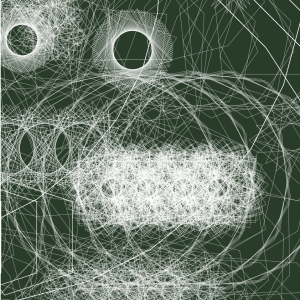
I wanted to create this composition because it was interesting to see how these turtles change when I repeat the number of repetition of turtle movement.

nayeonk1-LookingOutwards-Computer Music

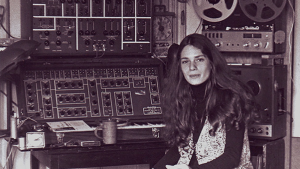
Laurie spiegel is a composer and computer artist. I choose her not only because she is a female artist in computer art area and also she pioneer of new-music scene in history. I always interested in femail artist in USA since I understand how tough to be female artist and become influential artist. Her early musical experiences were largely self-directed, beginning with the mandolin, guital and banjo-it makes her more special-. Spiegel attended Shimer College and Oxford University. After receiving her AB degree in the Social Sciences, she commuted to london to study guitar, teory and composition.

She has worked at Bell laboratories in coputer graphics and is known her algorithmic composition software Music Mouse. When she continues to support herself through software development, she aims to use technology in music as a means of furthering her art rather than as an end in itself.

Laurie spiegel

Best known for her use of interactive and algorithmic logic as part of the compositional process, she worked experimental and prototype-level music and image generation system. Pursuing her concept of visual music, she was a video artist too. In addition to computer software development, she supported herself by both teaching and by soundtrack composition.

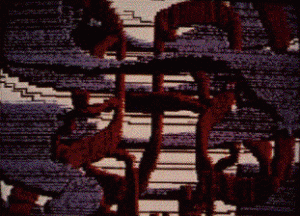
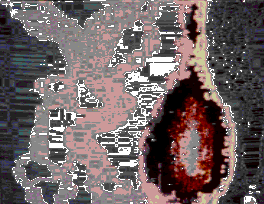
Her early computer art 1974

Laurie Spiegel’s website

Nayeon-Project11-Composition

composition

var offset = 20;
var px;
var py;
var dy;
var bottom = 200;
var snowFlakes = [];
var started = false;

function preload() {
    img = loadImage("https://i.imgur.com/f0V63aF.jpg")
}
function setup() {
    createCanvas(480, 480);
    image(img, 0, 0, img.width / 2.5, img.height / 2.5)

    for (i = 0; i < 10; i++) {
      var flakes = makeTurtle(30 + i * offset, 0);
      flakes.penUp();
      snowFlakes.push(flakes);
    }

}

function draw() {
    var snowX = random(width);
    var snowY = random(height);
    var snowS = random(1, 5);
    for (i = 0; i < 5; i ++) {
      fill(255)
      noStroke();
      ellipse(snowX, snowY, snowS, snowS)
    }
  }

function mousePressed() {
  var px = mouseX;
  var py = mouseY;

  var flakes = makeTurtle(px, py);
  var edgeL = random(10);

  flakes.penDown();
  flakes.setColor(random(200, 255));

  for (var i = 0; i < 20; i ++) {
    for (var j = 0; j < 8; j ++) {
      flakes.forward(edgeL);
      flakes.right(45);
    }
   flakes.penUp();
   flakes.forward(2);
   flakes.right(30);
   flakes.penDown();
  }
}
//======= CONDENSED TURTLE CODE =======//
function turtleLeft(d){this.angle-=d;}function turtleRight(d){this.angle+=d;}
function turtleForward(p){var rad=radians(this.angle);var newx=this.x+cos(rad)*p;
var newy=this.y+sin(rad)*p;this.goto(newx,newy);}function turtleBack(p){
this.forward(-p);}function turtlePenDown(){this.penIsDown=true;}
function turtlePenUp(){this.penIsDown = false;}function turtleGoTo(x,y){
if(this.penIsDown){stroke(this.color);strokeWeight(this.weight);
line(this.x,this.y,x,y);}this.x = x;this.y = y;}function turtleDistTo(x,y){
return sqrt(sq(this.x-x)+sq(this.y-y));}function turtleAngleTo(x,y){
var absAngle=degrees(atan2(y-this.y,x-this.x));
var angle=((absAngle-this.angle)+360)%360.0;return angle;}
function turtleTurnToward(x,y,d){var angle = this.angleTo(x,y);if(angle< 180){
this.angle+=d;}else{this.angle-=d;}}function turtleSetColor(c){this.color=c;}
function turtleSetWeight(w){this.weight=w;}function turtleFace(angle){
this.angle = angle;}function makeTurtle(tx,ty){var turtle={x:tx,y:ty,
angle:0.0,penIsDown:true,color:color(128),weight:1,left:turtleLeft,
right:turtleRight,forward:turtleForward, back:turtleBack,penDown:turtlePenDown,
penUp:turtlePenUp,goto:turtleGoTo, angleto:turtleAngleTo,
turnToward:turtleTurnToward,distanceTo:turtleDistTo, angleTo:turtleAngleTo,
setColor:turtleSetColor, setWeight:turtleSetWeight,face:turtleFace};
return turtle;}

Suddenly winter has came! I was quiet shocked looking at snow because I could feel that this year also almost finished..

mmirho – Project 11 – Color Clocks

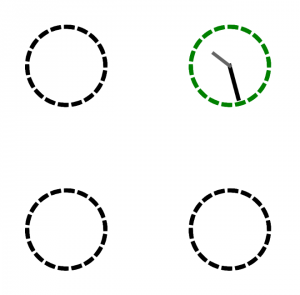
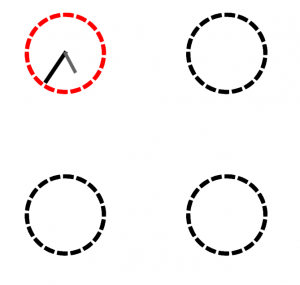
I definitely learned the usefulness of turtles when it comes to both dashes and curves.

After fiddling around with turtle movement, I accidentally created rotating clock hands and decided to base my experiment on it.
sketch

var t1;
var t2;
//Two turtles used for clock hands

var tC1;
var tC2;
var tC3;
var tC4;
//Four turtles used for the circles

var t = 6;
//Simple incremental distance for convenience

function setup() {
    createCanvas(480, 480);
    
    t1 = makeTurtle(0, 0);
    t2 = makeTurtle(0, 0);
    //initialize both clock hand turtles

    tC1 = makeTurtle(0, 0);
    tC2 = makeTurtle(0, 0);
    tC3 = makeTurtle(0, 0);
    tC4 = makeTurtle(0, 0);
    //initialize the four circle turtles
}

function draw() {

    background(255);

    strokeJoin(MITER);
    strokeCap(PROJECT);

    makeCirclesAndHands(1, 1, "red", tC1);
    makeCirclesAndHands(3, 1, "green", tC2);
    makeCirclesAndHands(1, 3, "blue", tC3);
    makeCirclesAndHands(3, 3, "yellow", tC4);
    //Makes all four circles and the conditional clock hand situations

}


function hand(turtle, length, speed, x, y, color, thick) {

    turtle.penUp();
    turtle.goto(x, y);
    turtle.penDown();
    turtle.forward(length);
    turtle.right(speed);
    turtle.setColor(color);
    turtle.setWeight(thick);

    //Makes a clock hand that rotates around x,y and has 
    //a bunch of other variables tha control the appearance and movement

}

function circley(turtle, x, y, color) {

    //Makes a dashed circle at x,y with a 
    // color, using a specific turtle by
    // moving a given distance on the curve with
    // the pen down, then again with the pen up
    // then repeating that penUp penDown process
    // until the full circle is completed

    turtle.setColor(color);
    turtle.face(0);
    turtle.setWeight(6);
    turtle.goto(x,y);
    for (var p = 0; p < 18; p++) {
        for (var l = 0; l < 10; l++) {
            turtle.penDown();
            turtle.forward(1);
            turtle.right(1);
        }
        for (var i = 0; i < 10; i++) {
            turtle.penUp();
            turtle.forward(1);
            turtle.right(1);
        }
    }

}

function distance(x1,y1,x2,y2) {
    return sqrt((x2-x1)*(x2-x1) + (y2-y1)*(y2-y1));
}
//Simple distance formula for use in calculation


function makeCirclesAndHands(widthMultiplier, heightMultiplier, colorChange, circleTurtle) {

    //Creates four dashed line circles that, if you put the mouse 
    //inside them, change color depending on the circle and place 
    //spinning clock hands within the circle

    if (distance(mouseX, mouseY, widthMultiplier*width/4+7, heightMultiplier*height/4+7) < 50) {
        circley(circleTurtle, widthMultiplier*width/4, heightMultiplier*height/4 - 50, colorChange);
        hand(t1, 50, 1, widthMultiplier*width/4,heightMultiplier*height/4+7, 0, t);
        hand(t2, 30, 0.5, widthMultiplier*width/4,heightMultiplier*height/4+7, 100, t-1);
    } else {
        circley(circleTurtle, widthMultiplier*width/4, heightMultiplier*height/4 - 50, 0);
    }
}


//Compressed turtle stuff

function turtleLeft(d){this.angle-=d;}function turtleRight(d){this.angle+=d;}
function turtleForward(p){var rad=radians(this.angle);var newx=this.x+cos(rad)*p;
var newy=this.y+sin(rad)*p;this.goto(newx,newy);}function turtleBack(p){
this.forward(-p);}function turtlePenDown(){this.penIsDown=true;}
function turtlePenUp(){this.penIsDown = false;}function turtleGoTo(x,y){
if(this.penIsDown){stroke(this.color);strokeWeight(this.weight);
line(this.x,this.y,x,y);}this.x = x;this.y = y;}function turtleDistTo(x,y){
return sqrt(sq(this.x-x)+sq(this.y-y));}function turtleAngleTo(x,y){
var absAngle=degrees(atan2(y-this.y,x-this.x));
var angle=((absAngle-this.angle)+360)%360.0;return angle;}
function turtleTurnToward(x,y,d){var angle = this.angleTo(x,y);if(angle< 180){
this.angle+=d;}else{this.angle-=d;}}function turtleSetColor(c){this.color=c;}
function turtleSetWeight(w){this.weight=w;}function turtleFace(angle){
this.angle = angle;}function makeTurtle(tx,ty){var turtle={x:tx,y:ty,
angle:0.0,penIsDown:true,color:color(128),weight:1,left:turtleLeft,
right:turtleRight,forward:turtleForward, back:turtleBack,penDown:turtlePenDown,
penUp:turtlePenUp,goto:turtleGoTo, angleto:turtleAngleTo,
turnToward:turtleTurnToward,distanceTo:turtleDistTo, angleTo:turtleAngleTo,
setColor:turtleSetColor, setWeight:turtleSetWeight,face:turtleFace};
return turtle;}

hannajan-LookingOutwards11

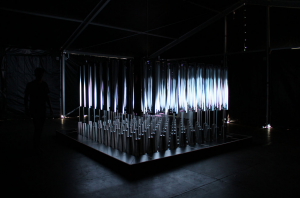
Softlab’s ‘Volume’ on display

My LookingOutwards post this week is on Softlab’s ‘Volume’ which is an interactive cube of responsive mirrors where light and sound are redirected to reflect the excitement risen from the festival goers. The small changes in the volume of the transparent material let light and sound to move through the space.

I admire that the artist used computational sound to make another form of art. This is especially admirable to me because I thought of sound or music only being used through the use of hearing, but it can also utilize the sight or visuals.

Although I don’t know the exact algorithms used in this specific art piece, I do know that the artist somehow used the sounds generated from the crowd around the art piece, and reflected it.

The artist’s creative sensibilities are manifest through the use of visuals and beautiful lights, when the original main focus was on the sounds.

jdperez Looking Outwards 11

For this week’s looking outwards, I looked at Ryoji Ikeda. Ikeda is a musician/visual artist that uses mathematical complexity and aesthetic to create his work. Much of his work uses raw audio forms, such as the sine wave, at the edge of the human ability to hear. With this audio, he switches between using them to create tones and percussion, with beat patterns emerging throughout many of his pieces.

The visuals are an extremely important aspect to some of his pieces, one of which is called “The Transfinite”. This was a massive installation at the Park Avenue Armory in New York.

What I really appreciate about Ikeda’s work is how it bridges multiple disciplines effectively. As I’ve mentioned in many of my prior looking outwards posts, this is what I aspire to do in my own work.

adev_Project_11_Composition

adev_project_11

// Aisha Dev
// adev@andrew.cmu.edu
// Project - 11
// Section E


//TURTLE API
function turtleLeft(d) {
    this.angle -= d;
}
 
 
function turtleRight(d) {
    this.angle += d;
}
 
 
function turtleForward(p) {
    var rad = radians(this.angle);
    var newx = this.x + cos(rad) * p;
    var newy = this.y + sin(rad) * p;
    this.goto(newx, newy);
}
 
 
function turtleBack(p) {
    this.forward(-p);
}
 
 
function turtlePenDown() {
    this.penIsDown = true;
}
 
 
function turtlePenUp() {
    this.penIsDown = false;
}
 
 
function turtleGoTo(x, y) {
    if (this.penIsDown) {
      stroke(this.color);
      strokeWeight(this.weight);
      line(this.x, this.y, x, y);
    }
    this.x = x;
    this.y = y;
}
 
 
function turtleDistTo(x, y) {
    return sqrt(sq(this.x - x) + sq(this.y - y));
}
 
 
function turtleAngleTo(x, y) {
    var absAngle = degrees(atan2(y - this.y, x - this.x));
    var angle = ((absAngle - this.angle) + 360) % 360.0;
    return angle;
}
 
 
function turtleTurnToward(x, y, d) {
    var angle = this.angleTo(x, y);
    if (angle < 180) {
        this.angle += d;
    } else {
        this.angle -= d;
    }
}
 
 
function turtleSetColor(c) {
    this.color = c;
}
 
 
function turtleSetWeight(w) {
    this.weight = w;
}
 
 
function turtleFace(angle) {
    this.angle = angle;
}
 
 
function makeTurtle(tx, ty) {
    var turtle = {x: tx, y: ty,
                  angle: 0.0, 
                  penIsDown: true,
                  color: color(128),
                  weight: 1,
                  left: turtleLeft, right: turtleRight,
                  forward: turtleForward, back: turtleBack,
                  penDown: turtlePenDown, penUp: turtlePenUp,
                  goto: turtleGoTo, angleto: turtleAngleTo,
                  turnToward: turtleTurnToward,
                  distanceTo: turtleDistTo, angleTo: turtleAngleTo,
                  setColor: turtleSetColor, setWeight: turtleSetWeight,
                  face: turtleFace};
    return turtle;
}

// global variables for the turtles
var turtleOne;
var turtleTwo;
var turtleThree;
var turtleFour;
var turtleFive;
var turtleSix;
var turtleSeven;
var turtleEight;


function setup() {
    createCanvas(420, 420);
    background(40, 60, 40);

// turtleOne details
    turtleOne = makeTurtle(10, 0);
    turtleOne.penDown();
    turtleOne.setColor(255,0,0);
    turtleOne.setWeight(0.3);

//turtleTwo details
    turtleTwo = makeTurtle(60, 0);
    turtleTwo.penDown();
     turtleTwo.setColor(255,0,0);
    turtleTwo.setWeight(0.3);

//turtleThree details
    turtleThree = makeTurtle(110, 0);
    turtleThree.penDown();
     turtleThree.setColor(255,0,0);
    turtleThree.setWeight(0.3);

//turtleFour details
    turtleFour = makeTurtle(160, 0);
    turtleFour.penDown();
     turtleFour.setColor(255,0,0);
    turtleFour.setWeight(0.3);

//turtleFive details
     turtleFive = makeTurtle(210, 420);
    turtleFive.penDown();
     turtleFive.setColor(255,0,0);
    turtleFive.setWeight(0.3);

//turtleSix details
     turtleSix = makeTurtle(260, 420);
    turtleSix.penDown();
     turtleSix.setColor(255,0,0);
    turtleSix.setWeight(0.3);

//turtleSeven details
     turtleSeven = makeTurtle(310, 420);
    turtleSeven.penDown();
     turtleSeven.setColor(255,0,0);
    turtleSeven.setWeight(0.3);

//turtleEight details
     turtleEight = makeTurtle(360, 420);
    turtleEight.penDown();
     turtleEight.setColor(255,0,0);
    turtleEight.setWeight(0.3);
}


function draw() {

  // the movement for each turtle


	turtleOne.right(100);
    turtleOne.forward(80);
    turtleOne.turnToward(90, mouseX, mouseY);

    turtleTwo.right(110);
    turtleTwo.forward(80);
    turtleTwo.turnToward(90, mouseX, mouseY);
  
  	turtleThree.right(170);
    turtleThree.forward(70);
    turtleThree.turnToward(90, mouseX, mouseY);
  
  	turtleFour.right(100);
    turtleFour.forward(100);
    turtleFour.turnToward(90, mouseX, mouseY);

    turtleFive.right(100);
    turtleFive.forward(100);
    turtleFive.turnToward(90, mouseX, mouseY);

    turtleSix.right(100);
    turtleSix.forward(100);
    turtleSix.turnToward(90, mouseX, mouseY);

    turtleSeven.right(100);
    turtleSeven.forward(100);
    turtleSeven.turnToward(90, mouseX, mouseY);

    turtleEight.right(100);
    turtleEight.forward(100);
    turtleEight.turnToward(90, mouseX, mouseY);
}


This project was good for experimenting with turtle graphics and just being free to learn it. I liked how this one iteration meanders across the canvas. It initially reminds me of a map with the elevation lines when it starts out but then becomes this sci-fi—dystopian—future—esque Arrival-ish language/code.

atraylor – Project 11 – Section B

sketch

//atraylor@andrew.cmu.edu
//Section B
//Project 11
var frames = [];
var current = 0;
var numFrames = 7;
var x = 0;
var y = 0;
var t1;
var t2;
var t3;
var t4;
var t5;
var t6;
var t8;
function preload(){
    var filenames = [];
    filenames[0] = "https://i.imgur.com/1wsGt0D.png";
    filenames[1] = "https://i.imgur.com/NGkxNhE.png";
    filenames[2] = "https://i.imgur.com/E5rk1gn.png";
    filenames[3] = "https://i.imgur.com/dQtQDok.png";
    filenames[4] = "https://i.imgur.com/UIXXokF.png";
    filenames[5] = "https://i.imgur.com/pbZI4oD.png";
    filenames[6] = "https://i.imgur.com/eDwmWBE.png";
    filenames[7] = "https://i.imgur.com/bXLQ8DK.png";

    for(var i = 0; i < filenames.length; i++){
        frames.push(loadImage(filenames[i]));
    }
}
function setup() {
    createCanvas(274, 274);
    frameRate(10);
    background(255,100,100);
         t1 = makeTurtle(width/2, height/2);
         t2 = makeTurtle(width/3, height/2);
         t3 = makeTurtle(50, 50);
         t4 = makeTurtle(100, 60);
         t5 = makeTurtle(50, 50);
         t6 = makeTurtle(150, 50);
         t7 = makeTurtle(50, 50);
         t8 = makeTurtle(50, 50);
     frames[current].loadPixels();
     current = (current + 1) % numFrames;
     image(frames[current], 0, 0); //background image
}

function draw() {
    frames[current].loadPixels();
    current = (current + 1) % numFrames;
  // image(frames[current], 0, 0);
    //getting color from frames
    var framepixcolor = frames[current].get(t1.x, t1.y);
    var valueAtPix = brightness(framepixcolor);
    //turtles drawing lines color of the moving gif
    t1.setColor(color(valueAtPix));
    t1.setWeight(2);
    t1.forward(5);
    var a = mouseX;
    var b = mouseY;
    t1.turnToward(a, b, 10);
    framepixcolor = frames[current].get(t2.x, t2.y);
    valueAtPix = brightness(framepixcolor);
    t2.setColor(color(valueAtPix));
    t2.setWeight(1);
    t2.forward(1);
    t2.turnToward(a, b, 3);
    framepixcolor = frames[current].get(t3.x, t3.y);
    valueAtPix = brightness(framepixcolor);
    t3.setColor(color(valueAtPix));
    t3.setWeight(5);
    t3.forward(4);
    t3.turnToward(a, b, random(8,10));
    framepixcolor = frames[current].get(t4.x, t4.y);
    valueAtPix = brightness(framepixcolor);
    t4.setColor(color(valueAtPix));
    t4.setWeight(6);
    t4.forward(2);
    t4.turnToward(a, b, random(1, 10));
    framepixcolor = frames[current].get(t5.x, t5.y);
    valueAtPix = brightness(framepixcolor);
    t5.setColor(color(valueAtPix));
    t5.setWeight(1.5);
    t5.forward(5);
    t5.turnToward(a, b, random(7, 10));
    framepixcolor = frames[current].get(t6.x, t6.y);
    valueAtPix = brightness(framepixcolor);
    t6.setColor(color(valueAtPix));
    t6.setWeight(1);
    t6.forward(4);
    t6.turnToward(a, b, random(4, 10));
    framepixcolor = frames[current].get(t7.x, t7.y);
    valueAtPix = brightness(framepixcolor);
    t7.setColor(color(valueAtPix));
    t7.setWeight(3);
    t7.forward(1);
    t7.turnToward(a, b, random(2, 10));
    framepixcolor = frames[current].get(t8.x, t8.y);
    valueAtPix = brightness(framepixcolor);
    t8.setColor(color(valueAtPix));
    t8.setWeight(.5);
    t8.forward(2);
    t8.turnToward(a, b, random(2, 10));

}

/////////

function turtleLeft(d) {
    this.angle -= d;
}


function turtleRight(d) {
    this.angle += d;
}


function turtleForward(p) {
    var rad = radians(this.angle);
    var newx = this.x + cos(rad) * p;
    var newy = this.y + sin(rad) * p;
    this.goto(newx, newy);
}


function turtleBack(p) {
    this.forward(-p);
}


function turtlePenDown() {
    this.penIsDown = true;
}


function turtlePenUp() {
    this.penIsDown = false;
}


function turtleGoTo(x, y) {
    if (this.penIsDown) {
      stroke(this.color);
      strokeWeight(this.weight);
      line(this.x, this.y, x, y);
    }
    this.x = x;
    this.y = y;
}


function turtleDistTo(x, y) {
    return sqrt(sq(this.x - x) + sq(this.y - y));
}


function turtleAngleTo(x, y) {
    var absAngle = degrees(atan2(y - this.y, x - this.x));
    var angle = ((absAngle - this.angle) + 360) % 360.0;
    return angle;
}


function turtleTurnToward(x, y, d) {
    var angle = this.angleTo(x, y);
    if (angle < 180) {
        this.angle += d;
    } else {
        this.angle -= d;
    }
}


function turtleSetColor(c) {
    this.color = c;
}


function turtleSetWeight(w) {
    this.weight = w;
}


function turtleFace(angle) {
    this.angle = angle;
}


function makeTurtle(tx, ty) {
    var turtle = {x: tx, y: ty,
                  angle: 0.0,
                  penIsDown: true,
                  color: color(128),
                  weight: 1,
                  left: turtleLeft, right: turtleRight,
                  forward: turtleForward, back: turtleBack,
                  penDown: turtlePenDown, penUp: turtlePenUp,
                  goto: turtleGoTo, angleto: turtleAngleTo,
                  turnToward: turtleTurnToward,
                  distanceTo: turtleDistTo, angleTo: turtleAngleTo,
                  setColor: turtleSetColor, setWeight: turtleSetWeight,
                  face: turtleFace};
    return turtle;
}

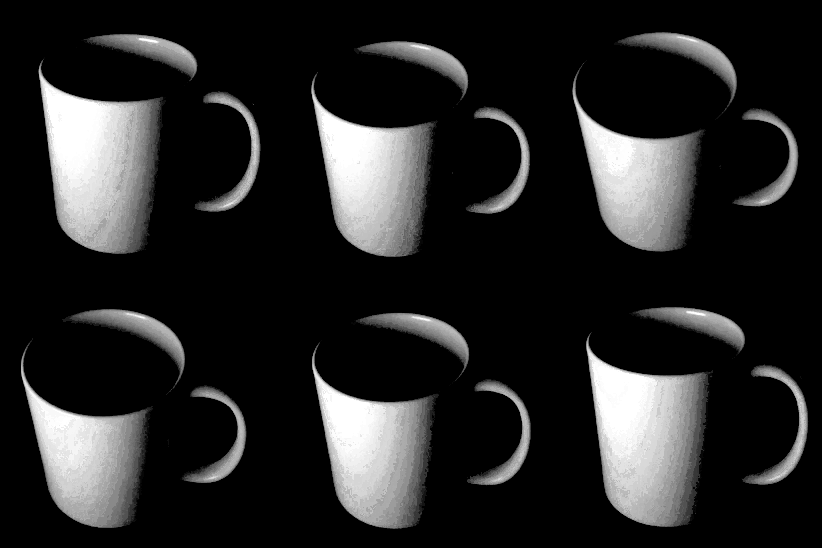
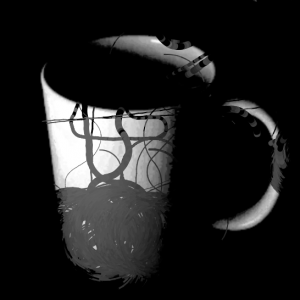
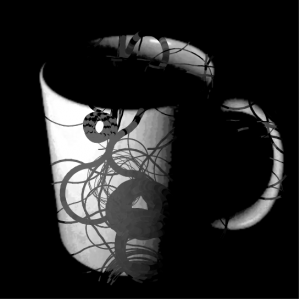
For this assignment I wanted to use the turtles to reveal a gif, but I realized that that wasn’t the best method. I ended up having them draw values based on the brightness of the gif frames on a still from the gif. The result is a coffee cup infested with worms.

gyueunp – Project-11: Playing with your Turtles

Turtles

//GyuEun Park
//15-104 E
//gyueunp@andrew.cmu.edu
//Project-11

function setup() {
    createCanvas(400, 400);
    
}

function draw() {
    background(random(50,70));
    var turtle = makeTurtle(width-35, height-365);
    turtle.penDown();
    turtle.setColor(0);
    for (var i = 0; i < 9800; i++) {
        turtle.forward(50);
        turtle.right(141.5);
        turtle.forward(420);
        if (i % 20 === 0) {
            turtle.forward(70);
        }
    }
}


function turtleLeft(d){this.angle-=d;}function turtleRight(d){this.angle+=d;}
function turtleForward(p){var rad=radians(this.angle);var newx=this.x+cos(rad)*p;
var newy=this.y+sin(rad)*p;this.goto(newx,newy);}function turtleBack(p){
this.forward(-p);}function turtlePenDown(){this.penIsDown=true;}
function turtlePenUp(){this.penIsDown = false;}function turtleGoTo(x,y){
if(this.penIsDown){stroke(this.color);strokeWeight(this.weight);
line(this.x,this.y,x,y);}this.x = x;this.y = y;}function turtleDistTo(x,y){
return sqrt(sq(this.x-x)+sq(this.y-y));}function turtleAngleTo(x,y){
var absAngle=degrees(atan2(y-this.y,x-this.x));
var angle=((absAngle-this.angle)+360)%360.0;return angle;}
function turtleTurnToward(x,y,d){var angle = this.angleTo(x,y);if(angle< 180){
this.angle+=d;}else{this.angle-=d;}}function turtleSetColor(c){this.color=c;}
function turtleSetWeight(w){this.weight=w;}function turtleFace(angle){
this.angle = angle;}function makeTurtle(tx,ty){var turtle={x:tx,y:ty,
angle:0.0,penIsDown:true,color:color(128),weight:1,left:turtleLeft,
right:turtleRight,forward:turtleForward, back:turtleBack,penDown:turtlePenDown,
penUp:turtlePenUp,goto:turtleGoTo, angleto:turtleAngleTo,
turnToward:turtleTurnToward,distanceTo:turtleDistTo, angleTo:turtleAngleTo,
setColor:turtleSetColor, setWeight:turtleSetWeight,face:turtleFace};
return turtle;}

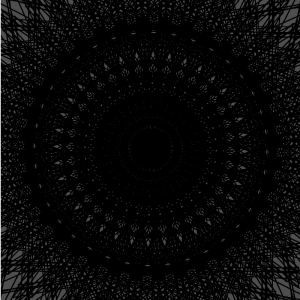
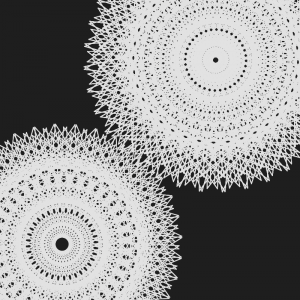
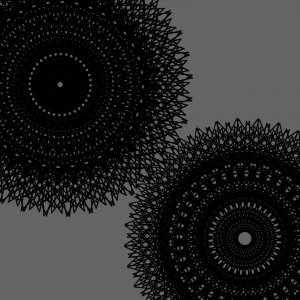
In all honesty, learning how to use turtle graphics was one of the coolest things I learned in this course; I just love the intricate designs that I am able to create with them. I experimented with various turtle object API (application programmer’s interface) to reach this final design. I like the sense of dimension it has as a result of the overlapping lines. As with many of my works, visual complexity and simplicity coexist in this piece. Here is a screenshot of the final version.

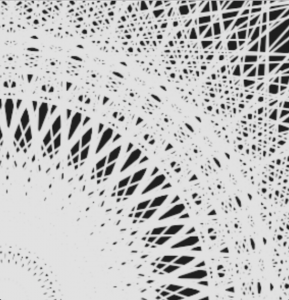
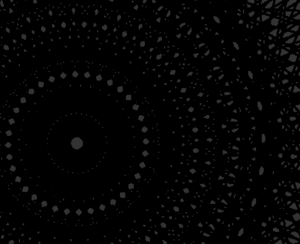
Since it is difficult to illustrate them in hand-drawn sketches, I have decided to include multiple screenshots of from the experimentation process.